
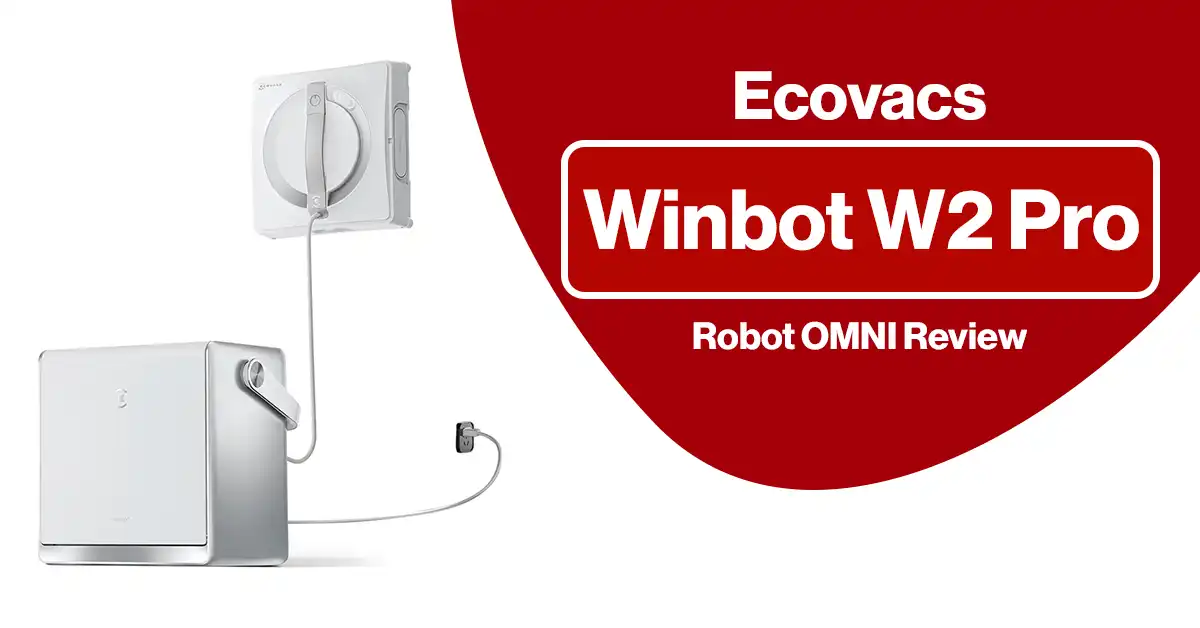
Tired of streaky windows, repetitive wiping, and the hassle of reaching difficult glass surfaces? The ECOVACS WINBOT W2 PRO OMNI takes a very different approach: instead of cleaning windows yourself, you attach a robot to the glass and let it handle the routine work.
The W2 PRO OMNI combines a portable multi-function station, WIN-SLAM 4.0 navigation, automatic spraying, seven cleaning modes, 5,500 Pa maximum suction, battery-powered operation, and 12-stage protection. ECOVACS currently lists the W2 PRO OMNI at $499.99 in the U.S.
But there is an important distinction between automated and completely hands-off. The WINBOT can significantly reduce the physical work involved in window maintenance, but you still need to prepare the robot, move it between panes, monitor operation, and manually deal with stubborn dirt in some situations.
So, is this premium window-cleaning robot actually worth around $500?
Let’s find out.
ECOVACS WINBOT W2 PRO OMNI at a Glance
Before getting into the detailed review, here’s a quick overview of the hardware and specifications.
| Feature | ECOVACS WINBOT W2 PRO OMNI |
|---|---|
| Product type | Robotic window cleaner |
| Current U.S. listed price | $499.99 |
| Navigation | WIN-SLAM 4.0 |
| Maximum suction | 5,500 Pa ±500 Pa |
| Cleaning modes | 7 |
| Battery | 4,500mAh lithium |
| Battery runtime | Up to 110 minutes ±10% |
| Fast-mode coverage | Approx. 55 m² per charge |
| Deep-mode coverage | Approx. 22 m² per charge |
| Charging time | Up to 3 hours |
| Robot dimensions | 271 × 271 × 77 mm |
| Robot weight | Approx. 1.6 kg |
| Station weight | Approx. 5.5 kg |
| Water tank | Approx. 60 ±5 ml |
| Minimum window size | 30 × 40 cm |
| Compatible surface | Flat windows |
| Frame compatibility | Framed and frameless |
| App | ECOVACS HOME |
| Power options | Battery or plugged-in |
| Safety system | 12-stage protection |
Specifications are based on ECOVACS’ current U.S. product information.
What Is the ECOVACS WINBOT W2 PRO OMNI?
The WINBOT W2 PRO OMNI is a robotic window-cleaning system designed to automate routine cleaning of flat glass surfaces.
Unlike a conventional handheld window cleaner, the WINBOT adheres to the glass using suction and moves across the surface while applying cleaning solution and wiping the glass with its microfiber cleaning pad.
The system is more than just the robot itself. Its multi-functional station combines several functions, including portable storage, controls, battery power, cable management, and an anchoring mechanism.
That station is one of the biggest reasons the W2 PRO OMNI stands apart from simpler window-cleaning robots.
What Does It Actually Do?
The W2 PRO OMNI is designed to:
- Navigate across flat glass automatically
- Detect window frames and obstacles
- Apply cleaning solution automatically
- Clean along window edges
- Return toward its starting point
- Operate from its internal battery
- Continue operating while plugged into power
- Provide multiple cleaning modes through the ECOVACS HOME app
- Maintain adhesion through multiple safety systems
The result is a device aimed primarily at routine window maintenance, rather than a magic replacement for every type of manual glass cleaning.
WINBOT W2 PRO OMNI Key Features
1. WIN-SLAM 4.0 Intelligent Navigation
Navigation is one of the most important components of a window-cleaning robot.
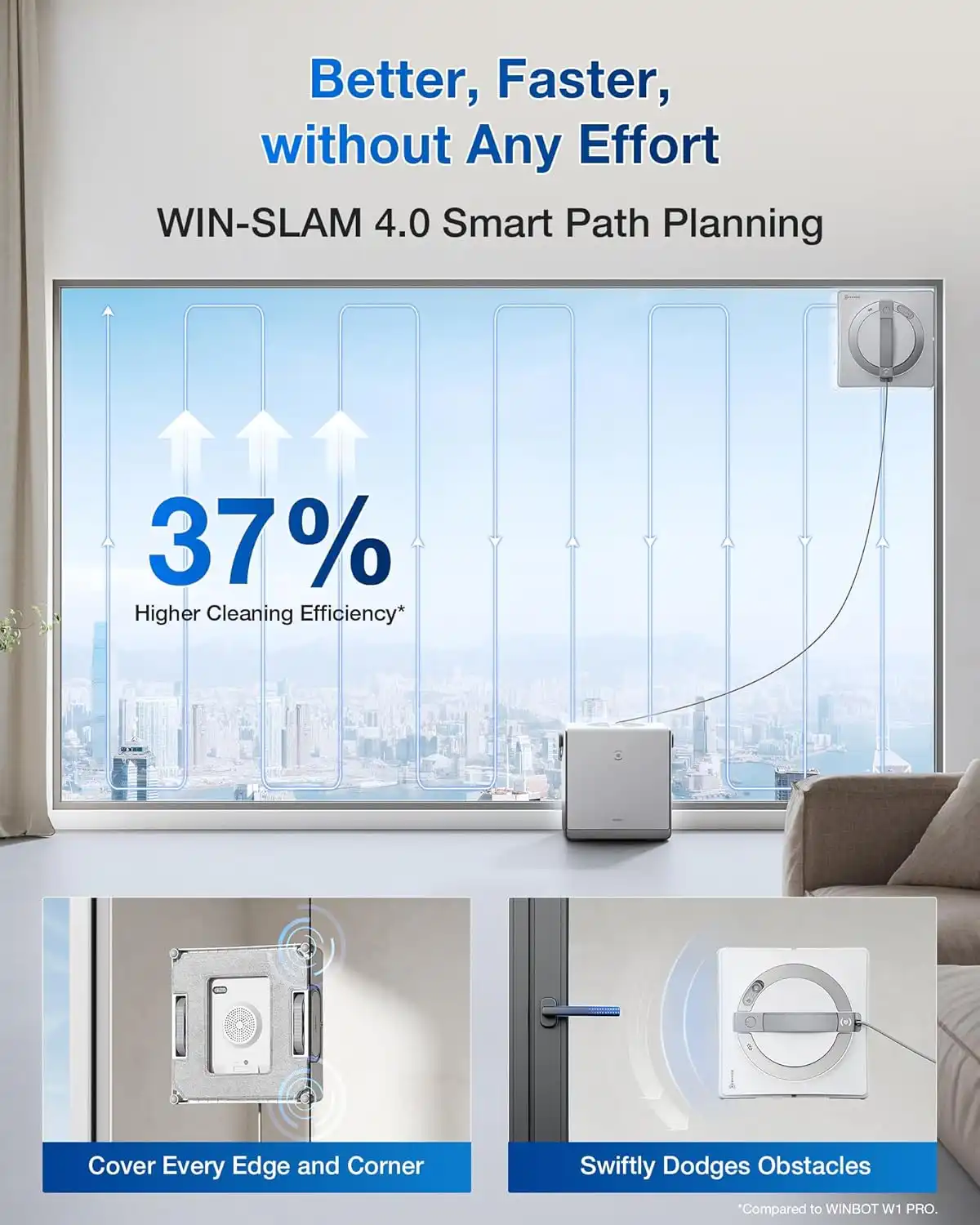
The W2 PRO OMNI uses WIN-SLAM 4.0, ECOVACS’ intelligent path-planning system. According to ECOVACS, the updated system can increase cleaning efficiency by 37% compared with its previous approach. That’s an official manufacturer claim rather than an independently verified measurement, so it’s best to treat the percentage as a specification claim rather than a guarantee.
The system is designed to optimize:
- Route planning
- Turns
- Edge detection
- Obstacle avoidance
- Return-to-start behavior
- Cleaning coverage
The robot can also detect frames and low obstacles. ECOVACS lists a minimum detectable obstacle height of approximately 4 mm and minimum detectable frame height of approximately 2 mm.
Why This Matters
A window robot needs more than suction. It has to understand where the glass ends and where obstacles begin.
Better route planning means less random movement and potentially more efficient coverage.
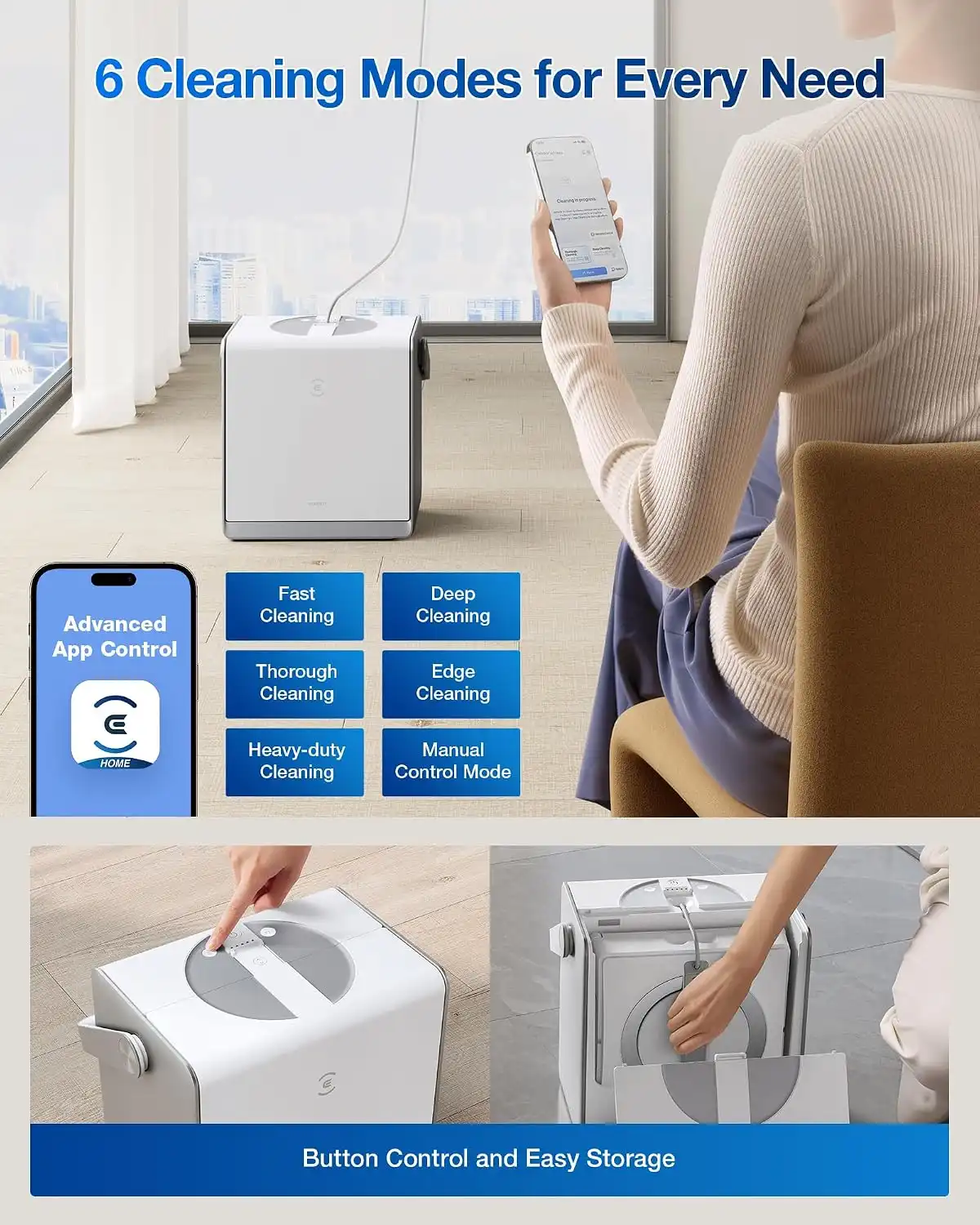
2. Seven Cleaning Modes
One area where the original article needs a significant update is its description of the cleaning modes.
The W2 PRO OMNI doesn’t stop at three modes.
Through the ECOVACS HOME app, it provides seven cleaning modes:
- Fast Cleaning
- Deep Cleaning
- Thorough Cleaning
- Edge Cleaning
- Spot Cleaning
- Zone Cleaning
- Heavy-Duty Cleaning
This is useful because different windows require different cleaning approaches.
Fast Cleaning
Best for routine maintenance when the glass is already relatively clean.
Deep Cleaning
Useful when the window has accumulated more dirt and requires more intensive cleaning.
Thorough Cleaning
A balanced option when you want more comprehensive coverage.
Edge Cleaning
Designed specifically for areas close to the window edges.
Spot Cleaning
Useful when you want the robot to focus on a particular dirty area.
Zone Cleaning
Helps target a specific section rather than running a conventional full-window cycle.
Heavy-Duty Cleaning
Designed for larger or dirtier glass surfaces.
The additional modes make the W2 PRO OMNI substantially more flexible than a basic automated glass cleaner.
3. Automatic Water Spraying
The W2 PRO OMNI uses automatic water spraying to keep the cleaning pad appropriately wet during operation.
There’s an important specification nuance here.
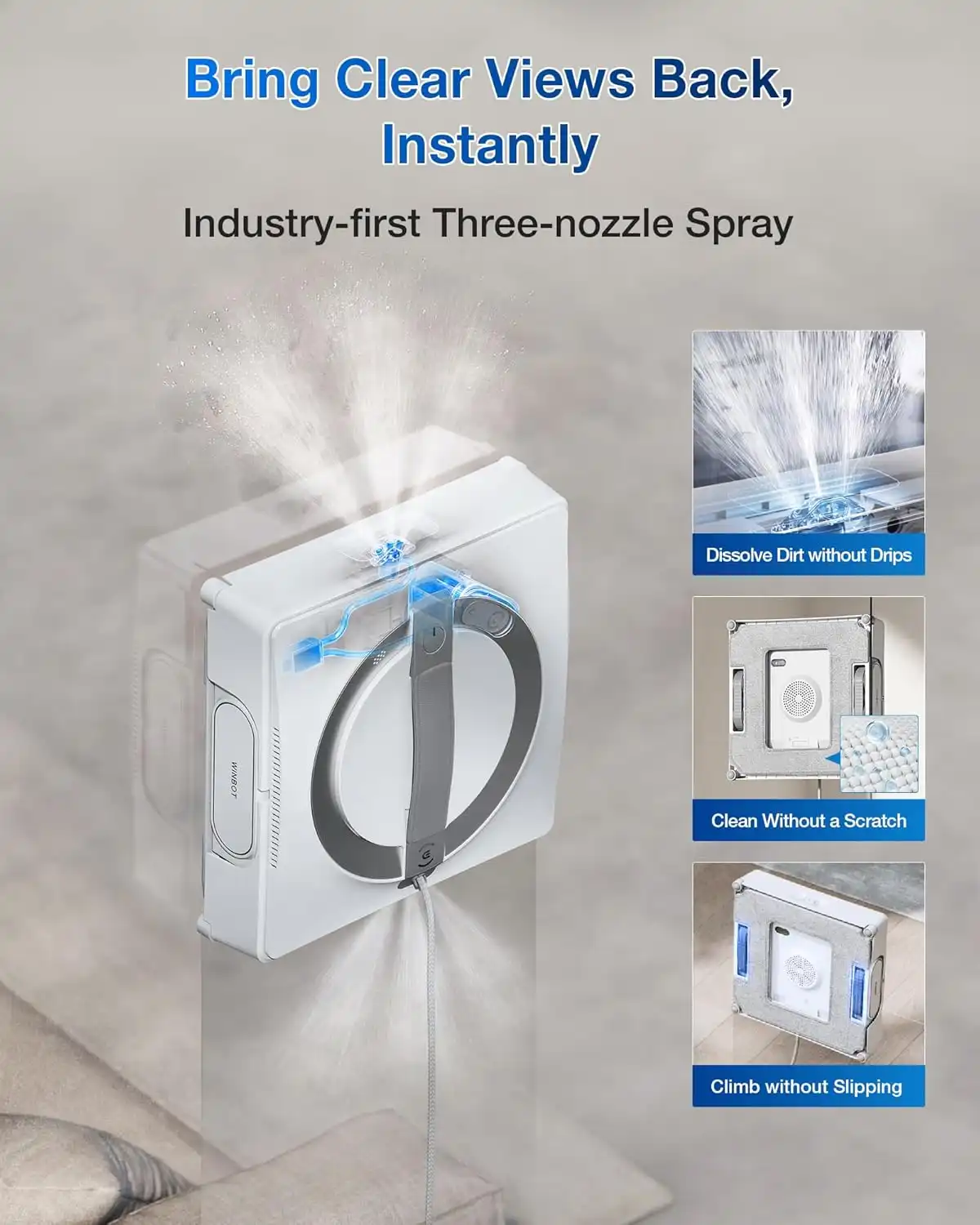
ECOVACS markets the technology as Three-nozzle Wide-angle Spray Atomization Technology, while the detailed U.S. specifications list six spray nozzles. The safest way to describe it in a review is to use ECOVACS’ technology name while noting that its current specification sheet lists six nozzles.
The water tank capacity is approximately 60 ±5 ml, and ECOVACS lists self-adaptive spray volume and water-level reminders among the system features.
Why Automatic Spraying Is Important
Too little moisture can make cleaning ineffective.
Too much liquid can create:
- Drips
- Excess residue
- Poor adhesion
- Additional streaking
The automatic spray system is therefore intended to balance moisture and cleaning performance.
4. 5,500 Pa Maximum Suction
One of the most important hardware specifications is the robot’s suction capability.
ECOVACS lists maximum suction at approximately 5,500 Pa ±500 Pa, while suction during movement is listed at approximately 2,800 Pa.
The W2 PRO OMNI also uses an intelligent climbing system and a brushless motor.
That combination helps the robot maintain contact with the glass while moving vertically.
However, don’t interpret a high Pa figure as an absolute guarantee that the robot will remain attached to every conceivable surface. Window condition, surface type, moisture, pad condition and correct setup all matter.
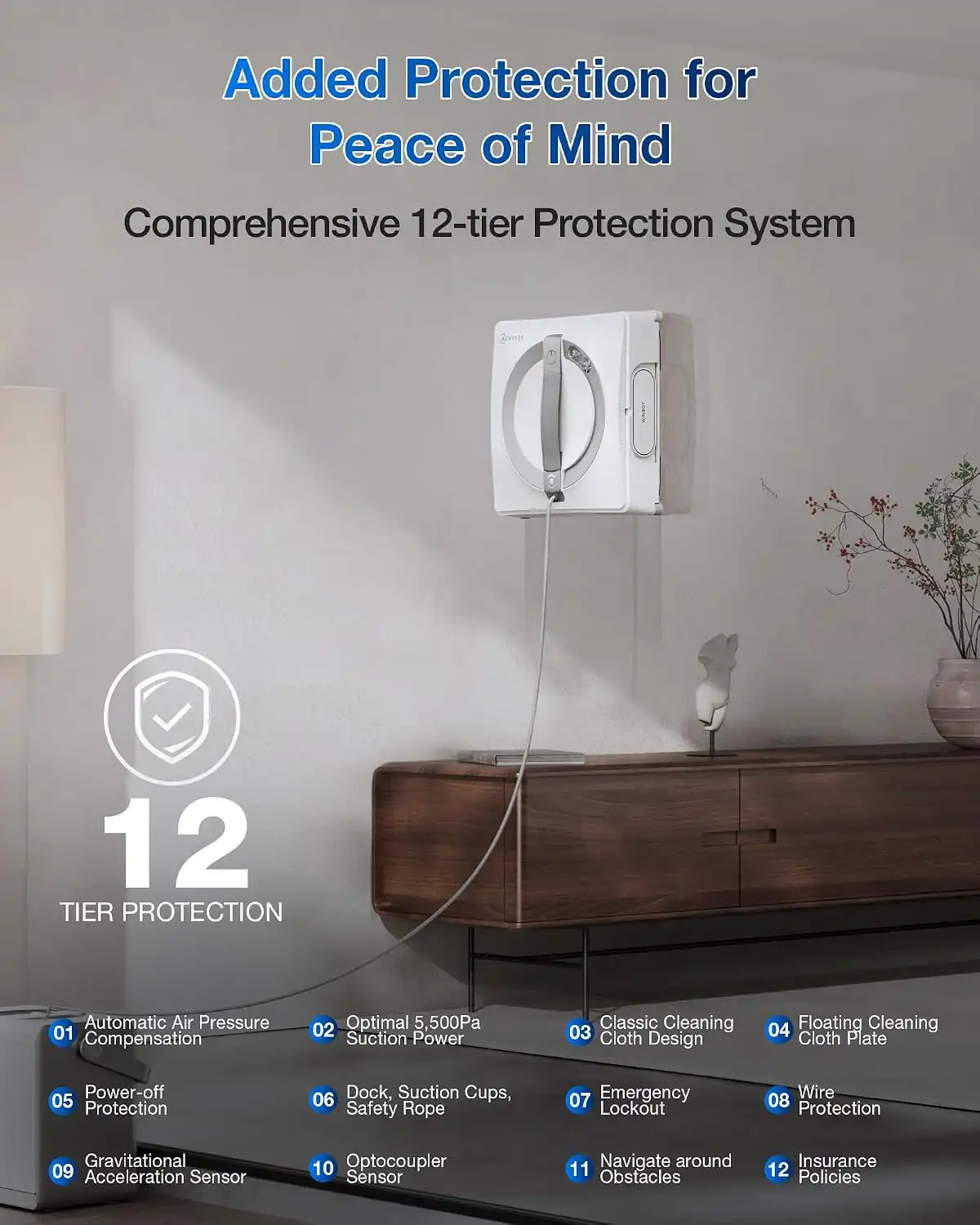
5. 12-Stage Safety Protection
Safety is particularly important because this robot may be operating several meters above the ground.
ECOVACS describes a 12-stage protection system, consisting of:
- Eight hardware-based fall-protection measures
- Three-stage intelligent protection
- Accidental-damage insurance
The hardware protection includes technologies such as:
- Automatic air-pressure compensation
- Suction monitoring
- Floating cleaning-pad design
- Safety rope
- Other anti-drop mechanisms
The robot also uses sensors for stability and edge detection.
ECOVACS states that the W2 PRO OMNI can remain attached for more than 30 minutes after power loss under its specified conditions.
But Is It Really Hands-Free?
Not completely.
This is an important distinction the original article should make.
The robot automates the physical cleaning process, but you should still:
- Set up the station correctly.
- Attach the safety system.
- Prepare the cleaning pad.
- Position the robot correctly.
- Monitor the cleaning process.
- Move it to another window when necessary.
- Deal with unusual obstacles or stubborn stains.
Think of it as hands-off cleaning while operating, not unattended cleaning.
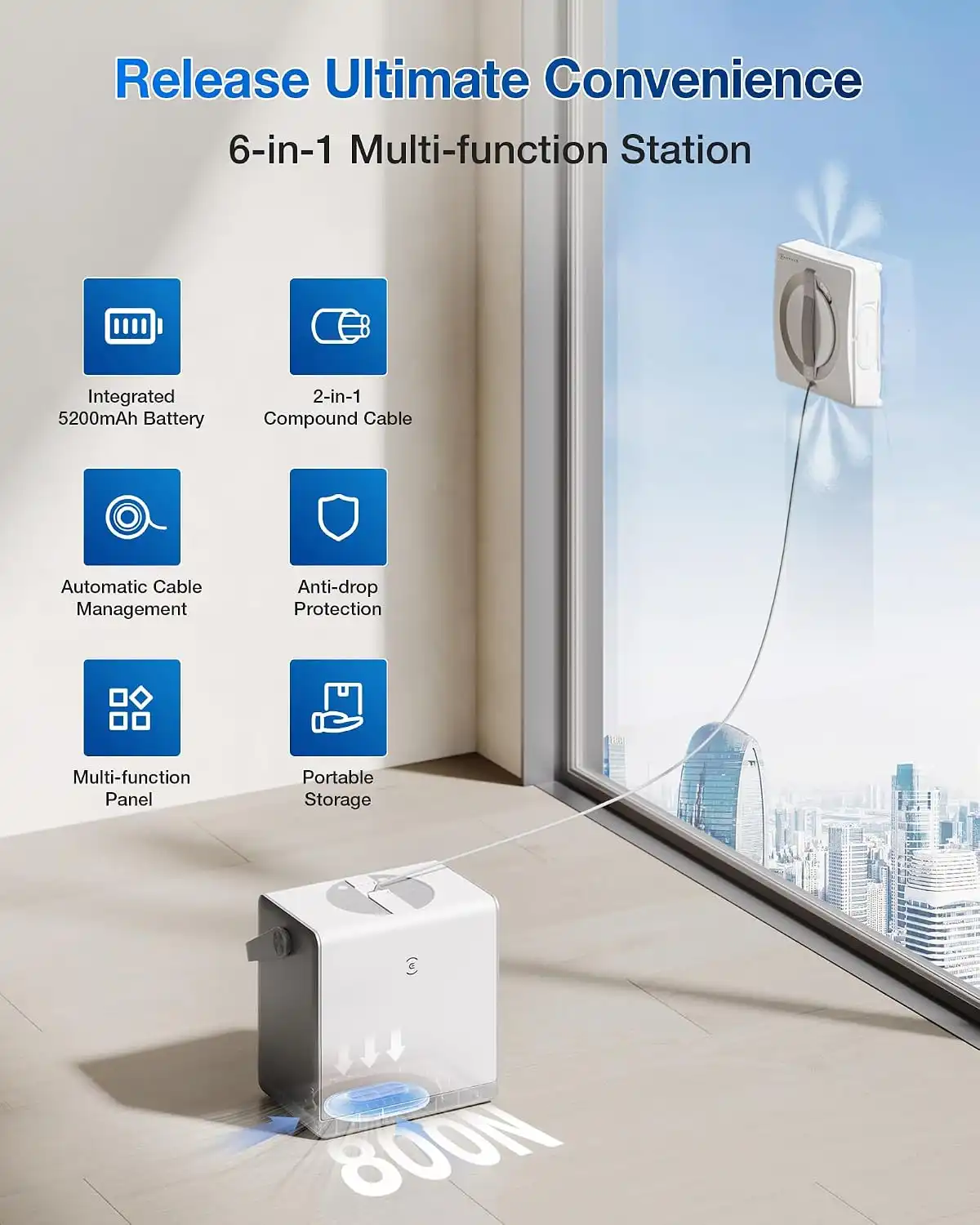
6. Portable Multi-Functional Station
The station is arguably the W2 PRO OMNI’s most interesting design feature.
It functions as:
- A portable storage case
- A control station
- A battery power source
- A cable-management system
- A safety anchor
- A carrying unit
The station incorporates a large-capacity battery and automatic cable management.
It also includes controls for:
- Power
- Start/pause
- Cleaning mode selection
- Automatic cable take-up
- Returning to the starting point
This means you don’t necessarily need a nearby wall outlet for every window.
Battery Life: How Long Does the WINBOT W2 PRO OMNI Last?
The W2 PRO OMNI uses a 4,500mAh lithium battery.
ECOVACS rates operation at approximately 110 minutes per charge, ±10%. The company estimates approximately:
- 55 m² in Fast mode
- 22 m² in Deep mode
Charging takes up to approximately 3 hours.
The robot also supports plugged-in operation, which is useful for larger indoor glass surfaces where a power outlet is available.
What Does 110 Minutes Mean in Practice?
Don’t assume that 110 minutes means the robot will clean 55 m² in every situation.
Cleaning mode matters.
Deep cleaning can consume more time and power than Fast mode. Dirt levels, window layout, edge cleaning and movement patterns can also affect real-world coverage.
For a home with several large windows, being able to operate from mains power can be particularly useful.
Real-World Cleaning Performance
The W2 PRO OMNI makes the most sense when you view it as a maintenance tool.
It’s particularly useful for:
- Dust
- Fingerprints
- Light smudges
- Everyday marks
- Routine glass maintenance
It’s less compelling when dealing with:
- Thick grime
- Dried-on deposits
- Paint
- Heavy hard-water stains
- Sticky residue
- Long-neglected windows
A robot can repeatedly pass over a dirty area, but that doesn’t mean it has the same scrubbing ability as someone manually attacking a stubborn stain.
Our Practical Expectation
For regularly maintained windows, the W2 PRO OMNI can reduce the amount of manual wiping required.
For neglected glass, expect some preparation or finishing work.
That distinction is important if you’re spending around $500.
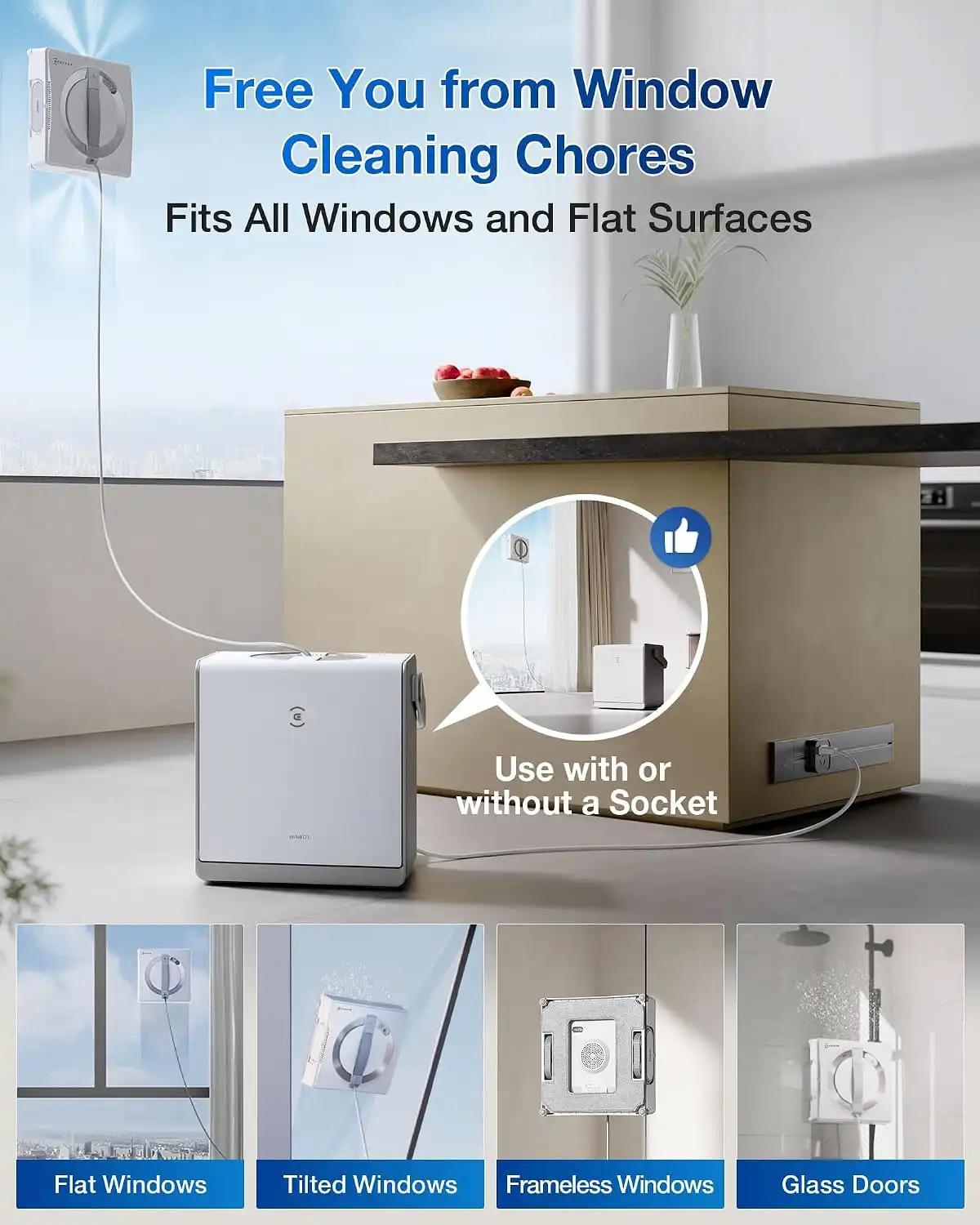
What Surfaces Can It Clean?
ECOVACS lists the W2 PRO OMNI as compatible with flat windows, including both framed and frameless configurations. The minimum specified window size is approximately 30 × 40 cm, and minimum glass thickness is listed at 3 mm.
Suitable surfaces can include:
- Standard flat windows
- Large glass panels
- Floor-to-ceiling glass
- Frameless windows
- Some tilting windows
- Glass doors
- Other appropriate flat glass surfaces
However, don’t interpret “all windows” as literally every glass surface.
The official technical specification says flat windows, so textured, heavily irregular or unsuitable surfaces should not be assumed to work.
WINBOT W2 PRO OMNI Size and Portability
The robot measures approximately:
271 × 271 × 77 mm
and weighs approximately:
1.6 kg.
The station is considerably heavier:
312 × 215 × 327 mm
with a weight of approximately:
5.5 kg.
That’s worth considering.
The robot itself is portable, but the complete system isn’t exactly pocket-sized.
For someone cleaning multiple windows around a house, the station’s handle and storage design make transportation easier. But you still have a substantial piece of equipment to move from room to room.
App Control and Smart Features
The ECOVACS HOME app provides access to the robot’s cleaning modes and remote control functions.
The W2 PRO OMNI supports omnidirectional remote control, rather than restricting movement to basic four-direction commands.
The app is useful if you want:
- Cleaning-mode selection
- More control over movement
- Targeted cleaning
- Edge cleaning
- Zone cleaning
- Status information
However, users who prefer simplicity can use the physical controls on the station for basic operation.
This is a good design choice because the app isn’t the only way to interact with the device.
Setup: How To Use the WINBOT W2 PRO OMNI
Getting started is relatively straightforward, but setup still matters.
Step 1: Prepare the Cleaning Pad
Attach a clean microfiber cleaning pad to the robot.
A dirty pad can simply redistribute grime instead of removing it.
Step 2: Prepare Cleaning Solution
Use the cleaning solution recommended by ECOVACS rather than experimenting with household chemicals.
The official U.S. listing includes a cleaning-solution bottle, but it is listed as an empty bottle, so don’t assume that a full bottle of solution is included in the package.
Step 3: Prepare the Station
Position the station securely and ensure its safety/anchoring system is correctly configured.
Step 4: Place the Robot on the Glass
Make sure the robot has properly established contact with the surface before beginning the cleaning cycle.
Step 5: Choose a Cleaning Mode
Select Fast, Deep, Thorough, Edge, Spot, Zone or Heavy-Duty mode depending on the condition of the glass.
Step 6: Monitor the First Few Minutes
Especially when using the device on a new type of window, verify that the robot is moving correctly and maintaining adhesion.
Is the WINBOT W2 PRO OMNI Truly Safe?
The safety system is one of its strongest selling points.
The combination of suction, sensors, safety rope, automatic cable management, station anchoring and power-loss protection gives the W2 PRO OMNI multiple layers of protection.
But no window-cleaning robot should be treated as a completely unattended appliance.
Always Pay Attention To:
- Surface condition
- Proper robot placement
- Safety-rope installation
- Pad cleanliness
- Window frames
- Obstacles
- Cable routing
- Suction warnings
- Battery status
The robot’s safety technology is there to reduce risk, not eliminate the need for responsible operation.
Pros and Cons
Pros
Excellent Automation
The biggest benefit is obvious: the robot handles much of the repetitive wiping work.
Seven Cleaning Modes
The expanded mode selection gives users significantly more control than a simple one-button cleaner.
WIN-SLAM 4.0
Intelligent path planning helps optimize movement and window coverage.
Strong Suction
The listed maximum suction of approximately 5,500 Pa provides a substantial adhesion system.
Portable Battery Operation
Up to 110 minutes of battery operation means you aren’t limited to windows near electrical outlets.
Excellent Station Design
The multi-functional station combines storage, power, controls and safety management.
Edge Cleaning
The dedicated Edge Cleaning mode addresses one of the traditional weaknesses of robotic window cleaners.
Extensive Safety System
The 12-stage protection system is a major advantage for a device operating vertically.
Cons
Expensive
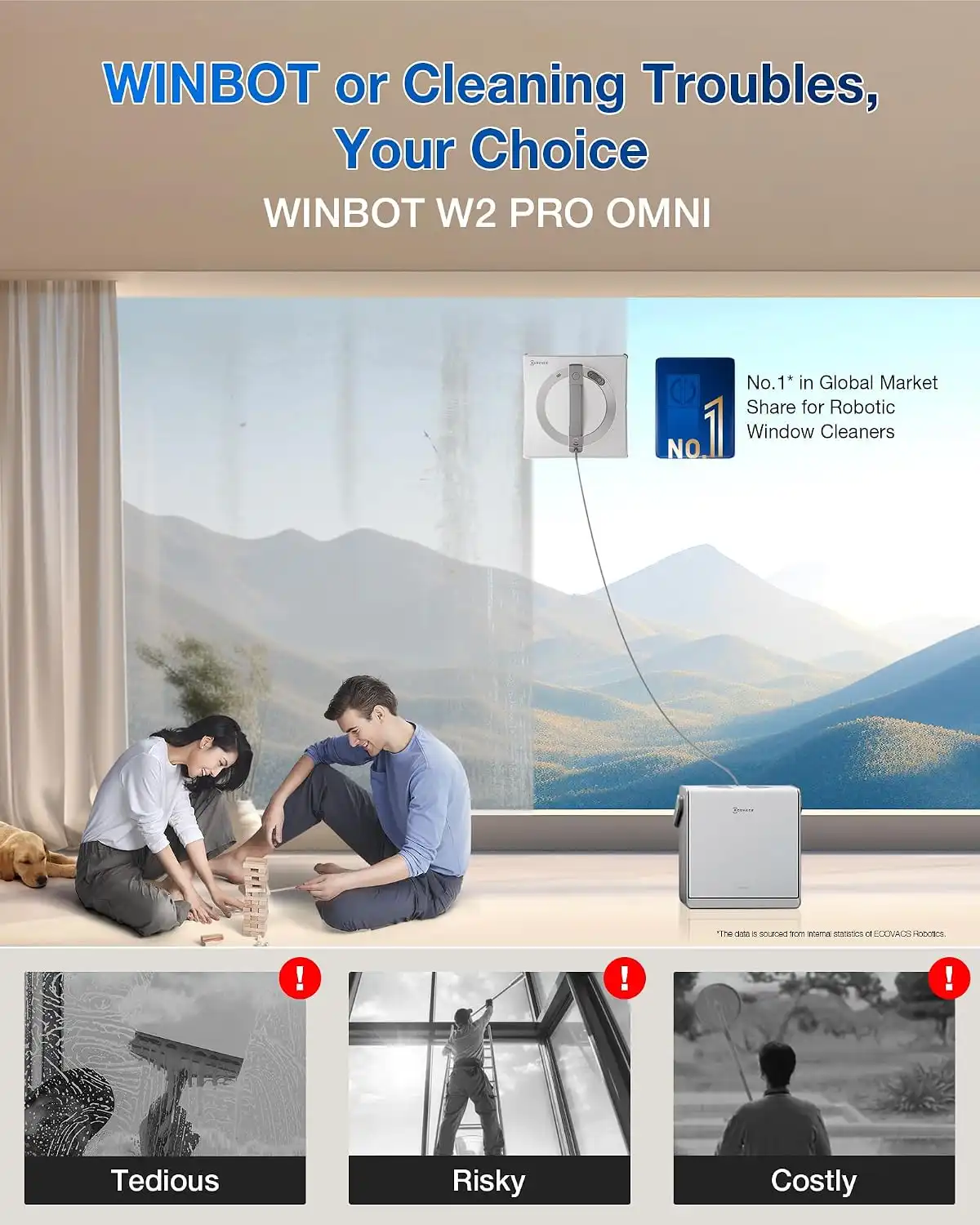
At approximately $499.99, the W2 PRO OMNI is substantially more expensive than a traditional squeegee, microfiber cloth and cleaning solution.
Not a Replacement for Deep Cleaning
Heavily stained or neglected windows may still need manual treatment.
Requires Setup
You cannot simply press a button from across the room and expect every window in the house to be cleaned automatically.
Requires Supervision
The safety system is impressive, but users should still monitor the device.
Large Station
The 5.5 kg station is useful but takes up more storage space than a basic handheld cleaning kit.
Consumables Add to Ownership Cost
Cleaning pads and cleaning solution are recurring considerations.
WINBOT W2 PRO OMNI vs. Traditional Window Cleaning
| Category | WINBOT W2 PRO OMNI | Manual Cleaning |
|---|---|---|
| Physical effort | Low | High |
| Initial cost | High | Very low |
| Routine maintenance | Excellent | Excellent |
| Heavy grime | May need manual help | Excellent |
| High windows | Reduces ladder use | Potentially difficult/risky |
| Setup | Moderate | Simple |
| Supervision | Recommended | Required |
| Recurring consumables | Yes | Yes |
| Automation | High | None |
| Portability | Good with station | Excellent |
The robot wins on convenience and automation.
Manual cleaning wins on simplicity, price and control over stubborn stains.
WINBOT W2 PRO OMNI vs. WINBOT Mini
If you’re considering ECOVACS’ smaller WINBOT models, the W2 PRO OMNI isn’t automatically the right choice.
The W2 PRO OMNI is designed around:
- A larger portable station
- Battery operation
- Advanced navigation
- Seven cleaning modes
- Extensive safety features
- Large-surface maintenance
The smaller WINBOT Mini is positioned as a more compact and lower-cost option. ECOVACS’ U.S. site currently lists the Mini at approximately $170, compared with $499.99 for the W2 PRO OMNI.
Choose the W2 PRO OMNI if:
You have lots of glass, difficult-to-reach windows, large panes, or want the additional automation and battery flexibility.
Consider the Mini if:
You have a smaller number of suitable windows and primarily want an affordable automated cleaner.
Who Should Buy the ECOVACS WINBOT W2 PRO OMNI?
Busy Homeowners
If you have a large amount of glass and dislike repetitive cleaning, automation can be worthwhile.
Homes With Large Glass Panels
Floor-to-ceiling windows and large glass doors are particularly logical use cases.
Apartment Residents
The ability to clean suitable exterior-facing glass without repeatedly climbing or leaning out can be valuable.
People Who Clean Windows Frequently
The more often you use the robot, the easier it is to justify the initial purchase price.
Small Offices and Commercial Spaces
Businesses with appropriate flat glass surfaces may benefit from automated maintenance, although commercial requirements and safety procedures should be evaluated separately.
Who Should Skip It?
The W2 PRO OMNI probably isn’t worth $500 if:
- You have only a few small windows.
- Your windows are rarely dirty.
- You enjoy traditional window cleaning.
- Most of your glass is textured or unsuitable for robotic cleaning.
- You expect completely unattended operation.
- You primarily need heavy-duty stain removal.
For occasional window cleaning, a quality squeegee and microfiber system will be dramatically cheaper.
Maintenance Tips
Proper maintenance directly affects cleaning performance.
Wash the Cleaning Pads
Clean the microfiber pad after use and allow it to dry properly.
Keep Sensors Clean
Dust or residue can interfere with navigation and edge detection.
Check the Suction System
Before using the robot, inspect the relevant surfaces and components for dirt or damage.
Don’t Neglect the Station
The station is an important part of the safety system. Keep it clean and positioned securely.
Use Appropriate Cleaning Solution
Avoid casually substituting household products.
ECOVACS currently sells its own 1-liter WINBOT cleaning solution for $24.99 on its U.S. site, although prices can change.
Is the ECOVACS WINBOT W2 PRO OMNI Worth $500?
The answer depends heavily on your windows.
For someone with a handful of easily accessible windows, no. A traditional cleaning kit costs a fraction of the price.
For someone with extensive glass surfaces, large windows, difficult-to-reach areas and a strong desire to automate repetitive cleaning, the equation changes.
The W2 PRO OMNI combines several useful technologies in one system:
- WIN-SLAM 4.0
- 5,500 Pa maximum suction
- Seven cleaning modes
- Automatic spraying
- Battery operation
- Plugged-in operation
- Edge cleaning
- Portable station
- Automatic cable management
- 12-stage safety protection
That’s a sophisticated package.
But it’s still a window maintenance robot, not a magical replacement for professional or manual deep cleaning.
Final Verdict
The ECOVACS WINBOT W2 PRO OMNI is one of the more sophisticated robotic approaches to routine window maintenance. Its strongest feature isn’t any single specification; it’s the way the portable station, battery, navigation, spraying, edge cleaning and safety systems work together.
The 110-minute battery rating, 5,500 Pa maximum suction, WIN-SLAM 4.0 navigation, and seven cleaning modes make it substantially more capable than a basic robotic window cleaner.
The biggest downside is price. At around $500, this is a convenience purchase rather than an obvious value purchase.
My recommendation:
Buy it if: you have many large or difficult-to-reach flat glass surfaces and value automation enough to justify the premium.
Skip it if: you have only a few windows, rarely clean them, or expect the robot to remove years of heavy grime without manual intervention.
Overall: 8/10
Best for: Large homes, glass-heavy interiors, frequent window maintenance, and users who prioritize convenience.
Not ideal for: Budget buyers, heavily neglected windows, unsuitable glass surfaces, or anyone expecting completely unattended cleaning.
The W2 PRO OMNI doesn’t make window cleaning disappear—but for the right home, it can make one of the most tedious household chores considerably easier.
Frequently Asked Questions
Is the ECOVACS WINBOT W2 PRO OMNI worth it?
It can be, particularly for homes with numerous large or hard-to-reach flat glass surfaces. At around $500, however, it’s best viewed as a premium convenience appliance rather than an inexpensive cleaning tool.
How long does the WINBOT W2 PRO OMNI run?
ECOVACS rates the built-in 4,500mAh battery for up to approximately 110 minutes, with an estimated Fast-mode coverage of around 55 m² per charge. Deep mode is rated at approximately 22 m².
Can the WINBOT W2 PRO OMNI work without being plugged in?
Yes. It has a built-in battery for cordless operation and can also operate while connected to power.
How many cleaning modes does it have?
The ECOVACS HOME app provides seven modes: Fast, Deep, Thorough, Edge, Spot, Zone and Heavy-Duty.
What is the suction power?
ECOVACS lists maximum suction at approximately 5,500 Pa ±500 Pa and suction while moving at approximately 2,800 Pa.
Can it clean frameless windows?
Yes. ECOVACS lists compatibility with flat windows with or without frames.
Does it completely replace manual window cleaning?
No. It is best viewed as a routine-maintenance solution. Heavy grime, stubborn stains, residue and unsuitable surfaces may still require manual cleaning.
Can I use Windex in the WINBOT?
I would not recommend treating ordinary household glass cleaners as interchangeable with the manufacturer’s recommended solution. Use the current ECOVACS cleaning-solution guidance to avoid potentially affecting the spray system, pads or adhesion.
Does the robot need supervision?
Yes. Its safety systems are designed to reduce fall risk, but users should still monitor operation and respond to warnings, obstacles or adhesion problems.
Where to Buy
For the most reliable current pricing, warranty and accessory information, check the official ECOVACS listing. The current U.S. listing shows the WINBOT W2 PRO OMNI at $499.99.
ECOVACS WINBOT W2 PRO OMNI official product page
Affiliate disclosure: If you purchase through links on this page, we may earn a commission at no additional cost to you. Our recommendations are based on the product’s features, specifications, practical use cases, and value—not the commission.

– is a trusted tech reviewer who dives deep into the world of computing, home appliances, TVs, digital gear, and software lifetime deals. With a sharp eye for performance and value, he helps readers and buyers make smarter decisions through honest, data-driven reviews. Whether it’s the latest gaming rig, a must-have productivity tool, or a hidden lifetime deal gem, Billy breaks it all down—so you get the best tech without the guesswork.
