

Are you juggling multiple apps to keep track of tasks, manage team communications, and organize files? If the chaos of switching between tools is slowing you down, it might be time to simplify your workflow with Edworking.
Imagine having all your project management needs—from task assignments and video calls to real-time chats and document collaboration—in one seamless platform. Edworking promises to centralize your workspace, offering a more efficient and productive way to manage your projects.
In this Edworking Lifetime Deal Review, we’ll delve into Edworking’s lifetime deal, exploring how it could revolutionize your work life by reducing clutter and enhancing team collaboration.
Stay tuned to discover if Edworking is the game-changer you’ve been searching for.
Introduction To Edworking
In today’s fast-paced digital world, managing tasks and communication efficiently is crucial for success. Edworking offers a comprehensive solution by combining multiple tools into a single platform. It’s designed to enhance productivity and simplify workflows for freelancers, project managers, and small businesses.
Overview Of Edworking And Its Purpose
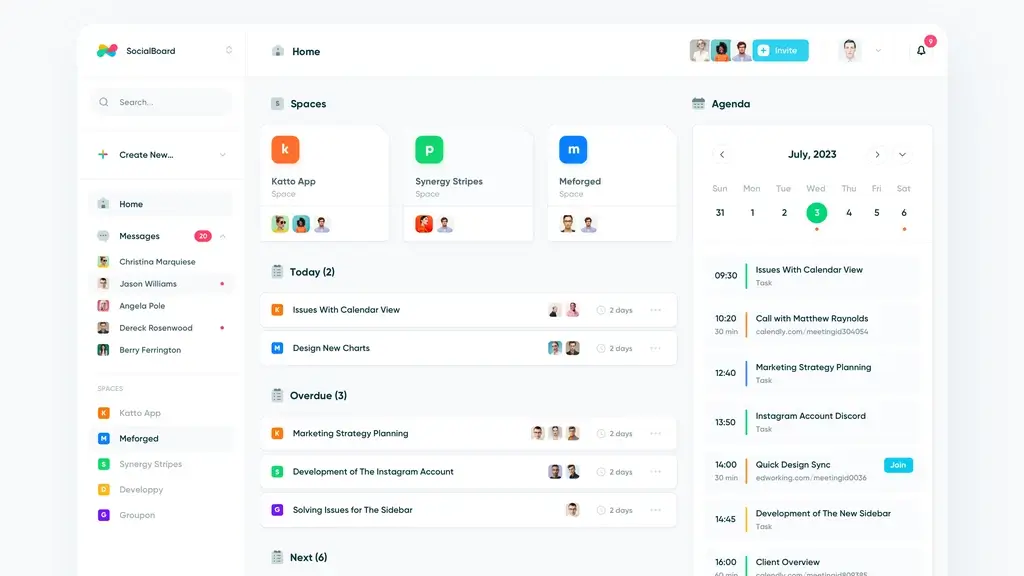
Edworking is an all-in-one platform that consolidates tasks, files, video calls, chats, and documents into a single workspace. This approach is aimed at boosting efficiency and reducing the chaos of managing multiple applications.
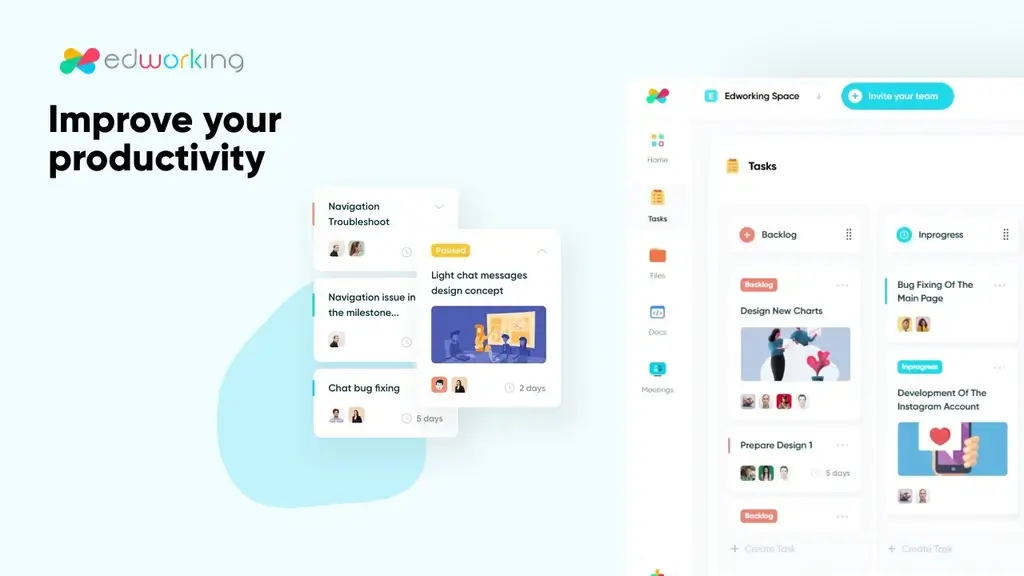
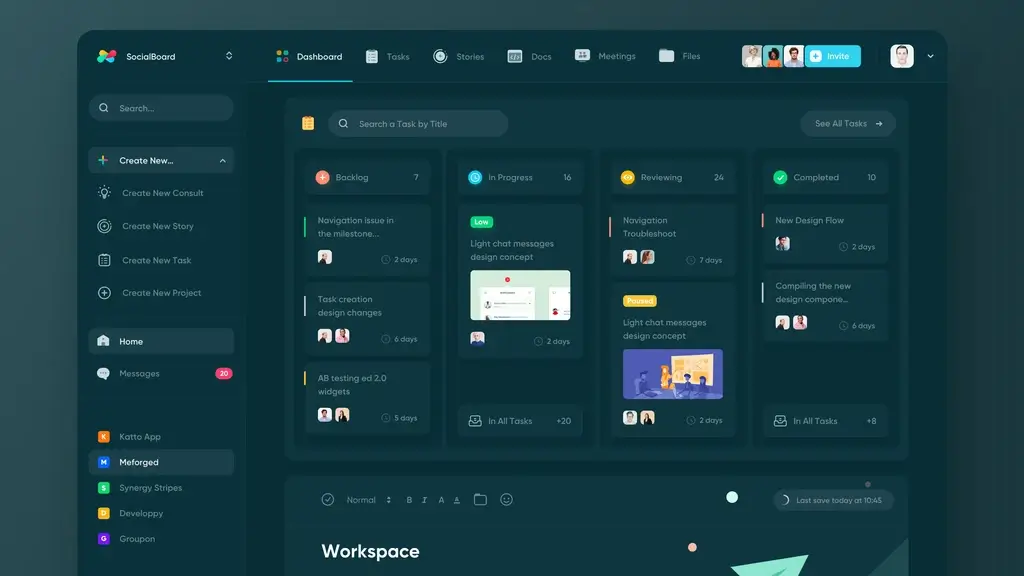
With features like customizable Kanban boards, real-time notifications, and task prioritization, Edworking ensures streamlined project management. The platform also includes communication tools such as real-time group and private chats, instant file collaboration, and HD video calls.
These tools facilitate seamless interaction among team members. Edworking supports integrations with popular services like G-Suite, Google Calendar, Pabbly Connect, and Zapier, making it highly adaptable to various workflows.
Why Edworking Is Gaining Attention In The Market
Edworking is capturing attention due to its ability to centralize team communication and project management. It minimizes the need for multiple apps, which reduces task chaos and enhances productivity.
The platform provides real-time tracking and updates on task progress, ensuring better team organization and deadline management. Its GDPR compliance and AI features add a layer of security and intelligence, making it a reliable choice for businesses.
The availability of iOS and Android apps ensures users can access their workspace on the go. With a 60-day money-back guarantee, users can try Edworking risk-free for two months, making it an attractive option.
| Plan | Price | Features |
|---|---|---|
| Plan 1 | $69 | 1 workspace, 5 member accounts, unlimited tasks/subtasks, unlimited storage (1GB per file), unlimited video calls, spaces, and docs. |
| Plan 2 | $138 | 1 workspace, 15 member accounts, all features of Plan 1. |
| Plan 3 | $207 | 1 workspace, 25 member accounts, all features of Plan 1. |
Key Features Of Edworking
Edworking is an innovative platform designed to centralize project management and team collaboration. It combines tasks, files, video calls, chats, and documents into one integrated workspace. By consolidating these essential tools, Edworking boosts productivity and simplifies workflows. Let’s explore its key features.
Collaborative Workspace Tools For Teams
Edworking provides a customizable Kanban board to streamline task creation and assignment. Real-time notifications keep team members updated on task progress. Task prioritization ensures that important tasks are highlighted and completed efficiently.
- Real-time notifications for updates
- Customizable Kanban board
- Task prioritization for better focus
Integrated Communication Channels
Communication is key in any team. Edworking offers real-time group and private chats. Instant file collaboration allows team members to work together seamlessly. HD video calls provide a platform for virtual meetings and discussions.
- Group and private chats
- HD video calls for virtual meetings
- Instant file collaboration
Task Management And Tracking
Task management is simplified with real-time tracking and progress updates. Teams can set task priorities, ensuring that goals are met efficiently. This feature helps in organizing tasks and meeting deadlines.
- Real-time tracking of tasks
- Progress updates for ongoing tasks
- Priority settings for tasks
Security And Privacy Features
Edworking is GDPR-compliant, ensuring user data is protected. The platform uses advanced technology, including AI features, to enhance security and privacy for users.
- GDPR-compliant data protection
- AI features for enhanced security
- Advanced technology for privacy
Pricing And Affordability
Understanding the pricing and affordability of Edworking is crucial for potential users. This all-in-one platform offers lifetime deals, making it a cost-effective choice. Here, we’ll delve into the specifics of Edworking’s pricing and how it compares to competitors.
Understanding The Lifetime Deal Offer
Edworking provides a lifetime deal across three different plans. This deal includes a one-time payment for continuous access. Each plan offers unlimited tasks, storage, and video calls.
- Plan 1: $69, includes lifetime access, 1 workspace, and 5 member accounts.
- Plan 2: $138, includes lifetime access, 1 workspace, and 15 member accounts.
- Plan 3: $207, includes lifetime access, 1 workspace, and 25 member accounts.
Each plan ensures unlimited storage with 1GB per file, making it ideal for heavy users. All plans come with a 60-day money-back guarantee, offering users peace of mind.
Comparison With Competitors’ Pricing Models
Many project management tools operate on a subscription model. These often require monthly payments, which can add up over time. In contrast, Edworking’s one-time payment is a significant advantage.
For instance, popular tools like Trello or Asana charge monthly fees per user. Edworking eliminates recurring costs, providing long-term savings.
| Tool | Pricing Model | Cost for 5 Users (Annually) |
|---|---|---|
| Edworking | One-time payment | $69 (Plan 1) |
| Trello | Subscription | Approximately $600 |
| Asana | Subscription | Approximately $750 |
Cost-effectiveness For Different User Scenarios
Edworking’s pricing is designed for various users, from small teams to larger groups. For freelancers or small teams, Plan 1 is highly affordable and includes essential features.
Mid-sized teams may find Plan 2 suitable, supporting up to 15 members. Larger teams benefit from Plan 3, accommodating up to 25 members.
- Freelancers: Enjoy full features with minimal investment.
- Small Businesses: Manage projects effectively with affordable plans.
- Large Teams: Access comprehensive tools without recurring costs.
Edworking’s lifetime deal offers a cost-effective solution, reducing the need for multiple subscriptions. This makes it a smart choice for enhancing productivity while keeping budgets in check.
Pros And Cons Of Edworking
Edworking offers a comprehensive solution for managing projects and team collaboration. It combines tasks, files, video calls, chats, and documents in one place. Let’s explore the advantages and potential drawbacks of this platform.
Advantages Of Using Edworking
- All-in-One Platform: Edworking centralizes team communication and project management.
- Task Management: Features like customizable Kanban boards and task prioritization enhance productivity.
- Communication Tools: Real-time chats and HD video calls improve collaboration.
- Seamless Integration: Supports API, G-Suite, Google Calendar, Pabbly Connect, and Zapier.
- Accessibility: Available on iOS and Android, ensuring mobile access.
- Cost-Effective: Lifetime access with a one-time payment, reducing ongoing expenses.
- GDPR Compliance: Ensures data protection and privacy for users.
- Unlimited Features: Provides unlimited tasks, storage, and video calls.
Potential Drawbacks And Limitations
- Initial Learning Curve: Some users might need time to familiarize themselves with all features.
- Storage Limitations: Each file has a 1GB size limit, which may be restrictive for large files.
- Limited Member Accounts: Basic plan includes only 5 member accounts, which may not be enough for larger teams.
User Experiences And Feedback
Users appreciate the platform’s ability to consolidate multiple tools into one. They highlight its ease of use and effectiveness in streamlining workflows.
Many find the real-time collaboration features particularly beneficial. Some users, however, mention the initial adjustment period needed to fully utilize all capabilities. Overall, feedback is positive, emphasizing Edworking’s role in enhancing team productivity and organization.
Ideal Users And Scenarios
Edworking is designed for those who seek a unified workspace. It caters to a variety of users and scenarios. The platform is perfect for streamlining project management and enhancing team collaboration.
By consolidating tasks, files, video calls, chats, and documents, it simplifies work processes. Discover who benefits the most and how Edworking excels in different scenarios.
Who Can Benefit The Most From Edworking?
- Freelancers: Manage multiple projects effortlessly with customizable Kanban boards. Stay organized and prioritize tasks efficiently.
- Project Managers: Use real-time tracking and task progress updates to ensure projects stay on track.
- Small Businesses: Centralize team communication and project management, reducing the need for multiple apps.
These groups can leverage Edworking to boost productivity. It simplifies workflows and enhances collaboration.
Recommended Use Cases For Maximum Efficiency
- Task Management: Create and assign tasks using a customizable Kanban board. Receive real-time notifications.
- Communication: Use real-time group and private chats. Collaborate on files instantly and conduct HD video calls.
- Workflow Customization: Set priorities, track progress, and update tasks in real-time.
These use cases ensure users make the most of Edworking’s features. Efficiency and productivity are at the forefront.
Scenarios Where Edworking Excels
| Scenario | Edworking Features |
|---|---|
| Remote Team Collaboration | Real-time communication tools, including chats and video calls. |
| Project Management | Customizable workflows with Kanban boards and task prioritization. |
| Integration Needs | API, G-Suite, Google Calendar, Pabbly Connect, Zapier. |
These scenarios showcase how Edworking excels in different work environments. It offers comprehensive features to meet varied demands.
Why Trust Our Recommendations?
When it comes to going through the vast ground of business tools and services, you might wonder, Why Trust Our Recommendations?
Our commitment to providing independent and comprehensive evaluations is backed by an expert team that utilizes real user feedback to assess a wide range of offerings, from marketing platforms to SaaS solutions, website builders, and beyond.
We meticulously analyze crucial factors such as performance, usability, scalability, and customer support through rigorous real-world testing. This thorough approach allows us to deliver trusted recommendations tailored particularly to your business goals.
With our insights, you can make informed and confident decisions, empowering your success in today’s competitive market.
Frequently Asked Questions
How Do Lifetime Deals Work?
Lifetime deals offer products or services for a one-time payment. You get permanent access without recurring fees. These deals are popular with startups, providing early cash flow. Users benefit from long-term savings compared to subscription models. Always check terms and conditions for usage limitations before purchasing.
What Is Edworking Lifetime Deal?
The Edworking Lifetime Deal offers a one-time purchase for lifetime access to Edworking’s features. This deal is ideal for educators and institutions looking to maximize educational technology without recurring fees.
It provides unlimited access to resources, tools, and support designed to enhance online teaching and learning experiences.
How Can Edworking Benefit Educators?
Edworking enhances educators’ capabilities by offering advanced teaching tools and resources. It simplifies digital education management with user-friendly interfaces.
The platform supports collaboration and engagement, increasing productivity and student interaction. Lifetime access allows educators to focus on teaching instead of worrying about subscription renewals.
Is Edworking Suitable For All Educational Levels?
Edworking is designed for various educational levels, from primary to higher education. Its adaptable features cater to different teaching methods and curriculum requirements.
Educators can customize tools according to student needs, making it versatile for diverse learning environments and educational goals.
Conclusion
Edworking offers a unified platform for smooth team collaboration. It simplifies project management by combining tasks, files, and communication tools.
Users benefit from real-time updates and streamlined workflows. With its lifetime deal, Edworking provides excellent value for freelancers and small businesses.
The plans cater to various team sizes, ensuring flexibility. A 60-day money-back guarantee adds peace of mind. Edworking’s features enhance productivity and reduce app clutter.
It integrates well with popular tools, making it versatile. Consider exploring Edworking for efficient project management and collaboration.

– is a trusted tech reviewer who dives deep into the world of computing, home appliances, TVs, digital gear, and software lifetime deals. With a sharp eye for performance and value, he helps readers and buyers make smarter decisions through honest, data-driven reviews. Whether it’s the latest gaming rig, a must-have productivity tool, or a hidden lifetime deal gem, Billy breaks it all down—so you get the best tech without the guesswork.
