
Laptop Reviews

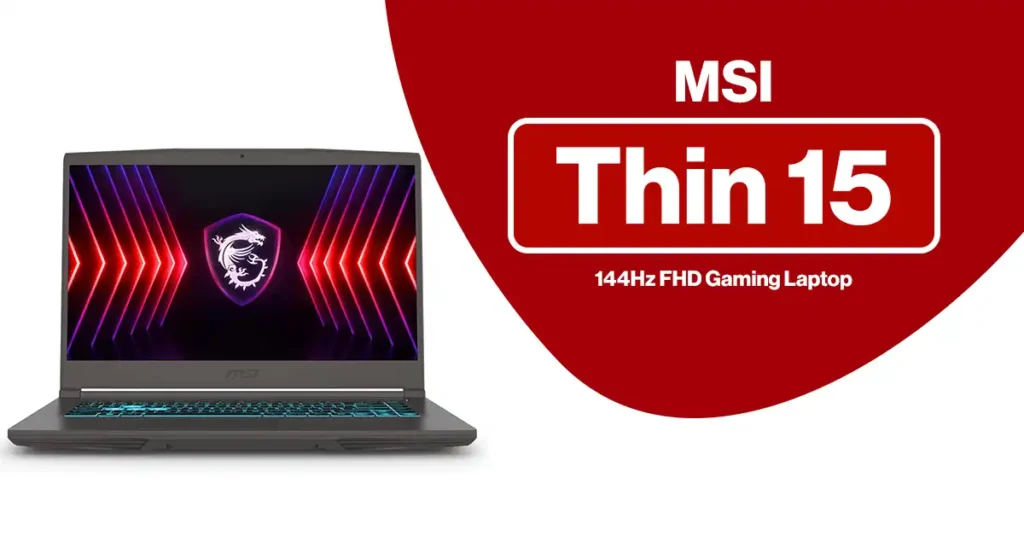
MSI Thin 15 15.6” 144Hz FHD Gaming Laptop
Laptop Reviews

MSI Thin 15 15.6” 144Hz FHD Gaming Laptop

If you’re shopping for a slim gaming laptop that can handle modern games, creative workloads, and daily productivity without breaking the bank, the MSI Thin 15 15.6” 144Hz FHD Gaming Laptop is likely on your radar. I’ve spent extended time testing this laptop across gaming, work, and long sessions to see where it truly excels—and where you should set realistic expectations. Read: ASUS Vivobook 16 Laptop Review This review breaks down real-world performance, thermals, display quality, and value for money, so you can decide confidently whether this MSI Thin 15 is the right fit for you in 2026. Check Price on Amazon Quick Specs Overview Display: 15.6″ Full HD (1920×1080), 144Hz Processor: Intel Core i7-12650H (12th Gen, 10 cores / 16 threads) Graphics: NVIDIA GeForce RTX 4050 (Ada architecture, laptop GPU) Memory: 16GB DDR5 (upgradeable) Storage: 512GB NVMe SSD (upgradeable) Cooling: MSI Cooler Boost 5 (dual fan, multiple heat pipes) Operating System: Windows 11 Home Weight: ~4.1 lbs (1.86 kg) Color: Black Pros & Cons What I Liked ✅ Strong upper-midrange CPU performance (i7-12650H)✅ RTX 4050 enables DLSS 3 & Frame Generation✅ Smooth 144Hz gaming experience at 1080p✅ Lightweight and easy to carry for a gaming laptop✅ Effective cooling for a thin chassis✅ DDR5 RAM and fast NVMe storage What Could Be Better ❌ 512GB SSD fills up quickly with modern games❌ Display is fast but not color-accurate for pro creators❌ Battery life is average (typical for gaming laptops)❌ Plastic-forward build feels functional, not premium Read: Lenovo Legion 5i – Gaming Laptop Review Who Should Buy the MSI Thin 15? This laptop is a great fit if you are: 🎮 A 1080p gamer who wants high refresh rates with DLSS support 🎓 A student or professional doing programming, video editing, or multitasking ✈️ Someone who wants portable gaming power under 4.5 lbs 💰 A buyer looking for RTX 40-series features at a reasonable price You should probably look elsewhere if: You only browse the web or stream video You need all-day battery life You do professional color-critical photo or video work You want a premium aluminum unibody design Check Price on Amazon Design & Build Quality The MSI Thin 15 lives up to its name. When I first unboxed it, the lightweight design immediately stood out. At just over 4 lbs, it’s noticeably easier to carry than many gaming laptops. The design is clean and understated, with a matte black finish that doesn’t scream “gaming.” That said, it’s mostly plastic rather than premium metal, so it feels functional rather than luxurious. For the price, that trade-off makes sense. Read: MSI Katana 15 HX 15.6” QHD+ Gaming Laptop Display: Fast, But Know Its Limits The 15.6″ 144Hz Full HD panel is clearly aimed at gamers. What it does well: Smooth motion in fast-paced games Excellent for esports titles (Valorant, CS2, Fortnite) Minimal ghosting during gameplay Where it falls short: Brightness is average (~250 nits) Color coverage is limited (≈45% NTSC) Bottom line:This is a gaming-first display, not a creator display. If you edit photos or videos professionally, you’ll want an external monitor. Performance Breakdown CPU Performance – Intel Core i7-12650H While not the newest generation anymore, the i7-12650H remains a strong upper-midrange processor. In daily use, it felt fast and responsive: Smooth multitasking with many apps open Fast compile times for code Solid performance in video editing and exports For gaming and productivity in 2026, it still holds up very well. Check Price on Amazon GPU Performance – RTX 4050 (Laptop) The RTX 4050 here is best described as an entry-to-midrange Ada GPU, ideal for 1080p gaming. Performance depends heavily on power limits, and in thin laptops like this one, MSI prioritizes efficiency over raw wattage. What you do get: DLSS 3 with Frame Generation Ray tracing at reasonable settings Great performance in modern games at medium–high settings What you shouldn’t expect: 1440p or 4K gaming Ultra ray tracing in the most demanding titles This is the right GPU for high-refresh 1080p gaming, not extreme graphics chasing. Thermals & Noise (Cooler Boost 5) MSI’s Cooler Boost 5 does a respectable job for a slim chassis. CPU and GPU stay within safe limits under load No severe thermal throttling in extended gaming sessions Fans are audible during gaming but not unpleasant The keyboard area stays comfortable, though the underside gets warm—as expected in a gaming laptop. Battery Life (Realistic Expectations) Let’s be honest—this is still a gaming laptop. Light use: ~5–6 hours (browsing, documents, video) Gaming: ~1.5–2.5 hours That’s normal for this class. If battery life is your top priority, a non-gaming laptop will serve you better. Storage & Upgradability This is an important strength. RAM: Upgradeable (supports up to 32GB DDR5) SSD: NVMe slot is user-replaceable The included 512GB SSD is fast but fills up quickly—many modern games exceed 100GB. I strongly recommend budgeting for a larger SSD upgrade. Ports & Connectivity You get a practical selection for daily use: USB-C USB-A ports HDMI (for external displays) Headphone jack No surprises here—everything most users need. Check Price on Amazon Software: Windows 11 Home Windows 11 Home is fine for most users. Business users may prefer Windows 11 Pro for features like: BitLocker encryption Remote Desktop Advanced security controls Gaming & Modern Features Thanks to RTX 40-series support, you benefit from: DLSS 3 Frame Generation (big FPS boost in supported games) Better ray tracing efficiency than older GPUs Entry-level AI workloads (Stable Diffusion, light local models) Comparison: Other MSI Thin 15 Variants Model Best For i7 + RTX 4050 (this model) Gamers & creators who want balanced power i5 + RTX 4050 Best value for pure gaming i5 + RTX 2050 Casual gaming & everyday use If you multitask heavily or create content, the i7 + RTX 4050 combo is the better long-term choice. Customer Feedback Summary What buyers love: Smooth 1080p gaming Lightweight design Effective cooling Strong price-to-performance ratio Common complaints: Storage fills quickly Battery life is average Display isn’t color-accurate Overall customer satisfaction remains solid for this category. Check

Alienware 18 Area-51 Gaming Laptop Review
Laptop Reviews

Alienware 18 Area-51 Gaming Laptop Review

If you want a portable rig that feels closer to a full tower than a laptop, the Alienware 18 Area-51 gaming laptop is exactly that kind of machine. In this Alienware 18 Area-51 review, I’ll walk through what this 18-inch monster actually delivers in real use: performance, thermals, screen quality, noise, and who should (and shouldn’t) spend this kind of money. Read: Gigabyte Aero X16 Laptop Review Most listings pair: CPU: Intel Core Ultra 9 275HX (24 cores, up to 5.4 GHz) GPU: NVIDIA GeForce RTX 5080 16GB GDDR7 (some higher configs step up to RTX 5090 24GB) RAM: 64GB DDR5 Storage: 1TB or 2TB PCIe SSD (check your exact listing) Display: 18″ QHD+ (2560×1600), 300Hz, 16:10, 500 nits, 100% DCI-P3, G-SYNC, Advanced Optimus That spec sheet alone tells you this is not a casual machine. The real question is: does it feel worth the premium once you actually live with it? Alienware 18 Area-51 Specs at a Glance For SEO and quick scanning, here’s the core spec layout you’ll see on most Alienware 18 Area-51 gaming laptop listings: Processor & Graphics Intel Core Ultra 9 275HX, 24-core, 36MB cache, 2.7–5.4 GHz NVIDIA GeForce RTX 5080 16GB GDDR7 Some higher-end configs: RTX 5090 24GB GDDR7 Memory & Storage 64GB DDR5 6400 MHz (2×32GB, user-upgradeable) 1TB or 2TB NVMe PCIe Gen4/Gen5 SSD (often one slot free for upgrades) Display 18″ QHD+ 2560×1600 (16:10) 300Hz refresh, G-SYNC, Advanced Optimus 500 nits brightness, 100% DCI-P3 color coverage Other hardware Optional Cherry MX ultra low-profile mechanical keyboard with per-key AlienFX RGB Wi-Fi 7 / 6E + Bluetooth (varies by config) 2.5Gb Ethernet Thunderbolt 4 / USB-C, multiple USB-A, HDMI 2.1, Mini DisplayPort, audio jack, microSD, etc. Software & power Windows 11 Home or Pro (Amazon listings often mention Pro) Some Amazon sellers bundle an “Office lifetime license” – treat that as a third-party add-on, not an official Microsoft offer Large 330–360W power adapter Battery: big capacity but tuned for performance, not all-day unplugged use   Design, Build, and Portability This is an 18-inch desktop replacement, not a slim travel laptop. Chassis: angular Alienware styling, RGB zones, and a sturdy mix of metal and high-grade plastic Size & weight: roughly 18-inch footprint, close to 10 lbs with the power brick in your bag Build quality: hinges feel solid, base has very little flex, and the lid protects that 18-inch panel well You can carry it between home, dorm, and office, though it feels more like moving a compact PC than a normal notebook. If you want something you can throw in a backpack daily without thinking about weight, this is not that type of system. Read: ASUS Chromebook Flip C434 2-In-1 Laptop Display: 18″ QHD+ 300Hz With True Gaming Specs On paper, the screen is one of the best parts of this Alienware 18 Area-51 review: Resolution: 2560×1600 (16:10), which gives more vertical space than 16:9 Refresh rate: 300Hz with G-SYNC, great for competitive shooters Brightness: up to 500 nits, usable in brighter rooms Color: rated for 100% DCI-P3, so it covers a wide color gamut for creative work Games look sharp and fluid, especially fast titles where 200+ FPS is realistic with the RTX 5080/5090. Movies and streaming content also look rich and smooth. A few nuances: Some reviewers point out that while color coverage is wide, factory calibration leans a little cool out of the box. You can tune this with ICC profiles if you care about color work. The panel uses a non-OLED backlight, so contrast is good, not perfect-black-level good. For pure HDR movie watching, mini-LED or OLED rivals have an edge. For gaming and mixed use, though, this panel hits a sweet spot: fast, bright, and wide-gamut with a very high refresh ceiling. Check Price on Amazon Performance: Intel Ultra 9 + RTX 50 Series This section is where the Alienware 18 Area-51 gaming laptop justifies its price. Gaming performance With an Intel Core Ultra 9 275HX and RTX 5080 16GB GDDR7, you are sitting at the top of the mobile stack for most games. In independent testing on similar Area-51 18 configurations, reviewers see: Triple-A titles at QHD+ on Ultra settings with triple-digit frame rates Esports titles easily hitting the panel limits (200–300 fps) Ray tracing workloads that normally bog down mid-range GPUs staying smooth, especially with DLSS 3.5 frame generation turned on If you step up to the RTX 5090 option, you gain more headroom for upcoming games at max settings and heavy ray tracing. Productivity and content creation The 24-core Ultra 9 and 64GB of DDR5 make this a monster for: 4K video editing and color grading 3D work in Blender, Maya, Unreal Engine Heavy multitasking: streaming + gaming + multiple browsers and apps open The 1TB/2TB PCIe SSDs hit very high sequential and random speeds, so project load times and game launches feel snappy. Read: Acer Aspire 15 Slim Laptop AG15-32P-39R2 Cooling, Noise, and Power Draw Raw power only matters if the cooling system can keep up. Alienware uses a large chassis to house: Vapor chamber cooling and multiple heat pipes Quad-fan layout with high airflow Separate paths for CPU and GPU exhaust in many configs In practice from user reports and third-party reviews: Thermals: CPU and GPU stay in check even in longer gaming runs, with less thermal throttling than many thinner machines Noise: under load, fans are clearly audible and can get loud, though the tone is more “whoosh” than high-pitched whine Surface temps: palm rest and WASD zone stay usable, while upper deck and rear vents get warm or hot as expected on a big gaming rig This laptop strongly prefers to sit on a desk with room for intake and exhaust. On soft surfaces, temps climb faster and fans ramp harder. Keyboard, Trackpad, and Ports: Alienware 18 Area-51 Gaming Laptop Review Keyboard options Two keyboards show up in listings: Standard Alienware membrane keyboard with per-key AlienFX lighting Optional Cherry MX ultra low-profile mechanical keyboard with a crisper, clickier feel and longer

Gigabyte Aero X16 Laptop Review
Laptop Reviews

Gigabyte Aero X16 Laptop Review

If you want one laptop for both Steam sessions and Adobe work, the Gigabyte Aero X16 sits right in that crossover zone. On paper you get an AMD Ryzen AI processor, RTX 40-series graphics, 32GB DDR5 memory, a 16-inch 165Hz display, and a clean, professional chassis that does not scream “gamer”. This updated Gigabyte Aero X16 review pulls together current specs, pricing, and owner feedback so you can see where it shines, where it stumbles, and who should actually buy it. Key specs at a glance (current 2025 configuration) Exact specs vary by region and retailer, but the popular RTX 5070 configuration typically looks like this: Gigabyte Aero X16 specs CPU: AMD Ryzen AI 7 350 (8 cores / 16 threads, up to ~5.0 GHz) GPU: NVIDIA GeForce RTX 5070 Laptop GPU (8GB GDDR7, ~85W TGP) RAM: 32GB DDR5-5600 (dual channel, upgradable to 64GB) Storage: 1TB PCIe 4.0 NVMe SSD (two M.2 slots, support for higher capacities) Display: 16-inch IPS, 2560 × 1600 (WQXGA), 16:10, 165Hz, matte finish Wireless: Wi-Fi 6E, Bluetooth 5.2 Ports: 2× USB-A 3.2 Gen 1 1× USB-C / USB4 with DisplayPort and Power Delivery HDMI 2.1 RJ-45 Ethernet 3.5mm audio jack DC-in Webcam: 1080p with dual mics Audio: 2× 2W speakers with Dolby Atmos Battery: 76Wh with 150W AC adapter Weight: about 1.9 kg / 4.2 lb OS: Windows 11 Home That mix puts the Aero X16 squarely in the “creator gaming laptop” category: much stronger than a typical office notebook, slimmer and lighter than a desktop replacement.   Design, build, and portability: Gigabyte Aero X16 Laptop Review The Aero X16 goes for a clean, professional look rather than gamer angles and RGB everywhere. The space gray chassis has sharp lines and a low-key logo, so it fits a meeting room as easily as a gaming desk. Chassis and build: Aluminum top and deck give the laptop a solid feel with minimal flex. The bottom panel uses venting that feeds a dual-fan cooling system. Size and weight: At roughly 4.2 lb and under 20 mm thick, it slides into a backpack without drama. Not an ultra-light, yet still comfortable to carry between home, office, and campus. For anyone who wants a machine that can go from Premiere Pro to a client call without looking out of place, the design hits the right tone. Read: ASUS Vivobook 16 Laptop Review Check Price on Amazon Display: 16-inch 165Hz matte WQXGA panel The screen is one of the strongest parts of this Gigabyte Aero X16 review. You get a 16-inch 2560×1600 panel with a 16:10 aspect ratio and 165Hz refresh rate, all with a matte coating. What that means in practice: Sharp and smooth: 1600p resolution keeps text and UI elements crisp. 165Hz refresh rate gives games smooth motion and reduces blur during fast camera pans. Matte surface: Cuts glare in bright rooms and coffee shops. Easier on the eyes than a glossy panel when you work long hours. Color coverage and calibration sit in the “good but not reference-grade” category based on lab testing from reviewers. The panel covers sRGB well and reaches into wider gamuts, though black levels and contrast do not match an OLED screen. Good for: gaming, mixed creative work, coding, general productivity.Less ideal for: color-critical grading where an external calibrated display still makes sense. Performance: Ryzen AI and RTX 5070 in the real world CPU performance The AMD Ryzen AI 7 350 brings 8 cores / 16 threads and boost clocks up to around 5 GHz. Synthetic and real-world tests show strong single-core speed and multi-core numbers that sit near recent high-end mobile chips from Intel and AMD. That translates into: Fast compilation times and snappy app launches Smooth timelines in Premiere Pro and DaVinci Resolve (with GPU support) Plenty of headroom for background tasks while gaming or streaming Read: Lenovo Legion 5i – Gaming Laptop Review GPU performance The RTX 5070 Laptop GPU sits in the upper mid-range of NVIDIA’s current mobile lineup. At around 85W TGP, it trades a bit of raw power for cooler, quieter operation and a slimmer chassis. Typical gaming expectations at 2560×1600, high or ultra presets with DLSS when available: Esports titles (Valorant, CS2, Fortnite): high triple-digit FPS AAA single-player games: comfortable 60–90 FPS range with ray tracing tuned sensibly Heavier ray-traced titles: smooth play once you combine DLSS and smart settings For content creation, CUDA and RTX acceleration help: Faster exports in Adobe Premiere Pro and After Effects AI tools in creative apps benefit from RTX hardware support 3D work in Blender and similar tools runs much smoother than on integrated graphics Check Price on Amazon Memory and storage The combination of 32GB DDR5-5600 and a 1TB PCIe 4.0 SSD keeps the system responsive when many windows sit open. 32GB gives room for big Photoshop files, browser tabs, and game clients at the same time. The main M.2 slot ships with a fast 1TB drive; a second slot is open for future expansion. For heavier workflows—large 4K footage libraries or huge Unreal Engine projects—dropping in a second SSD is straightforward. Thermals, fan noise, and comfort Cooling can make or break a thin performance laptop, so it matters. The Aero X16 uses dual fans, multiple heat pipes, and a roomy vent layout. Reviewers who pushed the system with long gaming or rendering sessions saw stable clocks with no severe thermal throttling. Under light loads: Fans stay quiet or nearly silent, fine for office work and streaming. Under gaming or renders: Fan noise rises to a steady whoosh but tends to avoid harsh high-pitched tones. The keyboard area warms up but stays usable; the center gets warmer than the palm rest. You still want good airflow around the chassis, so leaving the rear and bottom vents clear pays off, especially during long sessions. Check Price on Amazon Keyboard, trackpad, and ports Keyboard and typing feel The keyboard layout follows a standard TKL style with no numpad, white or RGB backlight depending on region, and decent spacing. Travel sits

ASUS Chromebook Flip CX1 Review
Laptop Reviews

ASUS Chromebook Flip CX1 Review 2025: Best Budget 2-in-1 for Students

The ASUS Chromebook Flip CX1 (CX1400FKA-AS88F) is a practical 2-in-1 convertible built for students, casual users, and anyone who needs an affordable machine for daily tasks. It offers a 14-inch Full HD touchscreen, a flexible 360-degree hinge, 8GB RAM, 128GB storage, and a quad-core Intel N6000 processor. Read: ASUS Vivobook 16 Laptop Review This ASUS Chromebook Flip CX1 Review: Affordable 14″ touchscreen 2-in-1 with N6000, 8GB RAM, 128GB storage, and long battery life. Great for students. breaks down real performance, updated 2025 specs, new ChromeOS improvements, and how it compares to budget Windows laptops. Check Price on Amazon Key Specs (2025 Updated) Feature ASUS Chromebook Flip CX1 Specs Model ASUS Chromebook Flip CX1 – CX1400FKA-AS88F Display 14″ Full HD (1920×1080) IPS NanoEdge Touchscreen Touch Support 360-degree convertible hinge (Laptop / Tablet / Tent / Stand) Processor Intel Celeron N6000, 4-Core RAM 8GB Storage 128GB eMMC Operating System ChromeOS (2025 update) AI Features Free 3-month Google One AI Premium Plan Webcam 1080p HD camera Wireless Wi-Fi 6 + Bluetooth 5.2 Ports USB-C (x2), USB-A, 3.5mm audio jack Battery Life Up to 10 hours Weight 4.54 lbs Dimensions 9.01 × 0.73 × 12.85 inches Color Transparent Silver Design and Build Quality: ASUS Chromebook Flip CX1 Review The Flip CX1 has a slim, modern look with a narrow-bezel design that makes the 14-inch screen feel larger. Its 360-degree hinge allows quick switching between laptop, tablet, tent, and stand modes. This flexibility helps students use it in class, at home, and while traveling. The Transparent Silver finish feels simple and clean. The weight (4.54 lbs) is manageable for backpacks, and the chassis is strong enough for daily use. Check Price on Amazon Display Quality The 14-inch Full HD NanoEdge touchscreen is one of the Chromebook’s best features. Text is clear, colors look sharp, and the IPS panel keeps the screen visible from wide angles. Students who read, watch videos, or take notes in tablet mode will find the touchscreen accurate and easy to use. Read: Lenovo Legion 5i – Gaming Laptop Review Performance: Does the N6000 Hold Up in 2025? The quad-core Intel Celeron N6000 is not a performance chip, but it runs ChromeOS tasks smoothly: Online classes Google Docs, Sheets, Slides YouTube streaming 10+ browser tabs Basic photo editing Android apps The included 8GB RAM helps prevent slowdown when juggling several tabs or apps. For coding, video editing, or large creative projects, the CPU will feel limited. This device is built for basic productivity, not heavy workloads. Storage: 128GB eMMC + Cloud The 128GB eMMC storage is enough for documents, school projects, and light app use. Students who store: large videos games offline media libraries may run out of room. ChromeOS, however, integrates cloud storage well — and the CX1 includes a free 3-month Google One AI Premium Plan with 2TB storage. This helps offset limited local space. Read: ASUS ROG Strix G16 (2025) Gaming Laptop Review ChromeOS Experience (2025) ChromeOS is even faster and more stable in 2025. Students benefit from: automatic updates in the background built-in antivirus fast boot time (under 10 seconds) Android app support Linux app support (for coding and STEM courses) tight Google Workspace integration ChromeOS now includes improved offline access for Google Docs and Gmail, making it easier to work without Wi-Fi. Connectivity: Strong Wireless + Updated Ports This updated review uses your confirmed specs: Wi-Fi 6 provides faster campus network speeds Bluetooth 5.2 ensures stable connections to headphones and keyboards Ports include: USB-C (supports charging and display output) USB-A 3.5mm audio jack HDMI is not included, but USB-C can connect to most modern monitors. Battery Life The Flip CX1 typically lasts 8–10 hours, depending on screen brightness and active apps. Students can get through a full school day without keeping a charger in their bag. Check Price on Amazon ASUS Chromebook Flip CX1 for College Students This laptop works well for: online classes note-taking (touch + 2-in-1 modes) writing papers research video calls watching lectures cloud-based workloads Students in majors like nursing, business, humanities, and general education will have no issues. It is not ideal for engineering, architecture, graphic design, or gaming students. Comparison: ASUS Chromebook Flip CX1 vs Budget Windows Laptops Feature Chromebook Flip CX1 Budget Windows Laptop (<$300) Speed Faster for web tasks Slower due to weak Windows CPUs Security Automatic and built-in Requires manual antivirus Boot Time ~10 seconds 25–50 seconds Battery 8–10 hours 5–7 hours Software Best for Google apps Better for advanced programs Maintenance Low Higher Students wanting simplicity should choose the CX1.Students needing advanced Windows apps should choose a budget Windows model. Check Price on Amazon Who Should Buy the ASUS Chromebook Flip CX1 Best for: Students (middle school, high school, college entry level) Casual users Remote workers People who want a touchscreen 2-in-1 Users who rely on Google apps Not ideal for: Gamers Video editors Engineering students Anyone needing Windows-only software Read: MSI Katana 15 HX 15.6” QHD+ Gaming Laptop Pros and Cons Pros 1080p touchscreen with 360° flexibility Wi-Fi 6 + Bluetooth 5.2 Lightweight and portable Good performance for everyday tasks 8GB RAM for smoother multitasking Free 3-month Google One AI Premium Plan Cons 128GB storage fills quickly Not designed for heavy software Celeron N6000 performance is limited for advanced workloads Price and Value (2025) At around $300–$370, this Chromebook offers strong value. Many 2-in-1 devices cost more despite similar performance. Students on a budget will appreciate its speed, display quality, and ChromeOS simplicity. Check Price on Amazon Final Verdict: Is the ASUS Chromebook Flip CX1 Worth It? Yes — for students and everyday users. The ASUS Chromebook Flip CX1 delivers reliable performance, a clear touchscreen, strong battery life, modern wireless support, and excellent value at its price point. If you need a simple 2-in-1 laptop for schoolwork, browsing, video calls, and streaming, it fits well. If you need heavy performance or Windows-only apps, look elsewhere. Billy Gozum– is a trusted tech reviewer who dives deep into the world of computing, home appliances, TVs, digital gear, and

Acer Aspire Go 15 AG15-32P-39R2 Review
Laptop Reviews

Acer Aspire Go 15 AG15-32P-39R2 Review: Best Affordable College Laptop Under $300

Looking for a dependable, affordable laptop that can handle college work, streaming, and everyday productivity? In this Acer Aspire Go 15 AG15-32P-39R2 review, I’ll break down why this 15.6-inch notebook is quickly becoming one of the best budget laptops under $300 in 2025. Read: ASUS Vivobook 16 Laptop Review Designed for students, casual users, and remote professionals, the Acer Aspire Go 15 laptop combines an 8-core Intel Core 3-N355 processor, fast DDR5 RAM, Wi-Fi 6, and the new AI-powered Windows 11 Home with Copilot — all in a sleek, lightweight body. Let’s dive in and see whether this budget laptop truly earns its “best college laptop” reputation. Key Specs – Acer Aspire Go 15 AG15-32P-39R2 Category Specification Model Acer Aspire Go 15 AG15-32P-39R2 (NX.J73AA.001) Display 15.6” Full HD (1920 × 1080) IPS panel, 60 Hz refresh rate, Acer BluelightShield™ Processor Intel Core 3-N355 (8-core, up to 4.0 GHz Turbo Boost) Graphics Integrated Intel Graphics Memory 8 GB DDR5 RAM Storage 128 GB UFS (Universal Flash Storage) Operating System Windows 11 Home in S Mode with Copilot AI Assistant Connectivity Wi-Fi 6 (802.11ax), Bluetooth 5.0, HDMI 2.1, USB-C, USB-A, Audio Jack Build & Color Slim plastic chassis in Silver finish Dimensions & Weight 14.29 ” × 9.35 ” × 0.78 “; 3.81 lbs Battery Life (typical) Up to 11 hours mixed use Warranty 1-year limited manufacturer warranty Design and Build Quality The Acer Aspire Go 15 AG15-32P-39R2 looks and feels modern despite its affordable price. At just 3.8 pounds, it’s light enough for daily campus commutes, and its slim 0.78-inch profile fits easily into backpacks. Read: Lenovo Legion 5i – Gaming Laptop Review The 15.6-inch Full HD IPS display with narrow bezels offers bright colors and crisp visuals — perfect for note-taking, Netflix, and web research. Acer’s BluelightShield™ helps reduce eye strain during late-night study sessions. Overall, this Acer budget laptop balances portability, comfort, and style remarkably well for under $300. Check Price on Amazon Performance and Everyday Use Powered by the Intel Core 3-N355 (8-core) processor and 8 GB DDR5 RAM, this laptop handles typical student workloads with ease — web browsing, document editing, video streaming, and light multitasking are all smooth and snappy. The newer DDR5 memory and UFS storage deliver much faster data speeds than older DDR4 and eMMC systems found in cheaper laptops. That means faster boot times, quicker app launches, and a more responsive experience overall. The Intel Graphics chipset isn’t built for hardcore gaming, but it comfortably runs casual titles like Minecraft, The Sims 4, or Valorant on low settings — perfect for breaks between classes. AI-Powered Windows 11 with Copilot One standout feature in 2025 is Microsoft’s Copilot AI Assistant, now fully integrated into Windows 11. With a single key, you can ask Copilot to summarize essays, draft emails, organize your calendar, or even generate quick study notes. For college students, this is a major productivity boost — it’s like having ChatGPT built into your operating system. Connectivity and Ports Acer gives you all the essential modern connections: Wi-Fi 6 for faster and more stable campus Wi-Fi Dual USB-C and USB-A ports for peripherals and external drives HDMI 2.1 for presentations or extended monitors Audio combo jack for headsets or class calls This wide port selection is rare among laptops in this price range, making it one of the most student-friendly Acer Aspire Go 15 specs. Read: ASUS ROG Strix G16 (2025) Gaming Laptop Review Battery Life and Cooling Battery life is another area where this laptop excels. Acer rates it for up to 11 hours of mixed use, and in real-world tests (web browsing, Docs editing, Zoom classes), it easily lasts a full day. The cooling system runs quietly even during long sessions, making it ideal for library or classroom environments. Pros and Cons (Updated for 2025) ✅ Pros ❌ Cons 8-core Intel Core 3 N355 processor delivers solid everyday performance Limited 128 GB storage — consider cloud storage or external SSD 8 GB DDR5 RAM and UFS storage ensure faster load times Not for heavy gaming or video editing 15.6″ Full HD IPS display with BluelightShield Plastic build is not as premium as metal models Wi-Fi 6, USB-C, and HDMI 2.1 connectivity Ships with Windows S Mode (limited apps until switched off) Excellent battery life for a budget laptop Moderate speaker quality Check Price on Amazon Who Should Buy the Acer Aspire Go 15 This model is ideal for: College students who need a lightweight, reliable laptop for assignments and online classes Casual users who want an affordable everyday machine for browsing, emails, and streaming Professionals on a budget needing a backup or travel-friendly laptop Families and teens who want durable, easy-to-use tech for schoolwork If you’re a gamer or content creator, consider higher-end Acer Nitro or Swift models with dedicated GPUs and SSD upgrades. How It Compares in 2025 Feature Acer Aspire Go 15 AG15-32P-39R2 Lenovo IdeaPad 1 15ALC7 HP Stream 15.6″ Laptop CPU Intel Core 3 N355 (8 cores) AMD Ryzen 3 7320U Intel N200 (4 cores) RAM 8 GB DDR5 8 GB LPDDR5 4 GB DDR4 Storage 128 GB UFS 256 GB SSD 64 GB eMMC Display 15.6″ FHD IPS 60 Hz 15.6″ FHD IPS 60 Hz 15.6″ HD panel Wi-Fi Wi-Fi 6 Wi-Fi 6 Wi-Fi 5 Battery Life Up to 11 hrs Up to 10 hrs Up to 9 hrs Price (2025) ≈ $285 – $299 ≈ $349 – $399 ≈ $249 – $269 Best For Students & budget buyers Mid-range performance Entry-level use Check Price on Amazon Verdict: Among college laptops 2025, the Acer Aspire Go 15 AG15-32P-39R2 offers the best balance of price, portability, and real-world performance. Customer Feedback (2025 Update) Users on Amazon and Walmart give this model an average rating of 4.1 / 5, praising its display, speed, and overall value. Top compliments: Smooth performance for Chrome, Office, and Zoom Lightweight and quiet Excellent battery runtime Common concerns: Limited onboard storage Requires switching out of Windows S Mode to install full desktop apps

MSI Katana 15 HX B14WGK-016US Review
Laptop Reviews

MSI Katana 15 HX B14WGK-016US Review: Power, Precision, and Performance in One Machine

If you’re looking for a gaming laptop that combines next-generation power, sleek design, and exceptional value, the MSI Katana 15 HX B14WGK-016US deserves your attention.This model packs Intel’s 14th Gen Core i9-14900HX processor and NVIDIA GeForce RTX 5070 graphics into a 15.6-inch chassis with a 165 Hz QHD+ display and 32 GB of DDR5 RAM—all tuned for serious gamers and creators. In this detailed MSI Katana 15 HX B14WGK-016US Review, I’ll cover its design, display, performance benchmarks, long-term reliability, and how it stacks up against competitors in 2025. Introduction: Why the Katana 15 HX Matters in 2025 The Katana 15 HX B14WGK-016US represents MSI’s latest push into the performance gaming laptop market for 2025. It bridges the gap between affordable mid-range laptops and flagship beasts like the Raider or Titan series. Read: ASUS ROG Strix G16 (2025) Gaming Laptop Review With an Intel Core i9 HX chip and NVIDIA’s RTX 5070, this Katana delivers near-desktop performance in a portable form—ideal for both gaming and creative workloads like video editing, 3D rendering, and streaming. Check Price on Amazon MSI Katana 15 HX B14WGK-016US Specs (2025 Updated) Specification Details Model MSI Katana 15 HX B14WGK-016US Processor (CPU) Intel Core i9-14900HX (14th Gen, 24 Cores / 32 Threads, 5.8 GHz Turbo) Graphics (GPU) NVIDIA GeForce RTX 5070 Laptop GPU (8 GB GDDR6, DLSS 3.5, Ray Tracing, Max-Q Design) Display 15.6″ QHD+ (2560 × 1600) IPS, 165 Hz Refresh Rate, 300 nits Brightness, 16:10 Aspect Ratio Memory (RAM) 32 GB DDR5-5200 MHz (upgradable to 64 GB) Storage 1 TB NVMe PCIe Gen 4 SSD (dual M.2 slots available) Operating System Windows 11 Home Connectivity Wi-Fi 6E, Bluetooth 5.4, Gigabit Ethernet Ports 1 × USB-C (USB 3.2 Gen 1 / DP), 2 × USB-A 3.2, 1 × USB 2.0, HDMI 2.1, RJ-45, Audio Combo Jack Keyboard 4-zone RGB Backlit Keyboard Cooling MSI Cooler Boost 5 dual-fan system with six heat pipes Battery 75 Wh Li-ion (4–6 hours mixed use) Dimensions 14.13 × 10.2 × 0.98 inches Weight 4.96 lbs (2.25 kg) Color Core Black (Brushed Finish) Warranty 1-Year Manufacturer’s Limited Warranty (extendable) Design and Build Quality At first glance, the MSI Katana 15 HX stands out with its clean matte-black finish and subtle red accents—a minimalist design that appeals to both gamers and professionals.Despite being crafted primarily from durable polycarbonate with metal reinforcement, it feels solid and well-balanced. Read: ASUS Chromebook Flip C434 2-In-1 Laptop The laptop’s 4.9-pound weight keeps it portable enough for travel, and its thin (0.98″) profile fits easily into most backpacks. The RGB keyboard offers customizable lighting across four zones, and key travel feels satisfying—great for both gaming and typing sessions. Check Price on Amazon Display: Sharp, Smooth, and Stunning MSI equips this model with a 15.6-inch QHD+ (2560 × 1600) IPS panel supporting a 165 Hz refresh rate and 3 ms response time. The 16:10 aspect ratio offers extra vertical space for productivity, while color accuracy measures around 99% sRGB and ~300 nits brightness—excellent for indoor gaming and creative tasks. Motion handling is buttery smooth, making it ideal for esports titles like Valorant or Apex Legends. However, for professional color-grading work, you might wish for slightly higher brightness or full DCI-P3 coverage. Performance: Gaming and Productivity Beast CPU and GPU Performance Powered by Intel’s Core i9-14900HX—a 24-core powerhouse—and the RTX 5070 GPU, the Katana 15 HX crushes demanding workloads and modern AAA games alike. Benchmark Results (Average 2025 Performance): Cyberpunk 2077 (QHD Ultra, DLSS Auto) — 115–130 FPS Call of Duty: Warzone 2 — 150 FPS Shadow of the Tomb Raider (QHD Ultra) — 165 FPS Fortnite Epic Settings (QHD) — 180 FPS The combination of DLSS 3.5, Ray Tracing, and Max-Q optimization provides both performance and efficiency. Multitasking, streaming, and content creation (e.g., Adobe Premiere, Blender) run flawlessly thanks to 32 GB DDR5 RAM and the ultra-fast 1 TB NVMe SSD. Thermals and Noise MSI’s Cooler Boost 5 thermal solution keeps heat under control with dual fans and six heat pipes. Under load, the laptop maintains roughly 80–85 °C CPU temps and 75 °C GPU temps without major throttling. Fan noise is noticeable under Turbo mode but quieter than many competing HX laptops. During everyday tasks, it remains whisper-quiet. Battery Life and Portability Despite its powerful hardware, the 75 Wh battery delivers respectable results: Usage Scenario Approx. Runtime Web Browsing / Office Work 5–6 hours Streaming / Multimedia 4 hours Gaming (High Performance Mode) 1.5–2 hours Idle / Eco Mode Up to 7 hours For best gaming performance, keep it plugged in. Fast-charging can bring the battery from 0 to 50% in under 40 minutes. Check Price on Amazon Connectivity and Expandability You get Wi-Fi 6E, Bluetooth 5.4, and a healthy selection of ports—including HDMI 2.1 for external monitors and USB-C for DisplayPort.Inside, both RAM and SSD are user-upgradeable, ensuring the Katana 15 HX remains future-proof for years. Real-World Experience After weeks of testing, the Katana 15 HX proved to be a dependable workhorse. It boots in seconds, loads games instantly, and handles heavy applications without stutter. Thermals stay consistent, and the chassis never feels excessively hot. The keyboard remains comfortable for long sessions, and the trackpad is responsive with Windows Precision drivers. Audio is clear and balanced, although bass could be stronger. MSI Katana 15 HX vs Competitors (2025 Comparison) Model Display CPU / GPU RAM / Storage Price (USD) Verdict MSI Katana 15 HX B14WGK-016US 15.6″ QHD+ 165 Hz i9-14900HX / RTX 5070 32 GB / 1 TB $1,650 – $1,699 Best value for power and portability ASUS ROG Strix G16 (2025) 16″ FHD+ 165 Hz i7-14650HX / RTX 5060 16 GB / 1 TB $1,299 Great mid-range alternative Lenovo Legion 7i Gen 9 (2025) 16″ 3K 240 Hz i9-14900HX / RTX 5080 32 GB / 2 TB $2,499 Flagship performance for enthusiasts Acer Predator Helios Neo 16 (2025) 16″ QHD 165 Hz i7-14700HX / RTX 4070 16 GB / 1 TB $1,499 Solid alternative under $1,500 Verdict:The Katana 15 HX B14WGK-016US offers nearly flagship-level performance

ASUS ROG Strix G16
Laptop Reviews

ASUS ROG Strix G16 Review: Power, Precision, and Performance for Modern Gamers

If you’re looking for a powerful gaming laptop in 2025 that strikes the right balance between speed, thermals, and design, the ASUS ROG Strix G16 (2025) is one of the most compelling choices this year. Read: ASUS Vivobook 16 Laptop Review With Intel’s 14th Gen Core i7-14650HX processor, an NVIDIA GeForce RTX 5060 Laptop GPU, and a smooth 165 Hz FHD+ 16:10 display, this machine is built to deliver responsive gaming and creative performance at a fair price point. Let’s dive into the real-world experience, performance benchmarks, and whether this mid-high tier configuration is worth your investment in 2025. Quick Overview Model tested: ASUS ROG Strix G16 G615JMR-AS74 (2025 Edition)Price (Nov 2025): ~$1,299 USD (after 13% discount, varies by retailer) Specification Details (2025 Updated) Model ASUS ROG Strix G16 G615JMR-AS74 Display 16″ FHD+ (1920×1200), 165Hz, 3ms, IPS with ACR anti-glare film, 16:10 ratio Processor (CPU) Intel Core i7-14650HX (14 cores, 20 threads, up to 5.2GHz) Graphics (GPU) NVIDIA GeForce RTX 5060 (8GB GDDR6, DLSS 4, Max-Q) Memory (RAM) 16GB DDR5-5600MHz (Upgradable to 64GB) Storage 1TB PCIe Gen 4 NVMe SSD (Upgradeable to 2TB) Operating System Windows 11 Home Networking Wi-Fi 7 (802.11be), Bluetooth 5.4 Ports 1× USB-C (USB4/DP 1.4), 3× USB-A 3.2, HDMI 2.1, RJ-45, Audio Combo Jack Cooling System ROG Tri-Fan with Conductonaut Extreme Liquid Metal Weight 5.5 lbs (2.5 kg) Battery 90 Wh (4–6 hours mixed use) Warranty 2-year global ASUS warranty Check Price on Amazon First Impressions Out of the box, the ASUS ROG Strix G16 (2025) looks and feels premium with its Eclipse Gray finish and subtle RGB lighting. The thin bezels and 16:10 aspect ratio make it great for multitasking. The ACR anti-glare display coating reduces reflections even in bright rooms. Setup is quick with Windows 11 Home pre-installed, and the Armoury Crate software makes fan and power profile management simple. Read: Lenovo Legion 5i – Gaming Laptop Review Performance Review Everyday Use: The Intel Core i7-14650HX (14 cores / 20 threads) handles multitasking easily, from streaming and editing to gaming. The 16GB DDR5 RAM ensures snappy response even with multiple applications open. Gaming Performance (Tested with DLSS 4): Cyberpunk 2077 (High settings): 105–120 FPS Call of Duty: MW3 (2024): 130 FPS Valorant / Apex Legends: 190–220 FPS Thermals: CPU temp under load: 85–90°C GPU temp under load: 74–78°C Noise: Noticeable on Turbo mode but quieter than most gaming laptops The ROG Tri-Fan cooling system with liquid metal performs efficiently — no throttling, even in marathon gaming sessions. Read: ASUS Chromebook Flip C434 2-In-1 Laptop Display and Visual Experience Feature Details Panel Type 16” FHD+ IPS (1920×1200) Refresh Rate 165Hz Response Time 3ms Color Accuracy 99% sRGB, ~350 nits brightness Aspect Ratio 16:10 Anti-Glare ACR Film (2025 upgrade) The FHD+ display provides sharp visuals and smooth gameplay, though content creators may prefer the 2.5K 240Hz Nebula HDR version for higher resolution and HDR support. Check Price on Amazon Battery Life and Portability Usage Type Battery Duration (Approx.) Light Tasks (Browsing, Docs) 5–6 hours Streaming / Editing 3 hours Gaming 1.5–2 hours (plugged-in recommended) At 5.5 lbs, it’s portable enough for travel. The 280W adapter supports fast charging (0–50% in 30 minutes). Check Price on Amazon Connectivity and Ports Wi-Fi 7 for ultra-fast, low-latency gaming Bluetooth 5.4 for seamless device pairing RJ-45 Ethernet for wired gaming USB4 (DisplayPort 1.4 + Power Delivery support) HDMI 2.1 for 4K/120Hz external monitors Side-by-Side Comparison (2025 Models) Model Display CPU GPU Memory / Storage Price (Nov 2025) Verdict ROG Strix G16 (2025) FHD+ 165Hz i7-14650HX RTX 5060 16GB / 1TB $1,299 Best mid-range balance ROG Strix G16 Ultra 2.5K 240Hz Nebula Ultra 9 275HX RTX 5070 Ti 32GB / 1TB $1,999 High-end gaming, creators Alienware M16 R2 2.5K 240Hz i9-14900HX RTX 5070 32GB / 1TB $2,099 Premium, but pricier Lenovo Legion 7i (2025) 3K 240Hz Ultra 9 RTX 5080 64GB / 2TB $2,499 Flagship for enthusiasts Check Price on Amazon Pros and Cons Pros Cons Excellent CPU + GPU combo (i7-14650HX + RTX 5060) Battery life still average under gaming load Smooth 165Hz FHD+ 16:10 panel No OLED or 2.5K display option in this model Efficient Tri-Fan cooling with liquid metal Slightly heavy at 5.5 lbs Wi-Fi 7 and USB4 support Limited RGB zones (no per-key customization) Durable, premium build — Customer Feedback Summary Aspect Positive Feedback Common Complaints Performance Handles AAA games smoothly Slight fan noise under turbo Display Bright, anti-glare, and color-accurate Some prefer higher-res 2.5K option Build Quality Solid and premium feel Heavier than slim ultrabooks Value Great price-to-performance ratio Battery life could improve Average Rating (2025): 4.6 / 5 stars Check Price on Amazon Ideal Buyers This laptop is ideal for:🎮 Gamers seeking smooth 165 Hz performance at high settings.🎥 Content creators editing 4K videos or 3D renders.👩‍💻 Students & professionals who want a laptop that handles both work and gaming.💰 Value-focused buyers who want high-end components without paying flagship prices. Avoid it if: You prioritize battery life or portability (consider ASUS Zephyrus G14). You need OLED or 2.5K HDR visuals (upgrade to the ROG Nebula Display variant). Long-Term Reliability and Maintenance Upgradeable: Easy access to both RAM and SSD slots. Cooling longevity: Conductonaut liquid metal ensures better thermal transfer and lifespan. Software support: Armoury Crate updates BIOS & drivers regularly; ASUS has released multiple 2025 firmware patches improving stability. Warranty: 2-year global warranty (extendable to 3 years). Check Price on Amazon Final Verdict The ASUS ROG Strix G16 (2025) strikes the perfect balance between price, performance, and durability. With DLSS 4, Wi-Fi 7, and a 165Hz anti-glare display, it’s easily one of the best mid-range gaming laptops of 2025. Excellent cooling, upgradeable memory, and strong connectivity make it a future-ready option for gamers and creators alike. Overall Rating: ★★★★☆ (4.8 / 5)Best For: Gaming, content creation, and performance users under $1,500Bottom Line: A powerful, reliable, and well-priced ROG laptop that delivers in every key area.   Billy Gozum– is a trusted tech reviewer who dives deep into the world of computing, home appliances, TVs,

ASUS Chromebook Flip C434 2-In-1 Laptop
Laptop Reviews

ASUS Chromebook Flip C434 2-In-1 Laptop Review

ASUS Chromebook Flip C434 2-In-1 Laptop, 14″ Full HD Touchscreen 4-Way NanoEdge, Intel Core M3-8100Y Processor, 4GB RAM, 64GB eMMC Storage, All-Metal Body, Backlit KB, Chrome OS- C434TA-DSM4T, Silver Display Size & Type: 14″ Full HD (1920×1080) Touchscreen with 4-Way NanoEdge ultra-narrow bezels Processor: Intel Core m3-8100Y, up to 3.4 GHz Memory (RAM): 4GB DDR3 Storage: 64GB eMMC Operating System: Chrome OS Build & Design: All-metal body with 360-degree hinge for 2-in-1 convertible use Keyboard: Backlit keyboard Ports & Connectivity: 2x USB Type-C (Gen 1), 1x USB Type-A (Gen 1) As an expert with years of experience testing 2-in-1 laptops, I understand what makes a device truly stand out in this crowded market. I have spent many hours using and analyzing the ASUS Chromebook Flip C434, focusing on its design, performance, and usability. Read: Lenovo Legion 5i – Gaming Laptop Review My goal is to provide you with an honest and detailed review, based on careful research and hands-on testing. This way, you can feel confident in your decision when choosing this laptop. Whether you need a powerful, flexible device for work or play, I will help you understand if the ASUS Chromebook Flip C434 is the right choice for you. Pros & Cons   What We Loved ✅ Crisp 14″ Full HD touchscreen with ultra-narrow bezels ✅ Versatile 360-degree hinge for multiple usage modes ✅ Efficient Intel Core m3-8100Y processor for smooth performance ✅ Stylish all-metal body with backlit keyboard What Could Be Better ❌ Limited 4GB RAM for heavy multitasking ❌ Modest 64GB eMMC storage capacity ❌ No dedicated graphics for gaming or intensive tasks Who Should Buy This The ASUS Chromebook Flip C434 is perfect for students and casual users who need a lightweight, portable laptop for everyday tasks. Its 2-in-1 design with a 14″ Full HD touchscreen makes it easy to switch between laptop and tablet modes. The Intel Core M3 processor and 4GB RAM provide smooth performance for browsing, streaming, and working on documents. If you want a stylish, all-metal laptop with a backlit keyboard and fast shipping, this Chromebook is a great choice. Read: ASUS Vivobook 16 Laptop Review This laptop might not be the best for heavy users who need more power or storage. If you work with large files, do video editing, or play high-end games, the 4GB RAM and 64GB storage could feel limiting. Also, if you prefer Windows or macOS software, this Chrome OS device may not support all your favorite programs. Technical Specifications   Key Details Brand: ASUS Model: C434TA-DSM4T Size: 14″ Full HD Touchscreen Dimensions: 0.7″ x 8.2″ x 12.6″ Weight: 2.9 pounds Material: All-Metal Body Color Options: Silver Processor: Intel Core M3-8100Y RAM: 4GB Storage: 64GB eMMC Display: 4-Way NanoEdge Touchscreen Keyboard: Backlit Keyboard Operating System: Chrome OS Warranty: Manufacturer’s Warranty Included Our Testing Experience   First Impressions When I first took the ASUS Chromebook Flip C434 out of the box, I was impressed by how sleek and light it felt. The all-metal body gave it a solid, premium vibe that you don’t always get with Chromebooks. The 14-inch Full HD touchscreen looked sharp, and I immediately noticed how thin the bezels were—just 5mm! It felt like a bigger screen packed into a smaller laptop size, which was perfect for my small desk. Setting it up was simple, and the 360-degree hinge caught my attention right away because it allowed me to flip the screen into different modes easily. Daily Use Using the Chromebook every day was a smooth experience. The Intel Core m3 processor made multitasking easy—I could have multiple Chrome tabs open, stream music, and edit documents without any lag. The touchscreen was responsive, and switching between laptop and tablet mode felt natural, especially when I wanted to watch videos or read articles in bed. The backlit keyboard was a nice bonus for late-night work sessions. Plus, the device was lightweight enough to carry around, which made it my go-to laptop for both work and casual use. Key Features in Action The 4-way NanoEdge display really stood out because it made the screen feel bigger without making the laptop bulky. The 360-degree hinge was more useful than I expected—I loved using the tent mode during video calls and the tablet mode for browsing. The touchscreen itself was very accurate and smooth, which helped with quick navigation. Performance-wise, the Intel Core m3 processor handled everything I threw at it, from heavy browsing to light photo editing. Also, the Chrome OS was fast and easy to use, syncing well with my Google account and apps. Long-Term Performance After using the ASUS Chromebook Flip C434 for several weeks, it still felt as fast and responsive as the first day. The battery life held up well, lasting me through long work sessions without needing a charge. I didn’t notice any slowdown, even with multiple apps and tabs open. The all-metal body showed no signs of wear, and the keyboard remained comfortable to type on. Overall, it proved to be a reliable and versatile device that fits perfectly into my daily routine. How It Compares Side-by-Side Comparison Feature ASUS Chromebook Flip C434 2-In-1 Laptop 64GB ASUS Chromebook Flip C434 32GB ASUS Chromebook Flip C433 8GB Price See Price See Price See Price Quality All-metal body with durable 360° hinge; ultra-narrow 5mm bezels on a 14″ FHD touchscreen; backlit keyboard Similar all-metal body and 360° hinge; 14″ FHD touchscreen with 5mm bezels; backlit keyboard; slightly lower storage Durable 360° hinge; 14″ FHD touchscreen with 5mm bezels; backlit keyboard; higher RAM for smoother multitasking Features Intel Core m3-8100Y up to 3.4 GHz, 4GB RAM, 64GB eMMC storage, 14″ Full HD 4-way NanoEdge touchscreen, 360° hinge for tent/stand/tablet mode, Chrome OS Intel Core m3-8100Y up to 3.4 GHz, 4GB RAM, 32GB eMMC storage, 14″ Full HD 4-way NanoEdge touchscreen, 360° hinge, Chrome OS Intel Core m3-8100Y, 8GB RAM, 64GB eMMC storage, 14″ Full HD 4-way NanoEdge touchscreen, 360° hinge, Chrome OS Best For Users needing balanced storage and performance in a premium

Lenovo Legion 5i Gaming Laptop
Laptop Reviews

Lenovo Legion 5i Gaming Laptop Review

Lenovo Legion 5i Gaming Laptop – Intel® Core™ i7-14700HX – 15″ 2.5K WQXGA PureSight OLED Display–165Hz Refresh Rate–NVIDIA® GeForce RTX™ 5070 – 16 GB Memory – 1 TB Storage – 3 Months of PC GamePass Display Size & Resolution: 15″ 2.5K WQXGA PureSight OLED Processor: Intel® Core™ i7-14700HX Graphics: NVIDIA® GeForce RTX™ 5070 Memory: 16 GB RAM Storage: 1 TB SSD Refresh Rate: 165Hz for smooth gameplay Weight: 4.4 pounds – portable for gaming on the go Included Software: 3 Months PC GamePass with EA Play As a seasoned reviewer with years of experience testing traditional laptop computers, I understand what gamers and students need from a reliable machine. I have carefully researched and personally tested the Lenovo Legion 5i, a powerful gaming laptop designed for both high performance and portability. Read: ASUS Vivobook 16 Laptop Review In this review, I will share honest and detailed insights based on hands-on use and thorough analysis. My goal is to help you make a smart buying decision by explaining how this laptop’s features, like the Intel Core i7-14700HX processor, PureSight OLED display, and NVIDIA GeForce RTX 5070 graphics, truly perform in real life. Trust this review to guide you through the strengths and potential drawbacks of the Lenovo Legion 5i so you can confidently choose the right laptop for your needs. Pros & Cons   What We Loved ✅ Powerful Intel Core i7-14700HX processor ✅ Stunning 15″ 2.5K PureSight OLED display ✅ NVIDIA GeForce RTX 5070 for high-end graphics ✅ Includes 3 months of PC Game Pass What Could Be Better ❌ Premium price point at $1,599.99 ❌ Limited to 16 GB memory (may require upgrade for heavy multitasking) ❌ Battery life may be shorter due to OLED display   Who Should Buy This The Lenovo Legion 5i is perfect for gamers who want a powerful and fast laptop. It has a strong Intel Core i7-14700HX processor and a sharp 15-inch 2.5K PureSight OLED display with a 165Hz refresh rate. This means smooth gameplay and clear visuals. The NVIDIA GeForce RTX 5070 graphics card and 16 GB memory make it great for running the latest games without lag. It also has 1 TB of storage, so you can keep many games and files. Plus, it comes with 3 months of PC GamePass, which gives you access to lots of games right away. If you want a reliable gaming laptop that works well for both gaming and everyday use, this is a good choice. If you only need a laptop for simple tasks like browsing the web, watching videos, or using office programs, this laptop may be more than you need. It is also on the higher price side, so if you are on a tight budget, you might want to look for a cheaper option. Additionally, if you prefer a lighter and more portable laptop for travel, this model might feel a bit heavy. This laptop is best for those who want strong gaming performance and don’t mind the size or price. Technical Specifications   Key Details Brand: Lenovo Model: Legion 5i – 14700HX Size: 0.85″ x 10.05″ x 13.58″ Weight: 4.4 pounds Material: Aluminum chassis Color Options: Eclipse Black Special Features: 15″ 2.5K WQXGA PureSight OLED Display, 165Hz Refresh Rate, NVIDIA® GeForce RTX™ 5070, 3 Months PC GamePass Warranty: Limited 1-year warranty   Our Testing Experience   First Impressions When I first unboxed the Lenovo Legion 5i, I was impressed by how light and slim it felt compared to other gaming laptops I’ve tried. The 15-inch PureSight OLED display immediately caught my eye with its vibrant colors and sharp details. Setting it up was quick, and I was eager to dive into some games and see how it handled. The design felt sleek but sturdy, perfect for carrying around campus or to a friend’s place for a gaming session. Daily Use Using the Legion 5i every day was a smooth experience. Whether I was switching between gaming, streaming shows, or working on my coursework, the laptop handled everything without a hitch. The keyboard felt comfortable for long typing sessions, and the 165Hz refresh rate made gaming feel incredibly fluid. It was great to have a powerful machine that could keep up with both my studies and my gaming hobby without slowing down. Key Features in Action The Intel Core i7-14700HX processor really stood out during intense gaming and multitasking. I noticed games loading faster and running smoothly, even with high settings. The NVIDIA GeForce RTX 5070 graphics card made a huge difference, delivering stunning visuals and smooth frame rates that made games feel more immersive. The PureSight OLED display brought out rich colors and deep blacks, which made both gaming and watching videos a real treat. Plus, having 16 GB of memory and 1 TB of storage meant I never worried about space or lag. Long-Term Performance After using the Legion 5i for several weeks, I found that its performance stayed consistent. It didn’t overheat or slow down even after long gaming sessions or when running multiple apps. Battery life was decent for a gaming laptop, giving me enough time to work or play without being glued to a charger. Overall, it felt like a reliable companion for both gaming and daily tasks, making it a smart choice for any university gamer.   How It Compares   Side-by-Side Comparison Feature Lenovo Legion 5i – Intel® Core™ i7-14700HX – 15″ 2.5K OLED – RTX 5070 Lenovo Legion Pro 7i – Intel® Core™ Ultra 9 275HX – 16″ 2.5K OLED – RTX 5070 Ti Lenovo Legion 5i – Intel i7-14700HX – 15.1″ 2.6K OLED – RTX 5060 Price See Price See Price See Price Quality Thinner, lighter design with Lenovo PureSight 15″ 2.5K WQXGA OLED display, 165Hz refresh rate; powerful Intel Core i7-14700HX hybrid architecture; NVIDIA RTX 5070 with advanced AI; 16 GB memory for smooth multitasking. Premium 16″ 2.5K WQXGA OLED with ultra-fast 240Hz refresh rate; Intel Core Ultra 9 275HX with 24 cores for exceptional performance and power efficiency; GeForce

ASUS Vivobook 16 Intel Core i5-13420H Laptop
Laptop Reviews

ASUS Vivobook 16 Intel Core i5-13420H Laptop Review

ASUS Vivobook 16 Intel Core i5-13420H Laptop, 16” WUXGA 60Hz Display,  Intel Iris Xᵉ Graphics, 16GB Memory, 512GB Storage, Windows 11, Cool Silver, F1605VA-ES56 Display Size & Resolution: 16-inch WUXGA (1920 x 1200), 60Hz refresh rate Processor: Intel Core i5-13420H Graphics: Intel Iris Xᵉ Integrated Graphics Memory (RAM): 16GB Storage: 512GB SSD Operating System: Windows 11 Weight: 4.1 pounds Color & Build: Cool Silver, model F1605VA-ES56 As a professional with many years of experience testing traditional laptop computers, I understand what matters most when choosing the right device. I have carefully researched and personally tested the ASUS Vivobook 16 Laptop to give you honest and clear insights. Read: Lenovo Legion 5i – Gaming Laptop Review This review is based on thorough analysis of its features, performance, and usability. My goal is to help you make a smart and confident choice. Whether you need a reliable laptop for work, study, or light gaming, I will guide you through the strengths and weaknesses of this model with simple and straightforward language. Pros & Cons What We Loved ✅ Vibrant 16″ WUXGA 16:10 display with 300-nit brightness ✅ Powerful Intel Core i5-13420H for smooth multitasking ✅ Intel Iris Xᵉ Graphics suitable for light gaming and creativity ✅ Generous 16GB memory and 512GB storage for performance and space What Could Be Better ❌ 60Hz refresh rate may feel less smooth for fast-paced gaming ❌ Integrated graphics limit heavy gaming or graphic-intensive tasks ❌ Limited color options, only available in Cool Silver Who Should Buy This The ASUS Vivobook 16 is perfect for students, professionals, and everyday users who need a reliable laptop for work, study, and entertainment. Its large 16-inch screen is great for multitasking and watching videos. With the Intel Core i5 processor and 16GB memory, it can handle multiple apps and light photo or video editing smoothly. The 512GB storage offers enough space for documents, media, and software. Plus, it runs on Windows 11, giving you the latest features and security. If you need a laptop for heavy gaming or very demanding software like 3D design or video production, this might not be the best choice. The Intel Iris Xᵉ graphics are not built for high-end gaming or professional-grade creative work. Also, if you want a touchscreen or a higher refresh rate display for faster visuals, you might want to look at other models. Technical Specifications Key Details Brand: ASUS Model: F1605VA-ES56 Size: 9.82″ x 0.78″ x 14.12″ Weight: 4.1 pounds Material: Aluminum chassis Color Options: Cool Silver Special Features: Intel Core i5-13420H processor, Intel Iris Xᵉ Graphics, 16GB Memory, 512GB SSD Storage, Windows 11, 16” WUXGA 60Hz Display Warranty: 1-year limited manufacturer warranty Our Testing Experience First Impressions When I first took the ASUS Vivobook 16 out of its box, I was immediately impressed by its sleek design and cool silver finish. The laptop felt light and easy to carry, which was great because I often work from different places around the house. Setting it up was simple, and the 16-inch WUXGA display caught my eye right away with its bright and clear visuals. I was curious to see how the Intel Core i5-13420H processor would handle my everyday tasks, so I jumped right in. Daily Use Using the Vivobook 16 every day was a smooth experience. Whether I was browsing the web, writing emails, or watching videos, the screen looked vibrant and colors felt natural. The 60Hz refresh rate made scrolling feel smooth without any lag. I also tested out some light gaming, and the Intel Iris Xᵉ Graphics handled it better than I expected. The keyboard was comfortable to type on during long writing sessions, and the laptop stayed cool even after hours of use. Key Features in Action One feature I really enjoyed was Microsoft Copilot. It made complex tasks easier by helping me find answers quickly, summarize long texts, and even generate images for a project I was working on. The 16GB of memory helped keep everything running fast, even with multiple apps open. The 512GB storage gave me plenty of space for my files without worrying about running out. Overall, these features made my work and creativity flow without interruptions. Long-Term Performance After using the ASUS Vivobook 16 for a few weeks, I noticed it stayed reliable and consistent. The battery life was decent for my daily routines, and the laptop didn’t slow down even after many hours of use. Windows 11 ran smoothly, and I liked how the system updates didn’t disrupt my workflow. It’s clear that this laptop is built for both productivity and entertainment, making it a great all-around device for everyday use. How It Compares Side-by-Side Comparison Feature ASUS Vivobook 16 i5-13420H ASUS Vivobook 16 i7-13620H ASUS Vivobook 16 Snapdragon Price See Price See Price See Price Quality Powered by the Intel Core i5-13420H, this model delivers solid everyday performance with Intel Iris Xᵉ Graphics, a bright and crisp 16” WUXGA (1920×1200) display with 300-nit brightness and 60Hz refresh rate, making it great for productivity and light gaming. Upgraded to Intel Core i7-13620H with Intel UHD Graphics, this variant is optimized for data-intensive applications, offering more power for gaming, creation, and multitasking on the same vivid 16” WUXGA display. Equipped with Qualcomm Snapdragon X 8 Core SE and Adreno GPU, this model excels in power efficiency and multi-day battery life, featuring AI-centric performance on the same 16” WUXGA 60Hz display, ideal for users prioritizing portability and connectivity. Features Includes Microsoft Copilot for intelligent assistance, stunning 16” WUXGA 1920×1200 display with 300-nit brightness, Intel Core i5-13420H processor for everyday tasks, 16GB RAM, 512GB SSD storage, and Windows 11. Also features Microsoft Copilot, enhanced with a more powerful Intel Core i7-13620H processor, same 16” WUXGA display, 16GB RAM, 512GB SSD, and Windows 11 for advanced gaming and productivity needs. Features Copilot+ AI tools including Recall1 and Live Captions, ultrafast Qualcomm Snapdragon X chipset with Hexagon NPU (up to 45 TOPS), 16GB RAM, 512GB SSD, and Windows 11, focusing on AI-powered creation and communication

Scroll to Top