
Gear

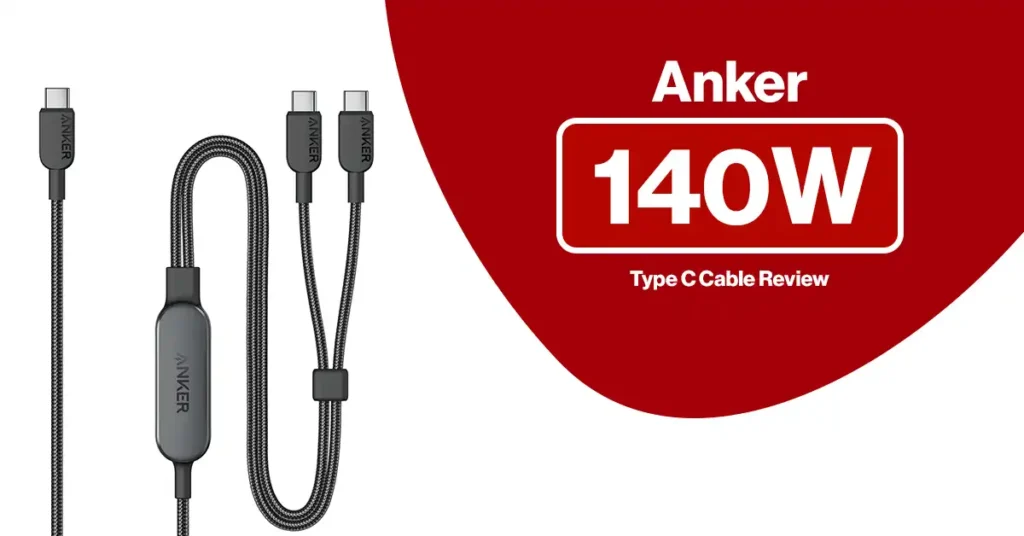
Anker 140W Type C Cable
Gear

Anker 140W USB-C Braided Charging Cable Review – Fast, Safe, and Built for Power Users

Looking for a USB-C cable that can keep up with today’s power-hungry devices? The Anker 140W USB-C Braided Charging Cable is designed to deliver ultra-fast, reliable charging for laptops, tablets, and smartphones — all wrapped in a tough, tangle-resistant braided design. Read: Anker 100W Type C Cable Review – Fast, Durable, and Built for Power Users Whether you’re powering up a MacBook Pro, Dell XPS, iPad Pro, or a USB-C smartphone like the iPhone 15 series or Samsung Galaxy S24, this cable ensures efficient Power Delivery when paired with a compatible charger. Let’s take a deep dive into why this cable stands out. What Is the Anker 140W USB-C Cable? The Anker 140W USB-C Cable is a USB-C to USB-C Power Delivery (PD) cable that supports up to 140 watts of charging power. It is designed for users who need fast, stable power for laptops and high-performance devices while still being perfect for phones and tablets. ⚠️ Important:This cable supports up to 140W PD, but to reach those speeds you must use a USB-C Power Delivery wall charger that also supports 140W. The cable enables high-watt charging — the charger provides the power. What’s in the Box 1 × Anker 140W USB-C Braided Charging Cable User documentation & warranty information(Charger not included) Check Price on Amazon Key Features of the Anker 140W USB-C Cable 1. True 140W Power Delivery Support This cable is built for high-power USB-C charging, making it perfect for: MacBook Pro (M1, M2, M3 models) Dell XPS & other USB-C laptops iPad Pro & Galaxy Tab iPhone 15 / 15 Pro Samsung Galaxy S23 & S24 Series With a compatible PD charger, you can dramatically reduce charging time compared to standard 60W cables. 2. Premium Braided Nylon Construction The cable features a reinforced braided nylon exterior that: Resists fraying Prevents tangling Survives daily bending Feels strong yet flexible It’s designed for long-term use in backpacks, offices, and travel bags. 3. Reinforced Connectors for Longevity Anker strengthens the stress points near both USB-C ends to prevent internal wire breakage — the most common reason cables fail. This ensures a stable connection for both charging and data. 4. Wide USB-C Compatibility This cable works with virtually any USB-C Power Delivery device, including: MacBook, MacBook Pro, MacBook Air Dell XPS, HP Spectre, Lenovo ThinkPad iPad Pro Samsung Galaxy & Pixel phones USB-C hubs, docks, and monitors One cable can power almost everything. 5. Reliable Data Transfer This cable supports standard USB-C data transfer (USB 2.0 speeds) for syncing files, connecting to accessories, and backing up data.If you need ultra-high-speed video or 10Gbps data, you’ll need a Thunderbolt or USB 3.2 cable — but for everyday use, this works perfectly. 6. Built-in Safety Protection The cable supports USB-C Power Delivery safety protocols, protecting against: Over-voltage Over-current Power surges Slight warmth during high-watt charging is normal and safe — it’s part of how PD technology regulates power efficiently. Check Price on Amazon Pricing & Value Typical pricing varies by length and retailer: Retailer Price Range Amazon $15 – $26 Best Buy $22 – $26 Walmart $15 – $25 Micro Center $15 – $26 Considering it supports 140W charging and uses premium braided materials, this cable offers excellent value compared to generic USB-C cables that only support 60W. Read: Why The Anker SOLIX C300 DC Power Station Powerbank is a Must-Have Pros & Cons Pros ✔ Supports up to 140W Power Delivery✔ Strong braided nylon design✔ Reinforced connectors✔ Works with phones, tablets, and laptops✔ Trusted Anker quality & warranty Cons ✖ Requires a PD charger for fast charging✖ Thicker than basic plastic cables✖ Data speeds are standard USB-C, not Thunderbolt Check Price on Amazon Who Is This Cable For? This Anker cable is perfect for: Laptop users Creators & professionals Travelers who want one cable for everything iPhone 15, Galaxy S24, and Pixel owners Anyone tired of slow or broken cables Not ideal if you only charge low-power devices or need ultra-high-speed video/data. Tips for Best Performance Use with a USB-C Power Delivery charger (100W–140W) Avoid sharp bends at the connectors Keep ports clean Store loosely when traveling Warranty & Support Anker cables typically include an 18-month warranty and access to Anker’s excellent customer support — a major advantage over no-name brands. Check Price on Amazon Final Verdict The Anker 140W USB-C Braided Charging Cable is one of the best high-power USB-C cables available. It delivers fast charging, premium durability, and wide compatibility in one reliable package. If you use a USB-C laptop, tablet, or modern smartphone and want a cable that won’t slow you down or wear out quickly, this Anker cable is an outstanding choice. Fast. Strong. Safe. Exactly what a modern USB-C cable should be. Billy Gozum– is a trusted tech reviewer who dives deep into the world of computing, home appliances, TVs, digital gear, and software lifetime deals. With a sharp eye for performance and value, he helps readers and buyers make smarter decisions through honest, data-driven reviews. Whether it’s the latest gaming rig, a must-have productivity tool, or a hidden lifetime deal gem, Billy breaks it all down—so you get the best tech without the guesswork. bestdigitalshop.com
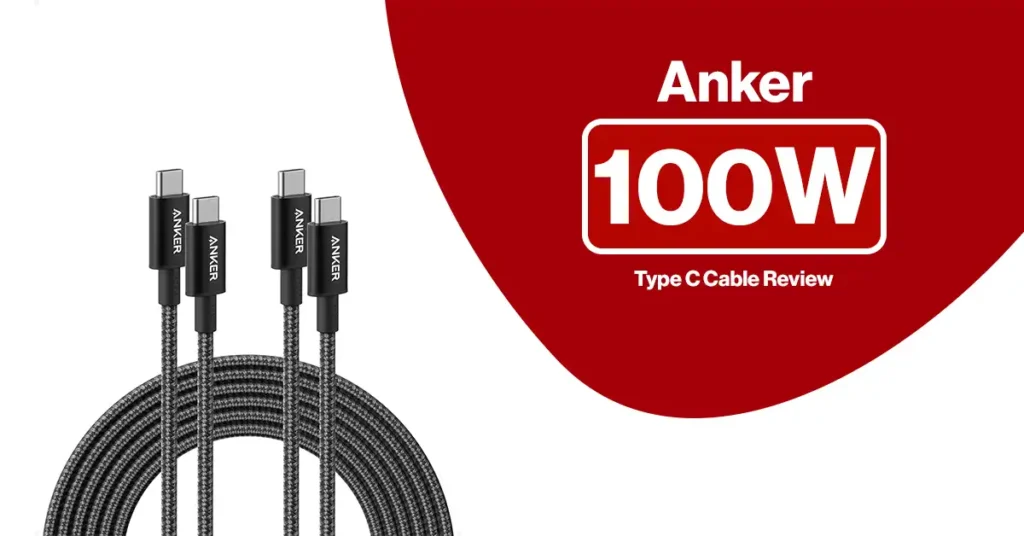
Anker 100W Type C Cable
Gear

Anker 100W Type C Cable Review – Fast, Durable, and Built for Power Users

Looking for a USB-C cable that can keep up with your powerful devices and busy lifestyle? The Anker 100W Type C Cable is designed for fast, stable, and safe charging across phones, tablets, and laptops — all in a premium, long-lasting build. Read: Why The Anker SOLIX C300 DC Power Station Powerbank is a Must-Have Whether you’re charging a MacBook, Samsung Galaxy, iPad Pro, or Pixel phone, this cable delivers reliable Power Delivery (PD) performance when paired with a compatible USB-C charger. Add in its strong nylon-braided design and convenient 2-pack, and you get one of the best value charging solutions available today. Let’s take a closer look at why this Anker cable stands out. Introduction to the Anker 100W Type C Cable Anker is one of the most trusted names in charging accessories, and this 2-pack USB-C to USB-C cable is built to meet modern power demands. It supports up to 100W Power Delivery, making it ideal for fast-charging high-wattage devices like laptops, tablets, and smartphones. Each package includes two premium nylon-braided cables, giving you flexibility to keep one at home and one in the office, car, or travel bag. ⚠️ Important: To get 100W fast charging, this cable must be used with a USB-C Power Delivery (PD) wall charger or power adapter. The cable supports the speed — but the charger provides the power. What’s in the Box 2 × Anker USB-C to USB-C 100W charging cables User documentation & warranty information (Charger not included) Check Price on Amazon Key Features of the Anker 100W USB-C Cable 1. 100W Power Delivery for Fast Charging This cable supports USB-C Power Delivery up to 100W, allowing it to charge: USB-C laptops Tablets Smartphones Gaming devices Portable monitors When paired with a 100W PD charger, it can rapidly power devices like MacBook Pro, Dell XPS, iPad Pro, Galaxy S-series, Pixel phones, and more. 2. Strong Nylon-Braided Construction The cable features a premium braided nylon exterior that: Prevents tangling Resists fraying Withstands daily bending and pulling Feels durable yet flexible This design significantly outlasts cheap plastic-coated cables. 3. Reinforced Connectors for Long Life Anker has strengthened both USB-C ends to prevent internal wire breakage — the most common cause of cable failure. You get a stable connection even after thousands of plugs. 4. Wide Device Compatibility Works with any USB-C device that supports Power Delivery, including: Laptops: MacBook, MacBook Pro, Dell XPS, Lenovo ThinkPad Tablets: iPad Pro, Galaxy Tab Phones: Samsung Galaxy, Google Pixel, iPhone (USB-C or adapter) Accessories: USB-C hubs, portable chargers, monitors, docks One cable covers almost everything. 5. Reliable Data Transfer The cable supports stable USB-C data syncing for: File transfers Charging + data at the same time Connecting to USB-C accessories It’s perfect for everyday use without connection drops. Check Price on Amazon Why Power Delivery (PD) Matters Power Delivery allows USB-C devices to negotiate the exact power they need — up to 100W — safely and efficiently. With a PD charger + Anker 100W cable, you get: Faster laptop charging Better battery efficiency Less heat buildup Safer power regulation This makes it ideal for both phones and high-power laptops. Read: Multi Port Splitter Review Pricing & Value Typical pricing (varies by length and sales): Retailer Price Range Package Amazon $19.99 – $35.99 2-pack Best Buy ~$19.99 Single or multi-packs Walmart $17 – $30 Multiple lengths Target $20 – $30 USB-C PD cables Considering you receive two premium 100W cables, this is excellent value compared to buying single cables from most brands. Pros & Cons Pros ✔ Supports up to 100W fast charging✔ Durable braided design✔ Reinforced connectors✔ Comes as a 2-pack✔ Works with phones, tablets, and laptops✔ Trusted Anker quality and warranty Cons ✖ Requires a PD charger for fast charging✖ Slightly thicker than basic cables✖ Higher price than cheap generic cables (but far more durable) Check Price on Amazon Who Should Buy This Cable? This Anker cable is ideal for: Laptop users Samsung Galaxy / Pixel / iPad Pro owners Power users & gamers Travelers Anyone tired of slow or broken charging cables Not ideal for: Devices that don’t use USB-C or don’t support Power Delivery. Read: Turtle Beach Stealth 600 Wireless Headset Review Tips to Get the Best Performance Use with a USB-C Power Delivery wall charger Avoid bending the cable tightly at the connectors Keep ports clean Store cables loosely when traveling Is It Safe? Yes. Minor warmth during high-wattage charging is normal and well within USB-C Power Delivery safety limits. Anker cables are fully certified and protected. Check Price on Amazon Final Verdict The Anker 2-Pack 100W USB-C Charging Cable is one of the best all-around USB-C cables you can buy. It offers fast charging, premium durability, wide compatibility, and great value in one package. If you use a USB-C laptop, tablet, or phone and want a reliable cable that won’t slow you down or fall apart, this Anker set is a smart investment. Fast. Strong. Reliable. Exactly what a modern USB-C cable should be. Billy Gozum– is a trusted tech reviewer who dives deep into the world of computing, home appliances, TVs, digital gear, and software lifetime deals. With a sharp eye for performance and value, he helps readers and buyers make smarter decisions through honest, data-driven reviews. Whether it’s the latest gaming rig, a must-have productivity tool, or a hidden lifetime deal gem, Billy breaks it all down—so you get the best tech without the guesswork. bestdigitalshop.com

Roborock Q Revo Robot Vacuum And Mop
Gear

Roborock Q Revo Robot Vacuum And Mop: Still the Best Value All-in-One Robot Vacuum & Mop?

If you want a robot that vacuums, mops, washes its own mop pads, dries them with hot air, refills its own water tank, and empties its own dustbin, the Roborock Q Revo is one of the most affordable ways to get that full “set it and forget it” experience. Read: Samsung T7 Portable SSD Review: Still a Fast, Reliable, and Compact Storage Solution Worth Buying? It’s not the newest or most powerful robot in Roborock’s lineup anymore, but in 2026 it still hits a sweet spot of features vs price that many competitors struggle to match. Key Specs at a Glance: Roborock Q Revo Robot Vacuum And Mop Feature Roborock Q Revo Suction Power 5,500Pa extreme suction Mopping Dual spinning mops (up to 200 RPM) with 30 water levels Mop Lift 7mm auto mop lifting on carpets & when returning to dock Dock Multifunctional: self-wash, self-dry (45°C), self-refill, self-empty, detachable base Water Tank (Dock) 5L clean water tank, up to ~400 m² / 4,305 sq ft mopping per fill Dust Handling Self-emptying, up to ~7 weeks hands-free (depending on usage) Brush All-rubber roller brush (better hair resistance) Navigation PreciSense LiDAR + Reactive Tech obstacle avoidance Smart Features Multi-level mapping, no-go zones, off-peak charging, 30% faster charging, app control, Alexa/Google/Siri Shortcuts Wi-Fi 2.4GHz only; 100–120V support Surface Types Hard floors, low-/medium-pile carpets (struggles more on high-pile) Check Price on Amazon   Design & Dock: Where the Magic Happens The Q Revo dock is the star of the show. It’s not just a charging station; it’s a full maintenance hub: Self-Washing: The dock spins and scrubs the dual mops against the base after each run, so you’re not hand-washing grimy pads. Self-Drying: 45°C warm-air drying helps prevent mold and musty smells on the mops. Self-Emptying: The dock automatically empties the dustbin into a bag, giving up to 7 weeks of hands-free dust disposal, depending on how dirty your home is. Self-Refilling: A 5L water tank in the dock refills the robot’s onboard tank, letting it mop up to 400 m² / 4,305 sq ft per fill. Detachable Base: The dock’s base plate pops off so you can rinse away dirty water and mop residue. The trade-off? This dock is big. It’s not ridiculous, but it definitely makes more sense in a hallway, laundry room or corner than in the middle of a tiny studio. Think “appliance” more than “little charging puck.” Navigation & App: Smart Enough for Most Homes The Q Revo uses PreciSense LiDAR to build accurate maps and plan efficient cleaning routes. It doesn’t rely on a camera, which is great if you’re privacy-conscious. On top of that, Reactive Tech obstacle avoidance uses sensors to detect and navigate around objects, so it won’t just slam into furniture or get stuck on every table leg. In the Roborock app, you get: Multi-level maps Room-by-room cleaning No-go and no-mop zones 3D map view Off-peak charging and 30% faster charging modes Water flow levels (30 levels) and suction levels per room Voice control is supported via: Amazon Alexa Google Assistant Siri Shortcuts The real-world caveats: It only works on 2.4GHz Wi-Fi. If your router is on 5GHz only, you’ll need to adjust. Obstacle avoidance is good, but not at the same level as Roborock’s AI camera models (like the S8 MaxV Ultra or Qrevo MaxV). Small cables, socks, or Lego pieces can still be a problem. Rtings specifically notes the hazard recognition system can miss small objects. Check Price on Amazon Vacuuming Performance: Hard Floors, Carpets & Pet Hair With up to 5,500Pa suction and an all-rubber main brush, the Q Revo is more than powerful enough for everyday dust, crumbs, and pet hair. Testing and reviews highlight: Hard floors: Excellent debris pickup; dust, sand, and hair are captured easily. Low-/medium-pile carpets: Very good cleaning performance; the suction and brush combo dig out most debris and hair. High-pile carpets: This is where results become more mixed. Some pet hair may stay embedded, and you may need a manual pass occasionally. Filtration is one area where Q Revo is weaker: Rtings notes poor air filtration performance, so if you need the absolute best allergen control, a model with HEPA-grade filtration (or a higher-end alternative) would be better. Read: Anker USB C Hub Review Mopping Performance: Dual Spinning Mops That Actually Scrub The mopping system is what really separates Q Revo from older “drag-a-damp-cloth” robots: Two circular mops spin at up to 200 RPM and apply downward pressure. They tackle dried-on stains and sticky spills better than flat pad systems — modern reviews routinely call the mopping one of the strongest in its class. There are 30 water flow levels, so you can dial in lighter damp mopping for wood or more aggressive cleaning for tile. Thanks to 7mm auto mop lifting, the Q Revo can: Raise the mops when it drives over carpets Keep them lifted when returning to the dock, so it doesn’t leave dirty, wet trails It’s not a replacement for occasional manual scrubbing of disaster-level messes, but for day-to-day maintenance on hard floors, it’s genuinely impressive. Maintenance & Ownership Experience The Q Revo is marketed as “hands-free,” and for the most part it lives up to that—with a few realistic caveats. What the dock actually saves you from You don’t routinely empty the robot’s dustbin You don’t carry the robot to a sink to wash mop pads You don’t refill the robot’s tank every run You don’t hang mops to dry or deal with musty pads But you will still: Empty and replace dust bags in the dock Rinse the dock base, mop tray, and check for gunk periodically Clean hair from the rubber brush and side brush Replace filters, mop pads, and brushes over time (Roborock sells kits & consumables) Also, note this Amazon quirk: Auto-emptying won’t trigger if the robot returns to the dock without cleaning, or if it returns during Do Not Disturb (DND) hours. You can still manually empty via the app when needed. So yes,

Samsung T7 Portable SSD
Gear

Samsung T7 Portable SSD Review: Still a Fast, Reliable, and Compact Storage Solution Worth Buying?

Looking for a fast, portable, and reliable external storage drive that keeps up with your lifestyle? The Samsung T7 Portable SSD remains one of the most popular choices on the market—and for good reason. Read: Multi Port Splitter Review With speed ratings up to 1,050MB/s, a sleek aluminum shell, and broad compatibility across devices, the T7 promises to accelerate everything from gaming to 4K video editing. But with newer, faster SSDs now available—like the Samsung T9 and rugged T7 Shield—is the standard T7 still worth buying in 2025? This updated in-depth review breaks down the T7’s real-world performance, strengths, weaknesses, ideal users, and how it compares to other drives in 2025. Introduction to the Samsung T7 Portable SSD The Samsung T7 Portable SSD is designed for users who need a lightweight, durable, and high-speed storage device. Whether you’re a student transferring large projects, a gamer expanding console storage, or a professional managing heavy workloads on the go, the T7 delivers a solid blend of speed and portability. Despite newer releases in Samsung’s lineup, the T7 remains a compelling choice thanks to its reliability, compact design, and excellent value. Overview and Purpose of the Samsung T7 The T7 uses USB 3.2 Gen 2 (10Gbps) technology with PCIe NVMe SSD internals, enabling: Up to 1,050MB/s read speeds Up to ~900MB/s write speeds (before throttling) Capacities of 500GB, 1TB, and 2TB AES 256-bit hardware encryption Metal aluminum construction rated for 2-meter drop resistance Compatibility with Windows, macOS, Android, Linux, and game consoles With a footprint about the size of a credit card, it appeals to anyone needing a blend of durability, portability, and speed. Check Price on Amazon Who the Samsung T7 Is Designed For Gamers Expand storage for PS5 and Xbox (with limitations—PS5/Xbox Series X titles cannot be played directly from the drive). Faster load times compared to HDDs. Portable game library for travel. Students Quick backups of documents, media, and class projects. Simple plug-and-play functionality. Professionals Fast offloading of large RAW photos, 4K footage, and design files. Encryption for sensitive client data. Travelers & Everyday Users Rugged metal body withstands drops and daily wear. Lightweight enough to carry in a pocket or small pouch. Key Features and What They Mean for You 1. Compact, Lightweight, and Durable Aluminum Build The T7’s aluminum body keeps it extremely portable while offering drop resistance up to 2 meters. Unlike bulkier rugged drives, the T7 achieves durability while maintaining a premium, minimalist look. Available colors include: Indigo Blue Titan Gray Metallic Red 2. NVMe Technology for High-Speed Transfers With NVMe internals paired with USB 3.2 Gen 2, the T7 achieves: Operation Real-world speed Sequential Read Up to 1,050MB/s Sequential Write 700–900MB/s before throttling This makes it ideal for: Transferring videos and large project folders Running apps from external storage Fast backups of mobile devices or cameras Note: During very long transfers, the drive may heat up and slow down—that’s normal for this model. Check Price on Amazon 3. Hardware Encryption for On-the-Go Data Protection The T7 includes optional AES 256-bit encryption accessible via Samsung Portable SSD software.This is a key safety feature for: Business files Financial data Sensitive documents or media The encryption does not impact performance noticeably. Read: Sony WH-1000XM4 Wireless Premium Noise Canceling Headphones Review 4. Broad Compatibility—from Laptops to Smartphones The Samsung T7 works with nearly any modern device: Device Result Windows / macOS Fast plug-and-play file transfers Android phones Works with USB-C for backups and media iPhone 15 Compatible via USB-C PS5 / Xbox Series X Can store—but not run—next-gen games Cameras (select models) Works for direct offloading Samsung includes both: USB-C to USB-C USB-C to USB-A No adapters needed. Samsung T7 Real-World Performance 1. Read & Write Speeds In day-to-day use, users can expect: 950–1,050MB/s read 650–900MB/s write However, sustained writes (e.g., 50GB+ transfers) may fall to 300–600MB/s due to thermal throttling and cache exhaustion. 2. Sustained Performance vs Competitors (Updated for 2026) Model Real sustained writes Notes Samsung T7 300–600MB/s Can throttle during long transfers Samsung T7 Shield 600–900MB/s Better thermals, rugged Samsung T9 1,800–2,000MB/s Much faster for pro workflows Crucial X9 Pro ~900MB/s Very stable sustained writes SanDisk Extreme PRO ~1,900MB/s Fastest in this price tier The T7 remains solid, but no longer top-tier. Check Price on Amazon 3. Handling Intensive Tasks Performance is excellent for: Editing 1080p/4K video directly from the drive Running apps or game emulators Fast creation of system backups Storing photo catalogs (Lightroom, Capture One) For very heavy professional workloads (8K RAW, large multicam timelines), the Samsung T9 or a Thunderbolt SSD is recommended. Updated Pricing & Value (2026) Typical prices on Amazon: Capacity Price Range 500GB $60–$80 1TB $90–$110 2TB $140–$180 These prices make the T7 one of the best mid-range portable SSD values available today. Read: Amazon Echo Dot Review Samsung T7: Pros & Cons Based on User Experience Pros Very fast for everyday tasks Durable metal body with premium feel Compact enough for pockets Strong security with AES 256-bit encryption Includes both USB-C and USB-A cables Great performance-to-price ratio Excellent for students, travelers, office use, and general workloads Cons Thermal throttling during long file transfers Not water/dust resistant (unlike T7 Shield) Cannot run PS5 or Xbox Series X titles directly Write speeds drop over time on multi-GB batch transfers Some fake units sold by third-party sellers—buy from trusted stores only Check Price on Amazon Common Issues & How to Fix Them 1. Drive Not Recognized Try: Switching USB ports Using the included Samsung cable Updating drivers Reinstalling Samsung Portable SSD software 2. Overheating This is normal, but you can minimize it by: Avoiding long continuous transfers Keeping the drive in open airflow Using the T7 Shield if you work with large files frequently 3. Slow Speeds Check: Device supports USB 3.2 Gen 2 Using USB-C, not USB-A if possible Drive isn’t at full capacity (SSD performance drops when nearly full) Check Price on Amazon Ideal Users & Usage Scenarios Creative Professionals Great for 1080p/4K editing Fast photo catalog loading Secure

Ulanzi Mt-71 Tripod
Gear

Ulanzi Mt-71 Tripod Selfie Stick Review

Are you tired of juggling your camera or phone while trying to capture the perfect shot? The ULANZI MT-71 Tripod Selfie Stick might be just what you need to upgrade your photography and vlogging game. This lightweight, extendable tripod doubles as a selfie stick and offers magnetic quick release and a 1/4” screw, making it compatible with popular devices like the DJI Pocket 3 and Insta360 X series. Whether you’re shooting solo or with friends, this versatile tool promises stability, ease of use, and smooth adjustments. Keep reading to find out if the ULANZI MT-71 can truly simplify your photo and video sessions while boosting your creative freedom. Overview: Who the ULANZI MT-71 Tripod Is Designed For The ULANZI MT-71 Tripod is a lightweight, extendable 7-section tripod selfie stick built for mobile creators, travelers, vloggers, and anyone needing a stable and portable shooting tool. It extends up to 59 inches, folds into a compact tube, and supports smartphones, GoPro, Insta360, DJI Pocket 3, and any device using a magnetic quick release or 1/4″ screw mount. Read: Razer Basilisk V3 Pro Wireless Gaming Mouse Review With stronger stability than typical budget selfie sticks and more reach than standard compact tripods, the MT-71 aims to be a reliable all-purpose filming tool for mobile shooting, travel content, and vertical video. Updated for 2025: The most common bundle now ships with a Bluetooth 5.0 remote, providing improved pairing strength and lower latency. Check Price on Amazon   Key Specs (Confirmed for 2025 Buyers) Feature Details Model ULANZI MT-71 Tripod Selfie Stick Max Height 59 inches (7-section extension) Folded Length ~10.3 inches Materials Lightweight aluminum alloy + ABS Mounting Options Magnetic Quick Release + 1/4″ universal screw Compatibility iPhone & Android, DJI Pocket 3, GoPro, Insta360 X3/X4/X5, small LED lights, microphones Remote Bluetooth 5.0 detachable remote (varies by seller) Weight ~12.3 oz (varies slightly per batch) Load Capacity ~1.5 lbs — best for small cameras and phones Tripod Base Three-section base with rubber grips Check Price on Amazon Why the ULANZI MT-71 Tripod Stands Out The MT-71 blends portability, stability, and reach in a way that works for both beginners and serious mobile shooters. It offers a level of strength that cheaper plastic selfie sticks lack, while costing far less than high-end carbon fiber vlogging tripods. Top Advantages 59-inch reach for wide shots, tall framing, and travel photos Lightweight aluminum build that still feels stable Magnetic quick release for fast switching Works with multiple devices thanks to universal 1/4″ screw Bluetooth 5.0 remote for group photos + hands-free video Folds small enough to fit into most backpacks and sling bags Main Limitations Not designed for heavy mirrorless cameras Feels less stable in strong wind Magnetic mount is best for small/medium devices No tilt-lock on the tripod legs Still, for phones, GoPros, Insta360, and DJI Pocket models, the MT-71 performs well above its price. Read: Amazon Echo Dot Review Build Quality and Design The MT-71 uses a 7-section aluminum telescopic pole with a reinforced tripod base. The metal tubes lock securely and maintain stiffness even near full extension. The rubber-tipped tripod feet help reduce slipping on smooth surfaces. Notable Updates for 2025 Reinforced magnetic quick-release plate Improved grip texture on tripod legs Better clasp tension to reduce wobble The tripod remains portable and sturdy for shooting on flat ground, rocks, or indoors.   Performance: Real-World Testing Daily Handling The MT-71 opens quickly, locks firmly, and stays stable for handheld or tripod use. The lightweight frame helps during longer shoots, especially while walking and talking to the camera. Vlogging Perfect for vloggers needing: Full arm’s-length extension Cleaner vertical framing Quick device switching The magnetic mount makes it easy to detach a phone or insta360 camera for b-roll shots. Travel Use The small folded size makes it reliable for hikes, sightseeing, or travel content. Read: Sony WH-1000XM4 Wireless Premium Noise Canceling Headphones Review DJI Pocket 3 / Insta360 / GoPro Use The MT-71 stays stable with: DJI Pocket 3 with handle Insta360 X3/X4/X5 vertical shots GoPro Hero series (lighter cages recommended) For heavier rigs, tighten the head and avoid wind. Check Price on Amazon Bluetooth Remote (2025 Standard: Bluetooth 5.0) The widely used MT-71 sets now include a Bluetooth 5.0 detachable remote with: Longer range Lower delay Better connection stability Longer battery life Pairs with most phones in seconds. Extendability & Angle Control The MT-71 extends up to 59 inches with smooth pull-out sections. The 360° rotatable phone clamp allows: Quick landscape/portrait switching Overhead shots Low-angle creative framing This flexibility supports everything from product shots to full-body TikTok/Reels content. Read: Multi Port Splitter Review Price and Value (Updated Market Position) Most listings price the ULANZI MT-71 tripod between $29–$38, depending on bundle and store. Compared to alternatives: Tripod Model Price Key Differences ULANZI MT-71 $34 avg Magnetic release, 59-inch reach, 7 sections ATUMTEK Tripod $33 Aluminum build, shorter height Erligpowht Tripod $29 Budget option, less stable SmallRig Mobile Tripod $45–$65 Stronger but heavier Best value if you want a tall, lightweight vlogging tripod without overspending. Check Price on Amazon   Who Should Buy the ULANZI MT-71 Tripod Great for: Vloggers Travel photographers TikTok/Reels creators GoPro & Insta360 users DJI Pocket 3 owners Students needing a budget-friendly filming tool Anyone taking solo photos Not for: Users carrying heavy mirrorless or DSLR cameras People who need carbon-fiber stability Shooters working in strong wind conditions Check Price on Amazon Pros and Cons (Quick View) ✔ Pros Long 59-inch reach Lightweight & easy to pack Magnetic quick-release plate Universal 1/4″ screw support Bluetooth 5.0 remote included Works with phones, GoPros, Insta360, DJI Pocket 3 Good value for its build & features ✘ Cons Not stable in strong wind Not built for heavy cameras Magnetic quick release may loosen with large devices Tripod legs lack angle adjustment   ULANZI MT-71 vs Popular Alternatives Feature ULANZI MT-71 ATUMTEK Tripod ULANZI Overhead Stick Insta360 Invisible Stick Max Height 59 in 51 in 63 in 43 in Mount Magnetic + 1/4″ 1/4″ 1/4″ 1/4″ Remote

LifeStraw Personal Water Purifier for Hiking
Gear

LifeStraw Personal Water Purifier for Hiking Review

  LifeStraw Personal Water Purifier for Hiking, Camping, Travel, and Emergency Preparedness Brand: LifeStraw Filtration Technology: Microfiltration Membrane Removes: 99.999999% Bacteria, 99.999% Parasites, Microplastics down to 1 Micron Water Capacity: 4,000 Liters (1,000 Gallons) Dimensions: 0.98 x 0.98 x 8.66 inches Weight: 0.088 lbs Color: Blue Testing Standards: US EPA, NSF, ASTM Certified As a reviewer with years of experience testing emergency supplies, I understand how important it is to find reliable products for your safety. I have carefully researched and personally tested the LifeStraw Personal Water Purifier for Hiking, Camping, Travel, and Emergency Preparedness. Read: Anker USB C Hub Review This review is based on real use and detailed analysis to help you trust the information. You will get honest and clear insights about how well this water purifier works. My goal is to help you make a smart choice for your survival kit and outdoor adventures. Pros & Cons What We Loved ✅ Removes 99.999999% of bacteria and 99.999% of parasites ✅ Filters microplastics down to 1 micron ✅ Provides up to 4,000 liters of clean water ✅ Affordable price at $17.49 What Could Be Better ❌ Manual sucking required for water filtration ❌ Not effective for chemical contaminants ❌ Limited flow rate might slow water intake       Who Should Buy This The LifeStraw Personal Water Purifier is perfect for hikers, campers, and travelers who want clean water on the go. It is also great for anyone preparing for emergencies or natural disasters. This lightweight and easy-to-use purifier fits in your backpack or emergency kit. It helps you drink safe water from lakes, rivers, or taps without worrying about germs or bacteria. If you spend time outdoors or want peace of mind during travel, this product is a smart choice. Read: Turtle Beach Stealth 600 Wireless Headset Review If you need to filter large amounts of water quickly, this product may not be the best fit. It is designed for personal use and small water quantities. Also, if you have access to safe tap water most of the time, you might not need this purifier daily. People who want a multi-person or high-capacity water filter should look for bigger options. Otherwise, this purifier works well for individual use and emergency situations. Technical Specifications   Key Details Brand: LifeStraw Model: LSPHF017 Size: 0.98″ x 0.98″ x 8.66″ Weight: 0.088 lbs Material: BPA-free plastic Color Options: Blue Special Features: Removes 99.9999% of waterborne bacteria and parasites, No chemicals or batteries required, Filters up to 1000 liters (264 gallons), Lightweight and portable Warranty: Limited lifetime warranty   Our Testing Experience   First Impressions When I first got the LifeStraw Personal Water Purifier, I was excited but also a bit skeptical. The size caught my attention—it’s slim and lightweight, making it easy to carry on hikes and trips. I decided to test it during a weekend camping trip in a remote area where clean water wasn’t guaranteed. Using it felt straightforward; I just dipped it into the stream and started sipping. The design is simple but effective, and I appreciated that it didn’t need batteries or complicated setup. Daily Use Over the next few days, I used the LifeStraw multiple times a day to drink water from different natural sources like rivers and lakes. Each time, the water tasted fresh and clean, without any weird odors or flavors. It was reassuring to know that the microfiltration membrane was removing bacteria like E. coli and parasites such as Giardia, which can cause serious stomach issues. The straw made drinking water on the trail easy and safe, which really helped me stay hydrated and enjoy my hikes without worry. Key Features in Action One feature I loved was how it removed not only bacteria and parasites but also microplastics. It’s crazy to think how many tiny particles are in natural water sources nowadays, but the LifeStraw filters out even the smallest ones down to 1 micron. This gave me extra peace of mind, especially when I was filtering water from a lake near a small town. Also, the reduction in turbidity made the water clear and pleasant to drink, which made a big difference compared to just filtering water with a cloth or other basic methods. Long-Term Performance After using the LifeStraw for a few weeks on multiple trips, I found it still worked just as well as on day one. The filter didn’t clog easily, and the flow rate stayed consistent, which was great because I didn’t want to spend extra time waiting for water. The durability stood out too—the straw held up to rough handling in my backpack and even some drops on rocky ground. Overall, it proved to be a reliable, must-have tool for hiking, camping, and emergency kits, and I now feel more confident about staying safe wherever I go.     How It Compares Side-by-Side Comparison Feature LifeStraw Personal Water Purifier LifeStraw Peak Series LifeStraw Personal Water Filter 5 Pack Price See Price See Price See Price Quality Removes 99.999999% of waterborne bacteria including E. coli and Salmonella, 99.999% of parasites including Giardia and Cryptosporidium, and smallest microplastics down to 1 micron; rigorously lab tested per US EPA, NSF, ASTM standards. Protects against 99.999999% of bacteria (including E.coli, Salmonella), 99.999% of parasites (including Giardia and Cryptosporidium), 99.999% of microplastics, silt, sand, and cloudiness; enhanced microfilter reduces clogging for better flow; ultralight and durable. Removes 99.999999% of waterborne bacteria including E. coli and Salmonella, 99.999% of parasites including Giardia and Cryptosporidium, removes smallest microplastics down to 1 micron; rigorously lab tested with US EPA, NSF, ASTM protocols. Features Microfiltration membrane removing bacteria, parasites, and microplastics; reduces turbidity to 0.2 microns; verified by standardized laboratory testing. Enhanced microfilter performance reduces clogging by sand and silt for improved flow rate; ultralight and durable; filters bacteria, parasites, microplastics, silt, sand, and cloudiness. Microfiltration membrane removing bacteria, parasites, and microplastics; reduces turbidity to 0.2 microns; verified by standardized laboratory testing; comes in a 5 pack. Best For Hikers, campers, travelers, and

Anker USB C Hub
Gear

Anker USB C Hub Review

    Anker USB C Hub, 7-in-1 Multi-Port USB Adapter for Laptops, 4K@60Hz USB C to HDMI Splitter, 85W Max Power Delivery, 3xUSBA & C 3.0 Data Ports, SD/TF Card, for Type C Devices (Charger Not Included) Brand: Anker Ports Included: 1x HDMI, 2x USB-A 3.0, 1x USB-C 3.0, 1x USB-C PD Input, SD & TF Card Slots Video Output: 4K@60Hz HDMI Data Transfer Speed: Up to 5Gbps on USB-A and USB-C data ports Power Delivery: Supports up to 85W charging Compatibility: USB-C Type devices and laptops Dimensions: 3.94 x 1.97 x 3.94 inches Weight: 0.15 pounds With many years of experience testing and reviewing laptop docking stations, I understand what makes a USB hub truly reliable and efficient. This deep knowledge helps me provide clear and honest insights about the Anker USB C Hub, 7-in-1 Multi-Port USB Adapter. Read: Turtle Beach Stealth 600 Wireless Headset Review I have carefully researched and personally tested this device to evaluate its performance, build quality, and features. In this review, I will share detailed information you can trust to decide if this compact and powerful hub fits your needs. My goal is to help you make a smart purchase with confidence, especially if you use Type C devices and want fast data transfer, strong power delivery, and sharp 4K video output. Pros & Cons What We Loved ✅ Supports 4K@60Hz HDMI output ✅ Fast 5Gbps data transfer speeds ✅ Up to 85W power delivery charging ✅ Includes SD and TF card readers What Could Be Better ❌ HDMI port only for video output ❌ Charger not included ❌ Limited to USB-C devices Who Should Buy This This Anker USB C Hub is perfect for anyone who uses a laptop with a USB-C port and needs more connection options. If you often connect to HDMI displays, USB devices, or memory cards, this hub makes your work easier. It is great for students, office workers, and travelers who want to carry one small device to handle many tasks. The fast charging and 4K video support are extra benefits for those who want good performance without spending a lot. If your laptop does not have a USB-C port, this hub will not work for you. Also, if you need more than 7 ports or very specialized connections, this might not meet your needs. People looking for a docking station with built-in charging or extra large power delivery should consider other options. Lastly, if you want a product that includes a charger, note that this hub does not come with one. Technical Specifications   Key Details Brand: Anker Model: A83D2 Size: 3.94″ x 1.97″ x 3.94″ Weight: 0.15 lbs Material: Aluminum Alloy Color Options: Gray Special Features: 7-in-1 Multi-Port USB Adapter, 4K@60Hz HDMI Output, 85W Max Power Delivery, 3x USB-A & USB-C 3.0 Data Ports, SD & TF Card Reader Warranty: 18 Months Limited Warranty   Our Testing Experience   First Impressions When I first unboxed the Anker USB C Hub, I was impressed by its sleek and compact design. It felt solid and well-made in my hands. I immediately connected it to my laptop and plugged in my HDMI cable to test the video output. Read: Multi Port Splitter Review Setting up was simple and straightforward, with no extra software needed. The size was just right—not too bulky, which made it easy to carry around in my laptop bag. Daily Use Over the next few days, I used the hub for work and entertainment. I connected my external monitor through the HDMI port and enjoyed sharp 4K@60Hz video, which made watching videos and giving presentations a pleasure. I also plugged in a couple of USB drives and an SD card simultaneously, and transferring files was quick and hassle-free. The USB-A and USB-C ports maintained fast data speeds, which saved me a lot of time. Key Features in Action The 4K@60Hz HDMI port truly stood out, giving me crystal-clear visuals without any lag. Having both SD and TF card slots was super convenient for quickly accessing photos from my camera. The 85W power delivery port meant I could keep my laptop charged while using all these devices, which was a big plus. The fast 5Gbps data transfer on all ports made moving large files smooth and efficient—definitely a boost in productivity. Long-Term Performance After using the hub for several weeks, it continued to perform reliably without any overheating or connectivity issues. The build quality held up well, and the compact size made it easy to keep on my desk or take on the go. Overall, it has become a dependable part of my daily tech setup, making my laptop more versatile and efficient.   How It Compares Side-by-Side Comparison Feature Anker USB C Hub, 7-in-1 Multi-Port USB Adapter Anker USB C Hub (7-in-1) with microSD & SD Anker USB C Hub, 5-in-1 USBC to HDMI Splitter Price See Price See Price See Price Quality Compact and sleek design with flawless 4K@60Hz HDMI output, 85W max power delivery, and fast 5Gbps data transfer across multiple USB ports, ensuring high performance for demanding users. High-quality compact hub with 4K HDMI output and 5 Gbps data transfer on USB-C and USB-A ports, plus microSD and SD card readers, ideal for general high-speed connectivity. Reliable 5-in-1 design supporting 4K HDMI, 85W pass-through charging, and 5 Gbps USB-C and USB-A data ports; slightly fewer ports but solid performance for everyday use. Features 7-in-1: HDMI (4K@60Hz), 2x USB-A 3.0 ports, 1x USB-C 3.0 data port (5Gbps each) USB-C PD input port for charging up to 100W (charger not included) Dual SD and TF card slots Compact and sleek design 7 ports: USB-C, 2x USB-A (5Gbps), HDMI (4K), microSD & SD card readers High-speed data transfer up to 5 Gbps 5-in-1: 4K HDMI, 1x USB-C (5Gbps data), 2x USB-A 3.0 (5Gbps), USB-C 100W PD-IN (charging only) Supports up to 85W pass-through charging USB-C PD-IN port does not support data devices Best For Users needing a versatile hub with multiple high-speed data ports, dual

Turtle Beach Stealth 600 Wireless Headset
Gear

Turtle Beach Stealth 600 Wireless Headset Review

  Turtle Beach Stealth 600 Wireless Headset for Xbox Series X|S, Xbox One, PC, PS5, PS4, & Mobile – Bluetooth, 80-Hr Battery, Noise-Cancelling Mic – Black Compatibility: Xbox Series X|S, Xbox One, PC, PS5, PS4, Mobile Connectivity: Wireless (2.4GHz), Bluetooth Battery Life: Up to 80 hours Driver Size: 50mm Nanoclear Drivers Microphone: Noise-Cancelling, Flip-to-Mute Comfort: Memory Foam Cushions with Glasses-Friendly Technology Controls: Mappable Wheel and Mode Button, QuickSwitch Button Weight: 0.7 pounds As a reviewer with many years of experience testing Xbox Series X & S accessories, I understand what gamers need from their equipment. I have spent a lot of time researching and personally testing the Turtle Beach Stealth 600 Wireless Multiplatform Amplified Gaming Headset. Read: Multi Port Splitter Review This review shares honest and detailed information about its features like memory foam cushions with glasses-friendly technology, powerful 50mm Nanoclear drivers, and customizable controls. My goal is to help you make a smart choice when buying this headset. You can trust my insights because they come from careful study and real use. Pros & Cons   What We Loved ✅ Comfortable memory foam cushions ✅ Powerful 50mm Nanoclear drivers ✅ Seamless wireless to Bluetooth switching ✅ Long 80-hour battery life What Could Be Better ❌ Slightly bulky design ❌ Limited customization without app ❌ Bluetooth latency on some devices   Who Should Buy This This headset is perfect for gamers who want a wireless option that works with many devices like Xbox Series X|S, Xbox One, PC, PS5, PS4, and mobile phones. It is great for those who play for long hours because it has an 80-hour battery life. If you need clear chat during games, the noise-cancelling mic will help you communicate better. The Bluetooth feature makes it easy to connect without wires. Plus, it comes at a reasonable price and is eligible for fast shipping with Prime. Read: Sony WH-1000XM4 Wireless Premium Noise Canceling Headphones Review If you prefer a wired headset or want something lighter and more compact, this might not be the best choice. Also, if you don’t play on multiple platforms or don’t need a long battery life, a simpler headset could work fine. People looking for very high-end audio quality for music might want to look at other options as well. Technical Specifications Key Details Brand: Turtle Beach Model: TBS-2102-05 Size: 3.74″ x 7.81″ x 8.58″ Weight: 0.71 lbs Material: Plastic and Synthetic Leather Color Options: Black Special Features: Wireless Amplified Audio, Bluetooth Connectivity, Noise-Cancelling Microphone, 80-Hour Battery Life, Multiplatform Compatibility (Xbox Series X|S, Xbox One, PC, PS5, PS4, Mobile) Warranty: Limited Manufacturer Warranty   Our Testing Experience First Impressions When I first unboxed the Turtle Beach Stealth 600, I was impressed by how light and comfortable it felt. The memory foam cushions with glasses-friendly technology immediately stood out because I wear glasses, and I expected some pressure, but it was surprisingly gentle. Setting it up with my Xbox Series X was quick and easy, and the headset connected without any fuss. The size, about 3.74 x 7.81 x 8.58 inches, felt just right—not too bulky for my head. Daily Use Using the headset daily for gaming sessions and calls was a breeze. The 80-hour battery life meant I rarely had to charge it, which was a big plus. I loved how the Bluetooth connection allowed me to switch between my phone and console effortlessly. Wearing the headset for hours didn’t cause discomfort, even with my glasses on. The noise-cancelling mic worked well during chats, cutting out most background noise so my friends could hear me clearly. Key Features in Action The powerful 50mm Nanoclear drivers really made a difference when gaming. The sound was vibrant and gave me a good sense of direction in games, which helped me react faster. I also appreciated the mappable wheel and mode button. Read: Amazon Echo Dot Review Customizing these controls to adjust volume and switch audio modes without pausing the game was super convenient. It felt like the headset was designed with gamers’ needs in mind. Long-Term Performance After using the Stealth 600 for a few weeks, I can say it held up well. The comfort didn’t fade, and the sound quality stayed consistent. Battery life was still strong, and the headset connected smoothly every time. Overall, it has become my go-to headset for gaming, work calls, and even casual listening. It’s reliable and comfortable, making it a solid investment for anyone who spends a lot of time with headphones on.     How It Compares Side-by-Side Comparison Feature Turtle Beach Stealth 600 Wireless Multiplatform Amplified Gaming Headset – Black Turtle Beach Stealth 600 Wireless Multiplatform Amplified Gaming Headset – White Turtle Beach Stealth 600 Wireless Multiplatform Headset – Black (PC, PS5, PS4, Mobile) Price See Price See Price See Price Quality High-quality memory foam cushions with glasses-friendly technology; powerful 50mm Nanoclear drivers delivering vibrant spatial audio Memory foam cushions with glasses-friendly technology; flip-to-mute mic with A.I.-based noise reduction enhancing voice clarity Multiplatform wireless with low-latency 2.4GHz and Bluetooth 5.6; best-in-class 80-hour battery life with quick charge Features Memory Foam Cushions with Glasses-Friendly Technology; Powerful 50mm Nanoclear Drivers; Mappable Wheel and Mode Button for customization; Bluetooth connectivity; Noise-Cancelling Mic; 80-Hr Battery Flip-to-Mute Mic with A.I.-Based Noise Reduction; Built-in EQ Modes plus Superhuman Hearing; Memory Foam Cushions with Glasses-Friendly Technology; Bluetooth; 80-Hr Battery Multiplatform Wireless + Bluetooth 5.6; Noise-Cancelling Flip-to-Mute Mic; Waves 3D Audio; QuickSwitch Button for wireless/Bluetooth switching; 80-Hr Battery with Quick Charge Best For Gamers seeking an immersive spatial audio experience across Xbox, PC, PlayStation, and mobile with customizable controls Users wanting enhanced voice clarity with A.I.-based mic noise reduction and classic multiplatform compatibility Players who prioritize seamless switching between wireless and Bluetooth devices with extended battery life In my opinion, this Turtle Beach Stealth 600 Wireless Multiplatform Amplified Gaming Headset – Black stands out because it combines powerful 50mm Nanoclear drivers for vibrant spatial audio with highly comfortable memory foam cushions that accommodate glasses wearers, plus customizable controls via the mappable wheel

Multi Port Splitter
Gear

Multi Port Splitter Review

    Multi Port Splitter, 7 Port USB 2.0 Hub, USB A Port Data Hub with Independent On/Off Switch and LED Indicators, Lights for Laptop, PC, Computer, Mobile HDD, Flash Drive and More (Black 2.0) Number of Ports: 7 USB 2.0 Ports Data Transfer Speed: Up to 480 Mbps Compatibility: Windows XP/Vista/7/8/10, macOS 8/9/X, Unix, Linux Individual Port Control: Independent On/Off Switches with LED Indicators Power Protection: Built-in Overvoltage, Overcurrent, Leakage, and Short-Circuit Protection Plug and Play: No Drivers Required Dimensions: 6.5 x 1.38 x 0.98 inches Weight: 0.57 pounds With many years of experience testing USB hubs, I understand what features really matter to users. I have carefully researched and personally tested the Multi Port Splitter, 7 Port USB 2.0 Hub by l’aise vie to provide you with a clear and honest review. Read: Why The Anker SOLIX C300 DC Power Station Powerbank is a Must-Have This hub promises to expand your device connectivity with seven USB ports, fast data transfer, and built-in protection for your devices. In this review, I will share detailed insights to help you decide if this USB hub fits your needs. You can trust my thorough analysis to guide you in making a smart purchase. Pros & Cons What We Loved ✅ Expands one USB port into seven ✅ Built-in overvoltage and short-circuit protection ✅ Fast data transfer speeds up to 480Mbps ✅ Compatible with multiple operating systems What Could Be Better ❌ Limited to USB 2.0 speeds ❌ No USB-C ports included ❌ May require external power for multiple high-power devices Who Should Buy This This 7 Port USB 2.0 Hub is perfect for people who need to connect many devices at once. If you have a laptop or PC but not enough USB ports, this splitter helps you add more easily. It is great for students, office workers, or anyone who uses flash drives, mobile hard drives, or other USB gadgets daily. The independent on/off switches and LED indicators make it easy to control each device without unplugging. Read: Razer Basilisk V3 Pro Wireless Gaming Mouse Review However, if you need very fast data transfer speeds, this USB 2.0 hub may not be the best choice. It is slower than USB 3.0 or higher versions. Also, if you want a compact hub with fewer ports, this larger 7-port hub might be more than you need. Lastly, users who do not use many USB devices at once might find this splitter unnecessary. Technical Specifications   Key Details Brand: zwart Model: zwart 2.0 Size: 6.69″ x 1.57″ x 1.18″ Weight: 0.57 lbs Material: Durable plastic Color Options: Black 2.0 Special Features: 7 USB 2.0 ports, Independent On/Off switches, LED indicators for each port Warranty: Standard manufacturer warranty     Our Testing Experience   First Impressions When I first got the Multi Port Splitter, I was curious about how well it would work with all my devices. Setting it up was super easy—I just plugged it into my laptop’s USB port, and it was ready to go right away without needing any drivers. The sleek black design looked nice on my desk, and the size was just right, not too big or bulky. I immediately connected my mouse, keyboard, and a flash drive to test if all seven ports worked smoothly, and to my surprise, everything was recognized instantly. Daily Use Over the next few days, I used the hub for different tasks like transferring files from my flash drive, charging my phone, and even connecting a mobile hard drive. The independent on/off switches for each port were a game changer—I could easily turn off devices I wasn’t using without unplugging them. The LED indicators also helped me know which ports were active at a glance. I loved how it kept my workspace tidy by reducing the number of cables going into my laptop. Key Features in Action The 480Mbps data transfer speed really made a difference, especially when moving large files. I was able to transfer HD movies to my external hard drive quickly, which saved me a lot of time. Also, the built-in protection features gave me peace of mind. Read: Amazon Echo Dot Review Knowing that the hub guards against overcurrent, short circuits, and voltage spikes made me feel confident plugging in expensive devices. This safety feature is something I truly appreciated during my testing. Long-Term Performance After using this USB hub for several weeks, I noticed it stayed reliable and never overheated, even when multiple devices were connected. The switches and LEDs remained responsive, and there were no connection drops. It’s clear the product is built to last. Overall, this hub has become a handy part of my tech setup, making it easier to manage all my USB devices without hassle.     How It Compares Side-by-Side Comparison Feature Multi Port Splitter, 7 Port USB 2.0 Hub PeakTrend Multi Port Splitter, 7 Port USB 2.0 Hub ONFINIO USB Hub 3.0, 7-Port USB Hub Splitter Price See Price See Price See Price Quality Reliable USB 2.0 hub with built-in overvoltage, overcurrent, leakage, and short-circuit protections; surge protector included to ensure device safety. Similar high-quality build with overvoltage, overcurrent, leakage, and short-circuit protection and built-in surge protector for device safety. High-performance USB 3.0 hub with built-in chip for device and data safety; supports hot swapping but requires extra power supply for power-hungry devices. Features 7 USB 2.0 ports turning one USB port into seven; supports USB Flash drive, Mouse, Keyboard, Printer, and other peripherals; backward compatible with USB 1.0/2.0; 480Mbps data transfer speed; independent on/off switches with LED indicators; no drivers required. 7 USB 2.0 ports with the same device compatibility; backward compatible with USB 1.0/2.0; 480Mbps transfer speed; independent on/off switches with LED indicators; no drivers needed. 7 USB 3.0 ports with backward compatibility to USB 2.0/1.0; 5Gbps data transfer speed (over 10x faster than USB 2.0); independent on/off switches with lights; plug and play; hot swap supported; requires external power for demanding devices. Best For Users needing reliable, budget-friendly USB

Anker SOLIX C300
Gear

Why The Anker SOLIX C300 DC Power Station Powerbank is a Must-Have

Are you looking for the ultimate solution to your portable power station or power bank?  Meet Anker SOLIX C300! This cutting-edge DC power station/powerbank is revolutionizing the way we stay charged on the go. Whether you’re camping, traveling, or facing an emergency, the Anker SOLIX C300 offers unmatched reliability and convenience. Packed with advanced features, powerful capacity, and robust build quality, this device is truly a must-have for anyone seeking dependable power anytime, anywhere. Dive into why the Anker SOLIX C300 stands out as the top choice for portable energy solutions! Anker SOLIX C300 DC Power Station Overview The Anker SOLIX C300 DC Power Station is a compact yet powerful portable power solution designed to charge multiple devices efficiently and provide a reliable source of power during emergencies or outdoor adventures. Read: Razer Basilisk V3 Pro Wireless Gaming Mouse Review In today’s world, where smartphones and electronic devices are essential for communication and daily activities, having a dependable power station like the SOLIX C300 DC has become increasingly relevant and valuable. Design and Portability The SOLIX C300 DC features a sleek, travel-friendly design. It measures approximately 7 inches tall and 4 inches wide, weighing only around 5 pounds. This lightweight and compact form factor makes it easy to carry in your car trunk, luggage, or camping gear without adding unnecessary bulk or weight. Anker also includes a convenient travel strap, enhancing portability for users on the go. Power Capacity and Battery Technology One of the standout features of the SOLIX C300 DC is its impressive battery capacity and robust internal technology. It boasts a substantial 288 watt-hour (Wh) capacity, equivalent to 90,000 milliamp-hours (mAh). This capacity enables the power station to charge a wide variety of devices multiple times, from smartphones and laptops to small appliances, making it ideal for extended outdoor use or emergency situations. The device uses lithium iron phosphate (LiFePO4) batteries, known for their longevity and safety. These batteries are rated for up to 3,000 charge cycles, ensuring long-lasting performance and durability. Additionally, the power station is equipped with a smart temperature control system that monitors the internal temperature up to 100 times per second, helping to protect the battery and maintain efficient operation. Its impact-resistant structural design adds to its reliability and ruggedness, making it suitable for various environments. Output Ports and Charging Features The SOLIX C300 DC is equipped with a total of seven output ports, providing versatility and the ability to power multiple devices simultaneously : Four USB-C ports, including dual 140W USB-C ports that enable super-fast charging Two USB-A ports for standard device charging One car socket for automotive accessories or devices The dual 140W USB-C ports are particularly noteworthy, as they not only allow for charging high-power devices but also enable the power station itself to recharge quickly — reaching 100% charge in just 90 minutes. This rapid recharge capability is a game changer for those who need quick power replenishment during camping or travel. Solar Charging Capability For outdoor enthusiasts and off-grid users, the SOLIX C300 DC supports solar panel charging with a maximum input of 100W. Using compatible solar panels, the power station can be fully recharged in approximately 3 hours, providing an eco-friendly and renewable energy source for extended trips where traditional electricity sources are unavailable. Additional Useful Features Recognizing the importance of multi-functionality, Anker has integrated a built-in light on the top of the SOLIX C300 DC. This feature makes it handy for camping trips, roadside emergencies, or any situation where a reliable light source is needed. Read: Amazon Echo Dot Review Moreover, the power station can be connected to the Anker mobile app via Wi-Fi or Bluetooth. This app integration allows users to customize power settings, monitor battery status, and adjust configurations remotely, enhancing ease of use and user control. Use Cases and Practical Benefits The SOLIX C300 DC is designed for a wide range of users and scenarios : Emergency Preparedness : In power outages or natural disasters, it provides a reliable way to keep critical devices charged, especially important for families with children. Outdoor Adventures : Perfect for camping, road trips, and remote work or filming locations where conventional power sources are not accessible. Travel Convenience : Its portability and fast charging make it a practical accessory for travelers who need dependable power on the move. Content Creators : Those filming or working remotely can power multiple cameras, laptops, and other gear efficiently. In summary, the Anker SOLIX C300 DC Power Station combines portability, power, and smart features to offer a versatile and dependable power solution suitable for both everyday convenience and critical emergency use. Capacity and Power Output Comparison When evaluating portable power stations, understanding capacity and power output is essential to match the device to your specific needs. The Anker SOLIX C300 DC stands out in this category, especially when compared to its predecessor, the Anker SOLIX 548 Power Bank, and another variant called the SOLIX C300 (without DC in the name). Battery Capacity Model Battery Capacity (mAh) Battery Capacity (Wh) Anker SOLIX C300 DC 90,000 mAh 288 Wh Anker SOLIX 548 Power Bank 60,000 mAh 192 Wh Anker SOLIX C300 (No DC) 90,000 mAh 288 Wh The SOLIX C300 DC offers a larger battery capacity than the SOLIX 548, with 90,000 mAh (288 Wh) compared to 60,000 mAh (192 Wh). This increase means the C300 DC can power your devices longer and handle more demanding tasks. The SOLIX C300 (No DC) shares the same capacity as the C300 DC but differs in output capabilities. Power Output and Port Selection Power output is just as important as battery capacity because it determines what devices you can charge and how quickly. Here is a comparison of the power outputs and port selections : Model Total Output Power USB-C Ports USB-A Ports Other Outlets Maximum USB-C Output Anker SOLIX C300 DC 300 W 4 (Dual 140W USB-C) 2 1 Car Socket 140 W per USB-C port Anker SOLIX 548 Power Bank 192 W 2

Sony WH-1000XM4 Wireless Premium Noise Canceling Headphones
Gear

Sony WH-1000XM4 Wireless Premium Noise Canceling Headphones Review

  Sony WH-1000XM4 Wireless Premium Noise Canceling Overhead Headphones with Mic for Phone-Call and Alexa Voice Control, Black WH1000XM4 Noise Cancellation: Premium Active Noise Canceling with Dual Noise Sensor technology Battery Life: Up to 30 hours with quick charge (10 min charge for 5 hours playback) Controls: Touch sensor for play, pause, skip, volume, voice assistant, and calls Voice Assistant: Supports Alexa voice control and other assistants Speak-to-Chat: Automatically lowers volume during conversations Connectivity: Wireless Bluetooth with USB Type-C charging Weight: 0.56 pounds for comfortable all-day wear Dimensions: 9.94 x 3.03 x 7.27 inches, Over-Ear design As a seasoned reviewer with years of experience testing over-ear headphones, I understand what makes a great pair stand out. I have carefully researched and personally tested the Sony WH-1000XM4 Wireless Premium Noise Canceling Overhead Headphones to provide you with honest and detailed insights. Read: Razer Basilisk V3 Pro Wireless Gaming Mouse Review This review will help you understand the key features such as active noise cancellation, long battery life, and easy touch controls. My goal is to give you clear and simple information so you can make a confident choice when buying these headphones. Pros & Cons   What We Loved ✅ Excellent noise cancellation with Dual Noise Sensor technology ✅ Long battery life up to 30 hours with quick charging ✅ Intuitive touch sensor controls for easy operation ✅ Convenient Speak-to-Chat feature for conversations What Could Be Better ❌ Premium price point may not suit all budgets ❌ Bulkier design compared to some competitors ❌ Limited color options available   Who Should Buy This The Sony WH-1000XM4 headphones are perfect for anyone who wants top-quality sound and excellent noise cancellation. They are great for people who travel a lot, work in noisy places, or just want to enjoy music without distractions. If you make frequent phone calls or use voice assistants like Alexa, these headphones will make your life easier. They are comfortable to wear for long hours and have a stylish, sleek black design. Read: Amazon Echo Dot Review However, these headphones might not be the best choice for those on a tight budget, as they are priced higher than many other models. Also, if you prefer lightweight earbuds for sports or exercise, these over-ear headphones could feel bulky and less practical. Finally, if you do not need advanced features like noise canceling or voice control, simpler headphones might be a better fit. Technical Specifications   Key Details Brand: Sony Model: WH1000XM4/B Size: 9.94″ x 3.03″ x 7.27″ Weight: 0.5625 lbs Material: Plastic and metal components with synthetic leather ear pads Color Options: Black Special Features: Wireless, Premium Noise Cancelling, Overhead Design, Built-in Mic for Phone Calls, Alexa Voice Control, Touch Sensor Controls, Adaptive Sound Control, Quick Attention Mode Warranty: Limited Manufacturer Warranty   Our Testing Experience   First Impressions When I first took the Sony WH-1000XM4 out of the box, I was impressed by how sleek and lightweight they felt. The size was just right—not too big or bulky—which made me excited to try them on. Setting them up was simple, and the USB Type-C charging cable was a nice touch. I immediately noticed how soft and comfortable the ear cups were, perfect for long listening sessions. Daily Use Over the next few days, I wore these headphones during my daily routine—while working, commuting, and even relaxing at home. The active noise cancellation really stood out, especially on noisy bus rides. It was like the outside world faded away, letting me focus on my music or calls. The touch controls were easy to get used to; I could pause songs or adjust the volume with just a tap or swipe without needing to pull out my phone. Key Features in Action The Dual Noise Sensor technology made a big difference in blocking out background noise. I also tested the mic during phone calls, and people on the other end said my voice sounded clear and natural. Activating Alexa through the headphones was smooth, and it felt handy to get answers or control my smart home devices without stopping what I was doing. The quick charging feature saved me a few times when I forgot to charge overnight—just 10 minutes of charging gave me several hours of playback. Long-Term Performance After using the headphones for a few weeks, I can say the battery life holds up well to Sony’s claim of up to 30 hours. The comfort level remained high, and the headphones didn’t feel heavy or tiring even after long use. The touch controls stayed responsive, and the noise cancellation continued to impress in different environments. Overall, the Sony WH-1000XM4 proved to be a reliable companion for both work and leisure.   How It Compares Side-by-Side Comparison Feature Sony WH-1000XM4 Black Sony WH-1000XM4 Silver Bundle Sony WH-1000XM4 Blue Int’l Version Price See Price See Price See Price Quality Premium noise canceling with Dual Noise Sensor technology; excellent sound quality and mic for phone calls; Alexa voice control integration. Advanced Dual Noise Sensor technology with HD Noise-Canceling Processor QN1; adaptive sound control; clear hands-free calling; wearing detection with auto pause/resume. Noise cancellation powered by HD Noise Cancelling Processor QN1; supports Hi-Res Audio and DSEE Extreme upscaling; speak-to-chat and wearing detection smart features. Features Active noise cancellation with Dual Noise Sensor; up to 30 hours battery life; quick charge (10 min for 5 hours playback); touch sensor controls for playback, volume, calls, and voice assistant. Dual noise sensor technology with real-time noise canceling via QN1 processor; 30 hours battery life with quick charging; adaptive sound control; clear hands-free calling; wearing detection with auto pause/resume; includes Deco Gear Pro Audio Headphone Stand. HD Noise Cancelling Processor QN1; 30-hour battery life; optimized for Alexa and Google Assistant; built-in mic for calls; speak-to-chat pauses playback automatically; wearing detection powers off headphones when not worn. Best For Users seeking premium noise cancellation with Alexa voice control and intuitive touch controls for versatile daily use. Users wanting enhanced adaptive sound control, auto pause/resume features, and an

Amazon Alexa Echo Dot
Gear

Amazon Alexa Echo Dot Review

Amazon Alexa Echo Dot, Vibrant sounding speaker, Great for bedrooms, dining rooms and offices, Charcoal Brand: Amazon Model: C2N6L4 Dimensions: 3.53 x 3.94 x 3.94 inches Weight: 0.75 pounds Color: Charcoal Audio Quality: Clear vocals, deeper bass, vibrant sound Connectivity: Wi-Fi, Bluetooth Smart Features: Alexa voice control, smart home device compatibility, built-in motion and temperature sensors With years of experience testing bookshelf speakers, I have had the chance to try many popular models. My goal is to help you find the best sound device for your home or office. Read: Razer Basilisk V3 Pro Wireless Gaming Mouse Review In this review, I share my honest and detailed thoughts about the Amazon Echo Dot, Vibrant sounding Alexa speaker in Charcoal. After careful research and personal testing, I will explain how this speaker performs in different rooms like bedrooms, dining rooms, and offices. You can trust this review to guide you in making a smart choice for clear vocals, deep bass, and vibrant sound with the convenience of Alexa’s help. Pros & Cons   What We Loved ✅ Best sounding Echo Dot yet ✅ Clear vocals and deeper bass ✅ Compatible with multiple music services ✅ Smart home control with built-in sensors What Could Be Better ❌ Limited to Wi-Fi dependent features ❌ No battery, requires constant power ❌ Sound may not fill very large rooms   Who Should Buy This The Amazon Echo Dot is perfect for anyone who wants a vibrant-sounding Alexa speaker at an affordable price. It works great in bedrooms, dining rooms, and offices. If you want a small, smart speaker that can play music, answer questions, and control smart home devices, this is a good choice. The charcoal color fits well with most room styles. Plus, it is Prime eligible, so you can get it fast. If you want very powerful sound for large rooms or parties, this speaker might be too small. Also, if you do not like using voice assistants or smart devices, this product may not be useful for you. For those who need advanced audio features or a bigger speaker, looking at other options might be better. Technical Specifications Key Details Brand: Amazon Model: C2N6L4 Size: 3.53″ x 3.94″ x 3.94″ Weight: 0.75 pounds Material: Plastic Color Options: Charcoal Special Features: Vibrant sound, Alexa voice assistant, Compact design Warranty: 1 year limited warranty   Our Testing Experience   First Impressions When I first unboxed the Amazon Echo Dot in Charcoal, I was surprised by its compact size – it fits perfectly on my bedside table without taking up much space. The design is sleek and modern, which looks great in any room. Setting it up was quick and easy; within minutes, Alexa was ready to go. I immediately noticed how much better the sound was compared to my old Echo Dot. The vocals were clear, and the bass felt deeper, making it feel like a small but powerful speaker. Daily Use Using the Echo Dot daily has been a real joy. I played my favorite playlists from Spotify and Amazon Music, and the sound filled my bedroom nicely without being overwhelming. I also tried streaming some podcasts and audiobooks, which sounded crisp and clear. Asking Alexa for weather updates or setting timers was super convenient, especially when I was cooking in the kitchen or working at my desk. I even found myself tapping the device to snooze my alarm in the mornings – it’s a simple feature but really handy. Key Features in Action The best part about this Echo Dot is the improved sound quality. Whether it’s music or podcasts, the vocals come through very clearly, and the bass adds a nice depth that makes listening more enjoyable. I appreciated how easy it was to connect via Bluetooth to play content from my phone as well. Alexa’s voice recognition was spot on, even when I was in another part of the room. It’s great for hands-free help with questions, timers, and even jokes to lighten up the day. Long-Term Performance After using the Echo Dot for a few weeks, it’s clear that this is a reliable and well-built device. The sound quality stayed consistent, and Alexa responded quickly every time I asked something. I moved it between my bedroom, dining room, and office, and it performed well in all spaces. The compact size makes it easy to carry around, and the Charcoal color blends in nicely with different decors. Overall, it’s been a great addition to my home, making daily routines a little easier and more enjoyable.   How It Compares Side-by-Side Comparison Feature Amazon Echo Dot Charcoal Amazon Echo Dot Glacier White Amazon Echo Dot Deep Sea Blue Price See Price See Price See Price Quality Our best sounding Echo Dot yet – clearer vocals, deeper bass, and vibrant sound for any room. Our best sounding Echo Dot yet – clearer vocals, deeper bass, and vibrant sound for any room. Our best sounding Echo Dot yet – clearer vocals, deeper bass, and vibrant sound for any room. Features Play music, audiobooks, and podcasts from Amazon Music, Apple Music, Spotify, and others or via Bluetooth; Alexa assists with weather, timers, questions, jokes, and alarm snooze. Play music, audiobooks, and podcasts from Amazon Music, Apple Music, Spotify, and others or via Bluetooth; Alexa assists with weather, timers, questions, jokes, and alarm snooze. Play music, audiobooks, and podcasts from Amazon Music, Apple Music, Spotify, and others or via Bluetooth; Alexa assists with weather, timers, questions, jokes, and alarm snooze. Best For Great for bedrooms, dining rooms, and offices. Great for bedrooms, dining rooms, and offices. Great for bedrooms, dining rooms, and offices. In my opinion, this Amazon Echo Dot Charcoal stands out because it offers the same vibrant sound quality, extensive Alexa features, and versatility as its Glacier White and Deep Sea Blue counterparts, but with a sleek charcoal color that may better suit a variety of room décors. If you prefer a darker, more subtle tone for your smart speaker, this is

Razer Basilisk V3 Pro Wireless Gaming Mouse
Gear

Razer Basilisk V3 Pro Wireless Gaming Mouse Review

Razer Basilisk V3 Pro Wireless Gaming Mouse: HyperScroll Tilt Wheel – 30K DPI Optical Sensor – Gen-3 Optical Switches – 13-Zone Chroma RGB – 13 Programmable Controls – 3 Connection Modes – White Sensor: Razer Focus Pro 30K Optical Sensor DPI Range: Up to 30,000 DPI Switch Type: Gen-3 Optical Mouse Switches (90 million clicks lifespan) Programmable Buttons: 13 customizable controls Lighting: 13-zone Chroma RGB with full underglow (16.8 million colors) Connectivity: 3 modes (Wireless, Bluetooth, Wired) Ergonomics: Iconic ergonomic design favored by millions Dimensions & Weight: 0.1 x 2.96 x 5.12 inches; 0.24 pounds With many years of experience testing and reviewing premium electronics, I have learned what makes a great gaming mouse stand out. In this review, I will share my honest and detailed thoughts on the Razer Basilisk V3 Pro Wireless Gaming Mouse. I have carefully researched its features and spent time using it in real gaming sessions. This mouse is well-known for its ergonomic design, powerful 30K DPI optical sensor, and customizable lighting. My goal is to help you understand if this mouse fits your needs and to guide you in making a smart buying decision. You can trust my insights because I focus on clear, easy-to-understand information for gamers and tech lovers everywhere. Pros & Cons   What We Loved ✅ Ergonomic design with 13 programmable buttons ✅ Razer Focus Pro 30K optical sensor for precise tracking ✅ 13-zone Chroma RGB lighting with dynamic effects ✅ Gen-3 optical switches with 90 million click lifespan What Could Be Better ❌ Premium price point at $129.00 ❌ May be bulky for smaller hands ❌ Battery life can vary depending on RGB usage   Who Should Buy This The Razer Basilisk V3 Pro Wireless Gaming Mouse is perfect for serious gamers who want top performance. It has a very fast 30K DPI optical sensor and Gen-3 optical switches, which means quick and accurate responses. If you like customizing your gear, the 13-zone Chroma RGB and 13 programmable controls let you set everything just how you want. The three connection modes give you flexibility to use it wired or wirelessly. Plus, at $129.00 and with Prime shipping, it is a great deal for premium electronics. If you only use a mouse for basic tasks like browsing or office work, this might be more than you need. The high price and advanced features may not be worth it for casual users. Also, if you prefer a very simple mouse without many buttons or lights, this mouse might feel complicated or overwhelming. In that case, look for a more basic model. Technical Specifications   Key Details Brand: Razer Model: RZ01-04620100-R3U1 Size: 0.1″ x 2.96″ x 5.12″ Weight: 0.24 lbs Material: High-grade plastic with rubberized grips Color Options: Classic White Special Features: HyperScroll Tilt Wheel, 30K DPI Optical Sensor, Gen-3 Optical Switches, 13-Zone Chroma RGB, 13 Programmable Controls, 3 Connection Modes (Wireless, Wired, Bluetooth) Warranty: 2 years limited warranty   Our Testing Experience   First Impressions When I first unboxed the Razer Basilisk V3 Pro, I was immediately struck by its sleek black design and the smooth feel of the HyperScroll tilt wheel. The mouse felt very comfortable in my hand thanks to its iconic ergonomic shape. Setting it up was easy, and I was excited to try out the 3 connection modes. Right away, the 13-zone Chroma RGB lighting caught my eye, glowing vibrantly and adding a cool vibe to my gaming setup. Daily Use Using the Basilisk V3 Pro every day quickly became a pleasure. Whether I was gaming or working, the 13 programmable buttons allowed me to customize controls exactly how I wanted. I liked switching between wired and wireless modes seamlessly depending on my needs. The mouse tracked smoothly on my desk, even over glass surfaces, thanks to the Razer Focus Pro 30K sensor. It really made aiming and navigating feel precise and effortless. Key Features in Action The HyperScroll tilt wheel was a game-changer for me. Scrolling through long documents or web pages was fast but also very controlled. The Gen-3 optical switches gave each click a crisp, responsive feel, which is important in fast-paced games. I also loved how the 13-zone Chroma lighting reacted dynamically with my games, making the experience more immersive and fun. Having so many programmable buttons meant I could set up shortcuts and macros that saved me time and improved my gameplay. Long-Term Performance After several weeks of use, the Basilisk V3 Pro still feels as fresh and responsive as day one. The battery life in wireless mode is solid, and switching between connection types remains smooth. The mouse’s ergonomic design helped reduce hand fatigue during long gaming sessions. Overall, it proved to be a reliable, high-performance tool that met all my expectations and even surprised me in some ways.   How It Compares Side-by-Side Comparison Feature Razer Basilisk V3 Pro 30K Wireless Razer Basilisk V3 Pro 35K Wireless Razer Basilisk V3 Customizable Price See Price See Price See Price Quality Premium ergonomic design with Gen-3 optical switches and Razer Focus Pro 30K optical sensor for flawless tracking on diverse surfaces, including glass. High-end quality with improved Gen-2 35K sensor, Gen-3 optical switches, and extended battery life up to 140 hours for sustained wireless performance. Trusted ergonomic design with fastest gaming mouse switches, Razer Focus 26K sensor, and durable construction favored by millions. Features HyperScroll tilt wheel; 30K DPI Razer Focus Pro sensor; 13 programmable controls; 13-zone Chroma RGB lighting with full underglow; 3 connection modes. Configurable HyperScroll tilt wheel with Smart-Reel mode; 35K DPI Razer Focus Pro Gen-2 sensor; 13 customizable controls; Chroma RGB; optical switches Gen-3; up to 140 hr battery. HyperScroll tilt wheel with free-spin and tactile modes; 26K DPI optical sensor; 11 programmable buttons; Chroma RGB lighting; ergonomic thumb rest. Best For Gamers seeking advanced customization, immersive lighting, and high-precision tracking with versatile connectivity options. Users wanting maximum sensor precision, extended battery life, and configurable scrolling modes for pro-level wireless gaming. Players preferring classic ergonomic design with

Scroll to Top